Shopify Mobile App Builder Comparison: 7 Best Options Ranked (2026)
If your Shopify store is doing real revenue, your mobile experience is either compounding your growth or quietly bleeding it. Mobile commerce accounted for 73% of global ecommerce sales in 2025 (Statista), yet most store owners are still sending mobile traffic to a Shopify theme designed primarily for desktop. A dedicated mobile app changes retention, push notification open rates, and repeat purchase frequency — but choosing how to build one is a decision that can cost you $200/month or $80,000 depending on which path you take.
This guide breaks down every credible mobile app builder for Shopify stores in 2026 — including no-code platforms, low-code hybrids, and fully custom development — so you can make the right call for your revenue stage, brand requirements, and technical resources.
- No-code Shopify mobile app builders like Vajro, Tapcart, and MageNative can get you live in under 14 days — but come with platform dependency and feature ceilings.
- Custom Shopify mobile app development gives you full control over UX, integrations, and performance, but costs $25,000–$100,000+ depending on scope and location.
- Push notifications from a native app generate 2–10x higher open rates than email — making the ROI case for a mobile app much stronger than most store owners expect.
- Your store’s revenue stage, catalog complexity, and integration stack should dictate which builder you choose — not just price.
- Custom development agencies in India offer a meaningful cost arbitrage for custom Shopify mobile app projects, often at 40–60% lower rates than US/UK studios.
Why Shopify Store Owners Are Investing in Mobile Apps in 2026
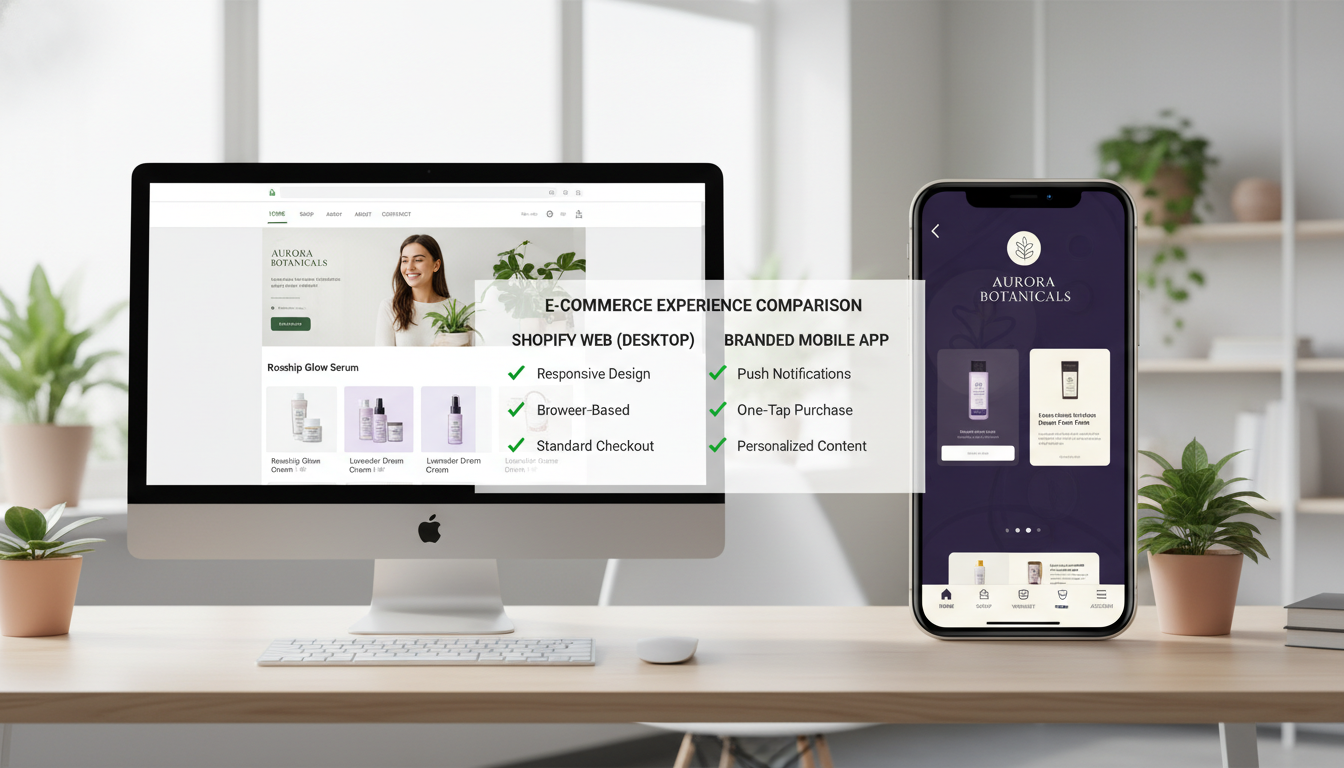
The browser-based mobile shopping experience — even on a fast Shopify theme — has a structural problem: it cannot send push notifications without opt-in friction, it gets cleared from memory when the user closes the tab, and it competes for attention in the Safari or Chrome URL bar. A native or hybrid mobile app eliminates all three of those problems.
The numbers back this up. App users have a 3x higher conversion rate than mobile browser users (Criteo, 2025), and average order values from app sessions run 20–30% higher than from mobile web sessions. For a store doing $500K/year, that delta alone can justify the cost of a mid-tier app builder subscription within months.
Beyond conversion rate, the retention mechanic is the real prize. Push notifications from a native app average 7.8% click-through rates (Klaviyo, 2025), compared to roughly 1–2% for email. If you’re running abandoned cart flows through Klaviyo, adding a push notification layer through a native app creates a second recovery channel that your browser-based store simply cannot replicate.
The 7 Best Shopify Mobile App Builders Compared
These are the platforms and approaches worth evaluating in 2026. The right choice depends on your annual revenue, catalog size, custom integration needs, and how much you care about brand differentiation in the app stores.
1. Tapcart
Tapcart is the most mature no-code Shopify mobile app builder in the market. It connects directly to your Shopify store via API, syncs your product catalog, collections, and inventory in real time, and lets you build native iOS and Android apps through a drag-and-drop editor. Its push notification tooling is the strongest in the no-code segment — you can trigger pushes based on Shopify customer tags, which integrates cleanly with Klaviyo segments if you’re running sophisticated lifecycle marketing.
Pricing: Starts at $200/month (Core) up to $400/month (Ultimate). Enterprise tiers are negotiated. Best for stores doing $500K–$5M/year.
2. Vajro
The Shopify mobile app builder by Vajro targets the $100K–$1M revenue tier and has earned a strong reputation for its live selling feature — a genuinely differentiated capability that lets you broadcast live video inside your app and turn viewers into buyers without leaving. Vajro’s setup is fast (claims 60 minutes to launch), and its Shopify integration is solid for standard catalog setups. Where it falls short is deep customization — if your store has complex product configurators, subscription logic, or unique checkout flows, you’ll hit Vajro’s ceiling quickly.
Pricing: Starts at $99/month. Mid-tier plans run $200–$299/month. Good entry point for stores under $500K/year.
3. MageNative
MageNative positions itself as a budget-friendly Shopify mobile app creator and delivers surprisingly clean output for the price. It supports multi-currency, multi-language, and integrates with loyalty apps like Smile.io and LoyaltyLion. The UI customization is more limited than Tapcart but functional for stores with straightforward catalogs. Customer support response times have improved significantly in 2025 after previously being a common complaint.
Pricing: Starts at $49/month. One of the few platforms with a limited free trial period — making it the closest thing to a Shopify mobile app builder free option for evaluation.
4. Plobal Apps
Plobal Apps sits in the mid-market segment and differentiates on its analytics dashboard, which gives you app-specific funnel data that goes deeper than what Google Analytics 4 surfaces by default on Shopify. If you want visibility into which push notification campaigns drive purchases, which collection layouts improve scroll depth, and where users abandon — Plobal’s native reporting is worth the premium. It also supports Shopify Markets natively, which matters if you’re running international storefronts.
Pricing: $249–$399/month depending on installs and features.
5. Shopney
Shopney is a strong contender for fashion, beauty, and lifestyle brands that care deeply about visual merchandising. Its theme options are more refined than most competitors, and its Instagram-style grid layouts convert well for image-heavy catalogs. Shopney integrates with Yotpo and Okendo for in-app reviews — a critical trust signal for new app users who haven’t bought from you before.
Pricing: $149–$299/month. Ideal for DTC brands in fashion, beauty, or home goods.
6. Appbrew
Appbrew (formerly known as Nector in some markets) has gained traction in 2025–2026 for its deep Shopify integration and clean handling of subscription products via Recharge and Skio. If your store has a significant subscription revenue component, Appbrew handles the in-app subscribe/manage flow better than any other no-code builder on this list. It also supports Rebuy personalization widgets natively, which matters for AOV optimization.
Pricing: Custom pricing, typically $300–$500/month for mid-market brands.
7. Custom Shopify Mobile App Development
When no-code builders hit their ceiling — complex product configurators, custom checkout logic, bespoke loyalty mechanics, B2B pricing rules — you need a fully custom-built mobile app. This typically means a React Native or Flutter codebase that consumes Shopify’s Storefront API (GraphQL) and Admin API to replicate your store’s full functionality in a native shell. Custom Shopify mobile app development in India via established agencies often runs $25,000–$60,000 for a full-featured app, versus $60,000–$120,000 at US or UK agencies — with comparable quality from vetted studios.
Timeline: 3–6 months from discovery to App Store launch. Best for stores doing $2M+ where differentiation and performance at scale matter.
Shopify Mobile App Builder vs Custom Development: Which Is Right for You?
This is the most important decision in the process, and the answer almost always comes down to three variables: your annual revenue, your integration complexity, and your tolerance for platform dependency.
| Factor | No-Code Builder (e.g., Tapcart, Vajro) | Custom Development |
|---|---|---|
| Upfront Cost | $0–$500 setup | $25,000–$120,000 |
| Monthly Ongoing Cost | $99–$500/month | $500–$3,000/month (maintenance) |
| Time to Launch | 1–14 days | 3–6 months |
| Customization Depth | Limited to platform templates | Unlimited |
| Integration Flexibility | Pre-built connectors only | Any API-accessible service |
| Performance (App Speed) | Good (platform-optimized) | Excellent (fully optimized) |
| Push Notifications | Yes (platform-managed) | Yes (custom logic) |
| Subscription Product Support | Limited (varies by platform) | Full support |
| Platform Dependency Risk | High (pricing changes, shutdowns) | None |
| Best Revenue Stage | $100K–$2M/year | $2M+/year |
The platform dependency risk is underweighted by most store owners evaluating builders. Several no-code app builders have raised prices significantly or shut down entirely over the past three years. If your entire mobile channel is built on a third-party platform, you’re exposed. Custom development eliminates that risk — you own the codebase.
How to Connect a Shopify Mobile App Builder to Your Store
Regardless of which no-code builder you choose, the connection process to your Shopify store follows a consistent pattern. Here are the exact steps:
- Install the builder’s Shopify app from the Shopify App Store. Search by the platform name (e.g., “Tapcart” or “Vajro”) directly in your Shopify Admin under Apps → Browse Apps.
- Grant API permissions. The builder will request access to products, collections, orders, customers, and sometimes discounts. Review these carefully — only approve what the platform explicitly needs.
- Configure your catalog sync. Go into the builder’s dashboard and map your Shopify collections to app navigation. Most platforms auto-import your collection structure, but you’ll want to manually prioritize featured collections.
- Set up push notifications. Navigate to the push notification section of the builder’s dashboard. Create at minimum three automations: abandoned cart recovery (trigger: cart abandoned 1 hour prior), welcome push (trigger: app install), and back-in-stock (trigger: inventory webhook from Shopify Admin → Settings → Notifications → Webhooks).
- Connect your analytics stack. Most builders have native GA4 integration. Go to Settings → Analytics in your builder dashboard and input your GA4 Measurement ID. Separately, if you use Hotjar, note that most native apps require Hotjar’s mobile SDK implementation, which is only available in custom-built apps.
- Submit to App Stores. Your builder will guide you through Apple App Store Connect and Google Play Console submission. Expect 1–3 days for Google approval and 2–7 days for Apple review on first submission.
Can I Make a Mobile App with Shopify?
Yes — and in 2026, it’s significantly more accessible than it was even three years ago. Shopify does not build native mobile apps natively for merchants as a built-in feature, but the Shopify ecosystem has evolved to support mobile app creation through two distinct paths: no-code third-party builders and custom development using Shopify’s public APIs.
The no-code path — using platforms like Tapcart, Vajro, MageNative, or Shopney — connects to your Shopify store via Shopify’s Storefront API and Admin API. These platforms read your product catalog, inventory levels, customer data, and order history in real time, then render that data inside a native iOS and Android app shell. From the customer’s perspective, they’re using a fully branded native app. From the store owner’s perspective, they’re managing everything from the same Shopify Admin they already know — products, discounts, collections, fulfillment — and the app reflects those changes automatically.
The custom development path uses the same APIs but gives a development team — whether in-house, freelance, or a Shopify mobile app development agency — full control over every screen, interaction, and integration. This is the route taken by high-volume DTC brands that need features the no-code platforms cannot support: custom AR product previews, complex B2B pricing logic, native integration with ERP systems, or proprietary recommendation engines that go beyond what Rebuy offers out of the box.
To start evaluating which path fits your store, go to your Shopify Admin → Apps → Browse Apps and search “mobile app builder” to see Shopify’s curated list of vetted partners. Before committing to any platform, check whether they support your current Shopify plan — some advanced features (like Shopify Markets sync or B2B catalog support) require Shopify Advanced or Shopify Plus.
One important caveat: Shopify’s own mobile app (the Shopify app for merchants) is not a customer-facing storefront app — it’s an admin tool for managing your store. Don’t confuse the two. The apps you’re building are customer-facing storefronts distributed through the Apple App Store and Google Play Store under your own brand name.
How to Create Mobile Apps That Make $3,000 a Day?
Generating $3,000/day from a Shopify-connected mobile app — roughly $1.1M/year — is a realistic target for stores in the $3M–$10M revenue range, but it requires treating the app as a dedicated channel with its own growth strategy, not just a mirror of your website.
The stores hitting those numbers share four operational characteristics that go well beyond simply having an app live in the App Store.
1. Push Notification Revenue Systems
The highest-revenue app channels run daily or near-daily push notifications with disciplined segmentation. Using Klaviyo’s push notification integration (available with Tapcart and several other builders), you can segment by purchase history, product category affinity, and LTV tier. Segmented push campaigns generate 3x higher revenue per notification than broadcast pushes (Tapcart internal data, 2025). Brands doing $3K+/day from their app typically send 5–10 pushes per month with tight audience targeting — not daily blasts to everyone.
2. In-App Exclusive Offers
Creating app-exclusive discounts drives app downloads and conditions customers to open the app regularly. Set up app-exclusive discount codes in Shopify Admin → Discounts → Create Discount → Discount Code, then restrict distribution to push notifications only. The psychological mechanic — “this deal is only in the app” — consistently outperforms sitewide promotions for app channel revenue.
3. Optimized In-App Product Discovery
Install Rebuy’s personalization engine and configure it for in-app upsells. Rebuy’s Smart Cart and post-purchase upsell widgets are compatible with several Shopify mobile app builders and consistently lift AOV by 12–25% when configured correctly. Combine this with Okendo Reviews displayed on product pages — social proof from verified buyers in-app converts at higher rates than on mobile web.
4. App Store Optimization (ASO)
An app that nobody downloads generates zero revenue. Treat your App Store listing like an SEO project. Use your brand name plus a high-intent keyword in your app title (e.g., “[Brand Name] – Shop Skincare”), write a keyword-rich description, and update your screenshots quarterly. Apps with 50+ ratings in their category see 35% higher organic download rates on the App Store (data.ai, 2025). Actively prompt satisfied customers to leave App Store reviews using an in-app prompt triggered after a completed purchase — most builders have this feature built in.
Does Shopify Work with Shein?
This is a question that surfaces frequently from merchants researching competitive dynamics and multi-channel selling, so it deserves a direct answer with full context.
Shopify and Shein do not have a direct integration or official partnership as of 2026. Shein operates as a vertically integrated, proprietary marketplace — it is not a sales channel that Shopify merchants can connect to in the same way they connect to Amazon, TikTok Shop, or Google Shopping through Shopify’s native channel integrations.
Shopify’s sales channel ecosystem (accessible via Shopify Admin → Sales Channels → Add Sales Channel) supports platforms like Amazon, eBay, Walmart, TikTok Shop, Instagram, Facebook, Pinterest, and Google Shopping as native integrations. Shein is absent from this list because Shein’s marketplace model is closed — third-party brands do not list products on Shein in the way they can on Amazon.
What some merchants may be thinking of is Shein’s separate initiative called Shein Exchange (its peer-to-peer resale platform) or Shein’s third-party seller program in limited markets, which is a separate application process handled entirely outside of Shopify. If Shein expands its third-party seller program more broadly (which has been discussed but not confirmed for 2026), it would likely require custom API integration work — not a native Shopify channel — to sync catalog and orders.
From a competitive standpoint, Shein’s ultra-low pricing model is not something Shopify merchants can replicate through a channel integration anyway. The more relevant competitive question for Shopify store owners is how to differentiate from Shein — and the answer is brand storytelling, product quality signaling (Okendo reviews, UGC), and the kind of personalized post-purchase experience that Shein’s transactional model cannot deliver. A branded Shopify mobile app is actually one of the strongest tactical responses to commodity competition from platforms like Shein, because it creates a direct, algorithm-free relationship with your customer.
Who Is the Highest Earner on Shopify?
The highest-earning brands on Shopify are, somewhat surprisingly, some of the most recognizable names in global commerce — because Shopify Plus powers not just small DTC brands but nine-figure and ten-figure retailers.
Gymshark is frequently cited as one of Shopify’s most successful merchants, having scaled from a garage operation to a brand valued at over $1.3 billion while running entirely on Shopify Plus. Kylie Cosmetics (Kylie Jenner), Allbirds, SKIMS, and Heinz have all run significant revenue operations on Shopify Plus. In 2024, Shopify disclosed that its merchant base collectively generated over $235 billion in global GMV (Shopify Annual Report, 2024) — making it the second-largest ecommerce platform by GMV in the US after Amazon.
At the individual merchant level, specific revenue figures are not publicly disclosed by Shopify. However, based on publicly available funding disclosures, brand valuations, and third-party estimates, Gymshark and SKIMS are widely regarded as the highest-revenue individual Shopify merchants, each reportedly processing hundreds of millions of dollars annually through their Shopify stores.
What’s relevant for store owners in the $50K–$5M range is what these top earners have in common operationally: they all run native mobile apps (not just mobile-responsive websites), they all use Shopify Plus for checkout extensibility and custom scripts, and they all treat their customer data as a first-party asset — building direct channels (email, SMS, push notifications) rather than depending on paid social for revenue.
Gymshark in particular has been vocal about mobile app investment as a key driver of repeat purchase rates. Their branded app — custom-developed, not built on a no-code platform — supports their community features, workout content, and seamless checkout in ways that no off-the-shelf builder could replicate. That’s a useful benchmark: when you’re choosing between a Shopify mobile app builder and custom development, you’re essentially choosing between the infrastructure that supports $1M brands versus the infrastructure that supports $1B brands.
How to Choose the Right Shopify Mobile App Builder for Your Store
After comparing platforms and revenue models, the selection framework comes down to four practical filters:
Filter 1: Revenue Stage
Under $250K/year — start with MageNative or Vajro’s entry tier. The economics of a $200–$400/month Tapcart plan don’t make sense until your mobile channel can absorb that cost in incremental revenue. $250K–$2M/year — Tapcart, Shopney, or Plobal Apps are the right tier. Over $2M/year — evaluate custom development seriously, especially if you have integration complexity.
Filter 2: Catalog and Integration Complexity
If your store uses subscription billing (Recharge, Skio), complex product customization, B2B pricing tiers, or custom checkout scripts, no-code builders will frustrate you. Map your current Shopify app stack before evaluating any builder — identify which apps need to surface inside the mobile experience and verify compatibility directly with the builder’s sales team before signing a contract.
Filter 3: Brand Experience Requirements
If your brand’s visual identity is a genuine competitive advantage — luxury goods, high-end fashion, premium beauty — the template constraints of most no-code builders will feel limiting. Shopney has the strongest design flexibility in the no-code segment, but it still operates within a template system. Custom development is the only path to a truly bespoke app experience.
Filter 4: Push Notification Strategy Maturity
If you’re not yet running push notifications, any of the no-code builders will serve you well — the incremental revenue from basic abandoned cart and promotional pushes alone will likely pay for the subscription within 60 days. If you already have a sophisticated Klaviyo email/SMS setup and want to extend that segmentation logic into push, evaluate which builders offer native Klaviyo integration at your price tier before committing.
The Real ROI of a Shopify Mobile App in 2026
The ROI math on a Shopify mobile app is more favorable than most store owners expect when you run it properly. Consider a store doing $1M/year with 20% of revenue from mobile web. If a mobile app captures half of that mobile traffic and converts it at a 2x rate (conservative, given the Criteo benchmark), that’s a $200K annual revenue increase from the app channel alone — against a $250–$400/month platform cost. The payback period on a no-code builder is typically under 90 days for a store in that range.
For stores evaluating custom Shopify mobile app development, the ROI calculation takes longer — typically 12–18 months to full payback on a $50K investment — but the long-term defensibility is higher. You own the codebase, you control the roadmap, and you’re not subject to a platform’s pricing decisions or feature deprecations.
Use PageSpeed Insights to benchmark your current mobile web performance before launching an app — your Shopify theme’s mobile score gives you a baseline to measure against. Most well-configured native apps score significantly higher on Time to Interactive than even well-optimized Shopify themes, because they load a cached native shell rather than re-fetching HTML on every session.
The Shopify mobile app builder market in 2026 is mature enough that there’s no longer a reason to delay. Whether you start with Vajro’s $99/month plan or commission a fully custom React Native build via a Shopify mobile app development agency, the directional decision is straightforward: your customers are on mobile, native apps convert better than mobile browsers, and push notifications outperform every other owned channel on click-through rate. The only question is which execution path fits your current stage — and this comparison should give you a clear enough picture to make that call with confidence.