Shopify Mobile App Builder Comparison: 7 Best Platforms & Tools (2026)

Your Shopify store’s mobile website is costing you revenue every single day. Mobile commerce accounted for 73% of all global e-commerce sales in 2025 (Statista), yet mobile browser conversion rates still sit around 1.5–2% — roughly half the 3–4% conversion rate of a native mobile app. If you’re doing $500K/year on Shopify and 60% of your traffic is mobile, closing even half that gap is worth six figures annually.
The question isn’t whether to build a Shopify mobile app. It’s which approach — a no-code mobile app builder, a low-code platform, or full custom Shopify mobile app development — fits your revenue stage, technical resources, and customer behavior. This comparison gives you the exact data to make that call.
- Native mobile apps convert 2–3× better than mobile browsers for Shopify stores — the revenue math is clear.
- No-code builders like Vajro and Tapcart can get you live in under 2 weeks for $200–$500/month.
- Custom Shopify mobile app development costs $25K–$150K upfront but gives you full control over UX, integrations, and data.
- Push notifications from a native app deliver open rates of 30–40% vs. 15–25% for email — making Klaviyo + app push a powerful combo.
- The right builder depends on your GMV, product complexity, and how much of your UX is template-constrained today.
Why Your Shopify Mobile Experience Is Underperforming Right Now
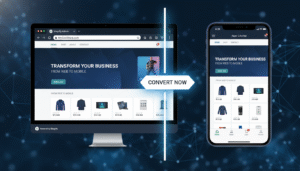
Shopify’s default storefront themes — even fast-loading ones like Dawn — are responsive web experiences, not native apps. They rely on a browser rendering engine, lack access to native device features like Face ID, haptic feedback, or camera-based AR try-ons, and can’t send push notifications without a service worker hack.
The performance gap is measurable. Apps load 1.5× faster than mobile browsers on average (Google, 2025), and faster load times directly correlate with higher add-to-cart rates. For Shopify stores, a 100ms improvement in page load time increases conversion by 1.11% (Deloitte Digital). That compounds fast.
Beyond speed, the behavioral data is stark:
- App users visit 4.6× more often per month than mobile web users (Criteo)
- App session lengths are 18 minutes vs. 7 minutes for mobile browsers (Localytics)
- Cart abandonment rates on mobile browsers are 85.65% vs. ~70% on native apps (Baymard Institute)
If you’re running any kind of retention marketing — email sequences in Klaviyo, SMS via Postscript — you’re missing the highest-ROI retention channel (push notifications) by not having a native app.
The 3 Paths to a Shopify Mobile App
Before comparing specific tools, understand the three structural approaches. Each one has a different cost profile, time-to-launch, and ceiling on customization.
Path 1: No-Code Mobile App Builders
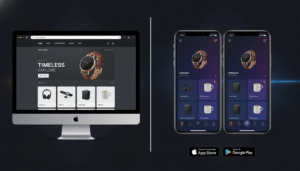
These are SaaS platforms that connect directly to your Shopify store via API or the Shopify App Store. You configure your app through a drag-and-drop editor, and the platform handles the iOS/Android build, Apple App Store submission, and Google Play submission. No developer required. Examples: Vajro, Tapcart, Plobal Apps, Shopney.
Path 2: Low-Code / Hybrid Builders
These give you more control — custom screens, deeper integration with Shopify’s Storefront API, and sometimes the ability to inject custom JavaScript or React Native components. You may need a developer for advanced configurations. Examples: MageNative, Appmaker, BuildFire.
Path 3: Custom Shopify Mobile App Development
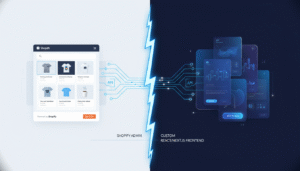
A fully bespoke iOS and Android app built from scratch using React Native, Flutter, or Swift/Kotlin, connected to Shopify via the Storefront API or the newer Hydrogen/Oxygen stack. This is what brands like Gymshark and Allbirds use. It costs more but gives you complete ownership of the UX, data layer, and feature roadmap.
Head-to-Head: Best Shopify Mobile App Builders in 2026
Here’s the most important table you’ll read before choosing a platform. All pricing reflects 2026 published rates.
| Platform | Monthly Cost | Setup Time | iOS + Android | Push Notifications | Custom Dev Possible | Best For |
|---|---|---|---|---|---|---|
| Vajro | $99–$599/mo | 60 min – 2 days | Yes | Yes (unlimited) | Limited | Fashion, beauty, D2C under $2M GMV |
| Tapcart | $200–$600/mo | 1–5 days | Yes | Yes (segmented) | Custom blocks (paid) | Stores $1M–$10M GMV, Klaviyo users |
| Plobal Apps | $149–$499/mo | 2–7 days | Yes | Yes | Moderate | Mid-market, conversion-focused |
| Shopney | $99–$499/mo | 1–3 days | Yes | Yes | No | Budget-conscious, simple catalogs |
| MageNative | $49–$299/mo | 3–10 days | Yes | Yes | Some | Stores with complex product variants |
| Custom (React Native) | $0/mo (infra only) | 3–6 months | Yes | Yes (full control) | Yes (100%) | $3M+ GMV, unique UX requirements |
| Custom (Flutter) | $0/mo (infra only) | 4–8 months | Yes | Yes (full control) | Yes (100%) | $5M+ GMV, performance-critical apps |
Vajro: The Fastest No-Code Shopify Mobile App Builder
Vajro is the most-installed Shopify mobile app builder in the Shopify App Store, with over 5,000 active stores. Its headline feature is a 60-minute setup — you authenticate your Shopify store, choose a template, configure your navigation, and submit to the App Store and Play Store. Vajro handles the builds.
The Shopify mobile app builder by Vajro differentiates itself with live selling — you can broadcast a Facebook Live or Instagram Live directly inside the app, which is a standout feature for fashion and beauty brands running influencer-driven campaigns. Brands using Vajro’s live selling report 3–5× higher conversion on live events vs. sending users to Instagram (Vajro internal data, 2025).
Where Vajro falls short: its customization ceiling is low. You can’t inject custom React components, modify the checkout flow, or build non-standard screens like a loyalty dashboard or augmented reality viewer. If your store has complex product bundles managed by apps like Rebuy or a custom upsell engine, Vajro may not render them correctly inside the app environment.
Vajro pricing tiers in 2026:
- Basic ($99/mo): iOS + Android, unlimited push, 1 team member
- Growth ($299/mo): Live selling, advanced analytics, 3 team members
- Power ($599/mo): Dedicated onboarding, priority support, white-glove App Store submission
Tapcart: The Best Shopify Mobile App Builder for Scaling Brands
Tapcart targets Shopify merchants doing $1M–$10M GMV who already run sophisticated retention marketing. Its deep native integration with Klaviyo is its biggest competitive moat — you can trigger push notifications from Klaviyo flows, segment app users by purchase history, and use app behavior data as Klaviyo profile properties. No other no-code builder does this as cleanly.
Tapcart reports that merchants on its platform see an average of 67% of their app revenue driven by push notifications (Tapcart, 2025). If you’re already sending flows in Klaviyo, adding Tapcart’s push channel to the same audience is additive revenue with minimal lift.
Tapcart also supports Custom Blocks — a developer-facing feature that lets you build React-based UI blocks deployed inside the native app. This is the most significant customization feature in the no-code builder category. You can build a loyalty points widget, a product quiz, or a referral module and surface it natively in your app without rebuilding the entire app from scratch.
The trade-off: Tapcart is more expensive than Vajro and has a steeper setup curve. Expect 3–5 business days to launch, not 60 minutes. And its entry-level plan ($200/mo) caps push notification sends — you’ll need the $600/mo plan for unlimited sends if you have a large subscriber base.
Shopify Mobile App Builder Free: What’s Actually Free vs. What Isn’t
Searching for a free Shopify mobile app builder is understandable, but you need clarity on what “free” means in this context. No production-grade, App Store-published Shopify mobile app is truly free. Here’s why:
- Apple Developer Program: $99/year — mandatory for publishing any iOS app
- Google Play Developer account: One-time $25 fee
- Platform fees: Every meaningful no-code builder charges a monthly SaaS fee after a trial
- App review time: Apple typically takes 1–3 business days; Google Play takes 1–7 days for new apps
Some platforms offer free trials (Vajro offers 30 days; Shopney offers 7 days), and MageNative has a limited free tier for stores with very small catalogs. But these are trials, not sustainable free plans. If you find a “free forever” Shopify mobile app builder, check whether it actually submits to the App Store under your developer account — most don’t, and that means you don’t own the app listing.
The real cost floor for a Shopify mobile app in 2026 is approximately $200–$400/month when you include platform fees, developer account fees, and any Klaviyo integration costs. Budget accordingly.
Shopify Mobile App Builder vs. Custom Development: The Real Trade-Off
This is the decision that costs merchants the most money when made incorrectly. Here’s the honest framework.
Choose a no-code builder if:
- Your Shopify store runs on standard product types (single SKUs, simple variants)
- You’re doing under $3M GMV and don’t have an in-house dev team
- You want to test mobile app ROI before committing to a six-figure development budget
- Your primary use case is push notifications + mobile-optimized browsing
Choose custom Shopify mobile app development if:
- You have subscription products, complex bundles, or custom checkout flows that no-code builders can’t render
- You need deep integration with systems beyond Shopify (ERP, custom loyalty engine, B2B pricing tiers)
- Your brand experience is a core differentiator — the cookie-cutter templates of no-code tools hurt your positioning
- You’re doing $3M+ GMV and the ROI math on custom development closes within 12–18 months
Custom Shopify mobile app development in India has become a popular cost-optimization path for mid-market brands. Reputable agencies in Bengaluru, Pune, and Hyderabad deliver React Native Shopify apps at $25–$60/hour vs. $100–$175/hour in the US or UK. A full-featured app that costs $150K from a US agency can be built for $35K–$60K with an Indian agency — provided you vet the agency’s Shopify Storefront API experience and check their App Store submission track record. Always ask for references from Shopify stores specifically, not generic mobile app projects.
How to Connect Any Mobile App Builder to Your Shopify Store
Regardless of which builder you choose, the connection to Shopify follows the same general path. Here are the exact steps for most platforms:
- Go to your Shopify Admin → Apps → App and sales channel settings
- Click Develop apps (you may need to enable this in Settings → Apps and sales channels → Allow custom app development)
- For no-code builders: Install the builder’s app directly from the Shopify App Store — this grants OAuth-authenticated API access automatically
- For custom development: Go to Settings → Apps and sales channels → Develop apps → Create an app, then configure API scopes (read_products, read_orders, read_customers at minimum)
- Copy your Storefront API access token from the app’s API credentials tab — this is what your mobile app uses to query products, collections, and cart data
- Enable the Storefront API permissions your app needs: unauthenticated_read_product_listings, unauthenticated_write_checkouts, unauthenticated_read_customer_tags
- Test the API connection using a tool like Postman before submitting your app to the App Store
For Tapcart and Vajro specifically, steps 3–7 are handled inside their onboarding wizard — you won’t touch the Shopify Admin API settings directly.
Push Notifications: The Mobile App Feature That Changes Your Revenue Math
Push notifications are the single most compelling reason to build a Shopify mobile app. The channel economics are dramatically better than email or SMS for most store categories.
Push notification open rates for e-commerce apps average 30–40% (OneSignal E-commerce Benchmark Report, 2025), compared to 15–25% for email (Klaviyo benchmarks) and 20–35% for SMS. The cost difference is equally dramatic — most app builder platforms include unlimited push at their mid-tier plans, whereas SMS through Postscript or Attentive charges per message sent.
The most profitable push notification use cases for Shopify stores:
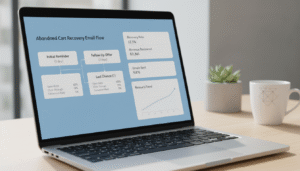
- Abandoned cart recovery: Send 30 minutes, 3 hours, and 24 hours post-abandonment. Tapcart reports 12–18% recovery rates for this sequence.
- Back-in-stock alerts: Triggered via Shopify’s inventory webhooks. Converts at 8–15% because intent is already established.
- Flash sale announcements: Time-sensitive offers with a countdown timer inside the notification — best done within the app’s native notification UI.
- Post-purchase upsells: Fire 2 hours after order confirmation with a relevant cross-sell powered by Rebuy’s recommendation engine.
- Win-back campaigns: Target app users who haven’t opened the app in 30+ days with an exclusive discount.
If you’re using Klaviyo for email flows, replicate your highest-revenue flows as push notification sequences. The incremental revenue is almost always positive because push reaches a different micro-moment — the lock screen glance — than email.
Measuring Mobile App Performance: The Metrics That Matter
Once your app is live, use Google Analytics 4 (GA4) with the Firebase SDK to track behavior inside the app. Standard GA4 e-commerce events — view_item, add_to_cart, begin_checkout, purchase — work natively in Firebase and give you the same funnel visibility you have on your Shopify web store.
The four KPIs to track weekly after launch:
- App conversion rate: Target 3–5% for a well-optimized Shopify app vs. 1.5–2% for your mobile web
- Push notification opt-in rate: 40–60% is achievable if you prompt users at the right moment (after first purchase, not at onboarding)
- 30-day retention rate: Industry average is 25–30% for shopping apps. Below 20% signals onboarding or push strategy issues.
- Revenue per active user (RPAU): Compare this to your mobile web RPU — the delta is your ongoing ROI justification for the platform cost
For heatmaps and UX analysis inside your app, tools like Hotjar don’t operate natively in mobile apps. Instead, use UXCam or FullStory for Mobile — both integrate with React Native and Flutter and give you session replay, rage tap detection, and funnel analysis specific to touch-based interfaces.
Can I Make a Mobile App with Shopify?
Yes — and in 2026, it’s more accessible than ever. Shopify doesn’t natively publish a mobile app for your store, but the Shopify ecosystem supports three distinct paths to get there, all using Shopify’s Storefront API as the data backbone.
The simplest path is installing a no-code mobile app builder from the Shopify App Store. Platforms like Vajro, Tapcart, Plobal Apps, and Shopney pull your product catalog, collections, customer data, and checkout flow directly from your Shopify store via API. You configure the app’s design and navigation inside the builder’s dashboard, then the platform submits the app to Apple’s App Store and Google Play on your behalf — under your developer accounts.
The technical path involves using Shopify’s Storefront API or the newer Hydrogen framework to build a fully custom mobile frontend in React Native or Flutter. Your Shopify store becomes the backend commerce engine — handling inventory, orders, payments, and customer accounts — while the mobile app handles the presentation layer. This is exactly how brands like Gymshark operate: Shopify Plus on the backend, custom native app on the frontend.
There are a few things you cannot change even with a fully custom app: Shopify’s checkout is a hosted experience, meaning the final payment step will open in a browser-based Shopify checkout unless you’re on Shopify Plus (which allows checkout UI extensions and some customization via the Checkout Extensions API). For most merchants, this is not a significant problem — Shopify’s checkout converts well and is trusted by consumers.
The realistic timeline to a live Shopify mobile app: 1–3 days with a no-code builder, 3–6 months with custom development. The realistic cost: $1,200–$7,200/year for no-code, $30,000–$150,000+ upfront for custom. Both are valid depending on your stage.
How to Create Mobile Apps That Make $3,000 a Day?
This is a question about mobile app revenue optimization, and the answer is grounded in specific mechanics — not motivation. Generating $3,000/day ($1.095M/year) from a mobile app on Shopify is realistic for stores already doing $2M–$5M/year in total revenue, where the app becomes a dominant channel.
Here’s the framework used by top-performing Shopify app merchants:
Step 1: Drive app downloads aggressively at launch. Use a dedicated landing page with an app download incentive — 15% off the first app order, exclusive app-only products, or early access to drops. Run Meta and TikTok ads specifically targeting your existing customer list (Custom Audiences) with the app download CTA. Tapcart brands that run a structured launch campaign average 2,000–5,000 downloads in the first 30 days.
Step 2: Maximize push notification opt-ins. The default iOS permission prompt converts at 40–50% if timed correctly. Delay the push opt-in prompt until after the user has browsed at least 3 products or completed their first purchase. This behavioral trigger lifts opt-in rates by 15–20% compared to prompting at app open.
Step 3: Implement a weekly push cadence. The brands hitting $3K+/day on their apps send 2–3 push notifications per week — a promotional push (flash sale, new arrival), a behavioral push (abandoned browse, back-in-stock), and a retention push (loyalty reward, exclusive content). Map these to your Klaviyo calendar so you’re not duplicating messages across channels.
Step 4: Use Rebuy inside your app for AI-powered upsells. Rebuy’s Smart Cart and post-purchase upsell widgets can be surfaced in Tapcart via Custom Blocks. Brands using Rebuy report an average 15% increase in AOV. On a $3K/day target, a 15% AOV lift means you need 15% fewer orders to hit the same revenue.
Step 5: Run app-exclusive drops and loyalty perks. Create scarcity and channel loyalty simultaneously. App-exclusive products, early access windows, and double loyalty points on app purchases create a behavioral habit — customers who habitually open your app convert at 4–6× the rate of one-time mobile web visitors.
The math: if your average order value is $85 and you need $3,000/day, you need approximately 35 orders/day from the app. With a 4% app conversion rate, that requires 875 daily active sessions from your app. With a 30-day retention rate of 25% and a 5,000-user app install base, that’s achievable. The bottleneck is almost always the install base and push opt-in rate — not the conversion rate once users are in the app.
Does Shopify Work with Shein?
This is a frequently searched question but requires a direct answer: Shopify and Shein are not integrated in any official capacity as of 2026. Shein operates a proprietary marketplace and supply chain ecosystem that is closed to third-party platforms. You cannot list your Shopify products on Shein’s platform the way you can list on Amazon via the Amazon Sales Channel app in Shopify.
What does exist is a one-directional relationship: Shein has launched its own marketplace feature (Shein Marketplace) that allows independent sellers to apply to sell through Shein’s platform — but this is entirely separate from Shopify. If accepted, you would fulfill orders through Shein’s seller portal, not through your Shopify backend. There is no native Shopify app that syncs your Shopify inventory to Shein Marketplace.
Some third-party multi-channel listing tools (like Codisto or Sellbrite) have explored Shein Marketplace connectors, but as of 2026, no major Shopify-certified integration exists for Shein. The practical implication: if you want to sell on Shein Marketplace, you’ll manage it as a separate sales channel with manual or semi-automated inventory syncing.
The broader competitive question — whether Shein competes with Shopify merchants — is more relevant. Shein’s ultra-low-price fast fashion positioning competes directly with independent apparel stores running on Shopify. The strategic response isn’t to integrate with Shein; it’s to differentiate on brand, quality, community, and the kind of mobile app experience that Shein’s own app users are trained to expect. Building a high-converting Shopify mobile app with push notifications and loyalty mechanics is a direct competitive response to the engagement habits Shein has built in its user base.
Who Is the Highest Earner on Shopify?
The highest-revenue brand operating on Shopify in 2026 by confirmed GMV is Gymshark, which processes over $700M USD annually through its Shopify Plus infrastructure. Gymshark migrated to Shopify Plus in 2017 and has scaled on the platform continuously since — it’s now one of the canonical case studies Shopify uses to demonstrate enterprise-grade scalability.
Other confirmed high-earners on Shopify Plus include:
- Allbirds — sustainable footwear, publicly traded, Shopify Plus flagship
- Steve Madden — migrated key D2C channels to Shopify Plus
- Kylie Cosmetics — famously crashed its original platform, rebuilt on Shopify Plus
- SKIMS (Kim Kardashian) — runs limited drops on Shopify Plus with custom queue mechanics
- Heinz — direct-to-consumer Shopify store for specialty products
Among individual entrepreneurs (rather than venture-backed brands), Jeff Bezos-backed Thrasio aggregates hundreds of Shopify stores and generates billions in combined GMV. Among solo operators, documented cases of Shopify merchants crossing $10M/year include print-on-demand businesses, supplement brands, and niche apparel — though Shopify does not publicly rank merchants by revenue.
What’s relevant to you as a Shopify store owner: these top earners share common infrastructure decisions. Every major Shopify brand at $50M+ GMV runs a native mobile app. Gymshark’s app has millions of downloads and drives a disproportionate share of its flash sale revenue. Kylie Cosmetics uses its app as a drop announcement channel. SKIMS uses app push notifications to manage queue access. The mobile app isn’t a nice-to-have at scale — it’s the primary retention channel. The earlier you build that infrastructure, the more compounding advantage you create.
Choosing the Right Shopify Mobile App Builder for Your Revenue Stage
The decision framework is simpler than the number of options suggests. Map your current GMV and technical situation to one of these three profiles:
Under $500K GMV: Start with Vajro or Shopney. The economics don’t support custom development yet, and the no-code builders are genuinely capable for standard catalog stores. Use the app to test push notification ROI and build your app install base. Revisit the decision at $1M GMV.
$500K–$3M GMV: Tapcart is the strongest choice in this range, specifically because of its Klaviyo integration. If you’re running sophisticated retention marketing, the ability to unify push notifications with your existing Klaviyo flows creates compounding ROI. Budget $200–$600/month — this should be ROI-positive within 60 days if you run a proper launch campaign.
Over $3M GMV: Evaluate custom Shopify mobile app development seriously. The platform fees you’d pay a no-code builder at scale ($7,200+/year) offset some of the custom development cost, and you gain full control over UX, data ownership, and feature velocity. Custom Shopify mobile app development in India is the most cost-efficient route if you’re working with a $30K–$80K budget — vet agencies on their Storefront API experience, not just their portfolio aesthetics.
Whichever path you choose, instrument your app with GA4 via Firebase from day one, connect your Klaviyo account for push + email unification, and set a 90-day revenue target before evaluating whether to stay on the platform or upgrade. The stores that win in mobile commerce aren’t necessarily the ones with the most sophisticated apps — they’re the ones that ship, measure, and iterate fastest.