Shopify Headless Commerce: 12 Pros, Cons & Real Trade-offs (2026)
Your Shopify store is generating solid revenue, but your developers keep telling you the theme is holding you back. A competitor just launched a blazing-fast, fully custom storefront that feels more like a native app than an online store. Now you’re wondering whether Shopify headless commerce is worth the investment — or whether it’s expensive complexity you don’t actually need. According to Gartner’s 2025 Digital Commerce report, 58% of enterprise brands that moved to headless architecture saw measurable improvements in page speed within 90 days — but only 34% said the migration was worth the total cost at the 12-month mark.
- Shopify headless commerce decouples your frontend from the Shopify backend — giving you total UI freedom while keeping Shopify’s commerce engine.
- Performance gains are real, but they come at a steep development and maintenance cost that mid-market stores often underestimate.
- Shopify’s Storefront API and Hydrogen framework have significantly closed the gap between headless and traditional Shopify in 2025–2026.
- You’ll learn exactly which business profiles benefit from going headless — and which ones should stay on a standard Shopify theme.
- Every major pro and con is benchmarked against real implementation data so you can make a justified decision, not a technology-trend decision.
What Is Shopify Headless Commerce? (A Plain-English Breakdown)
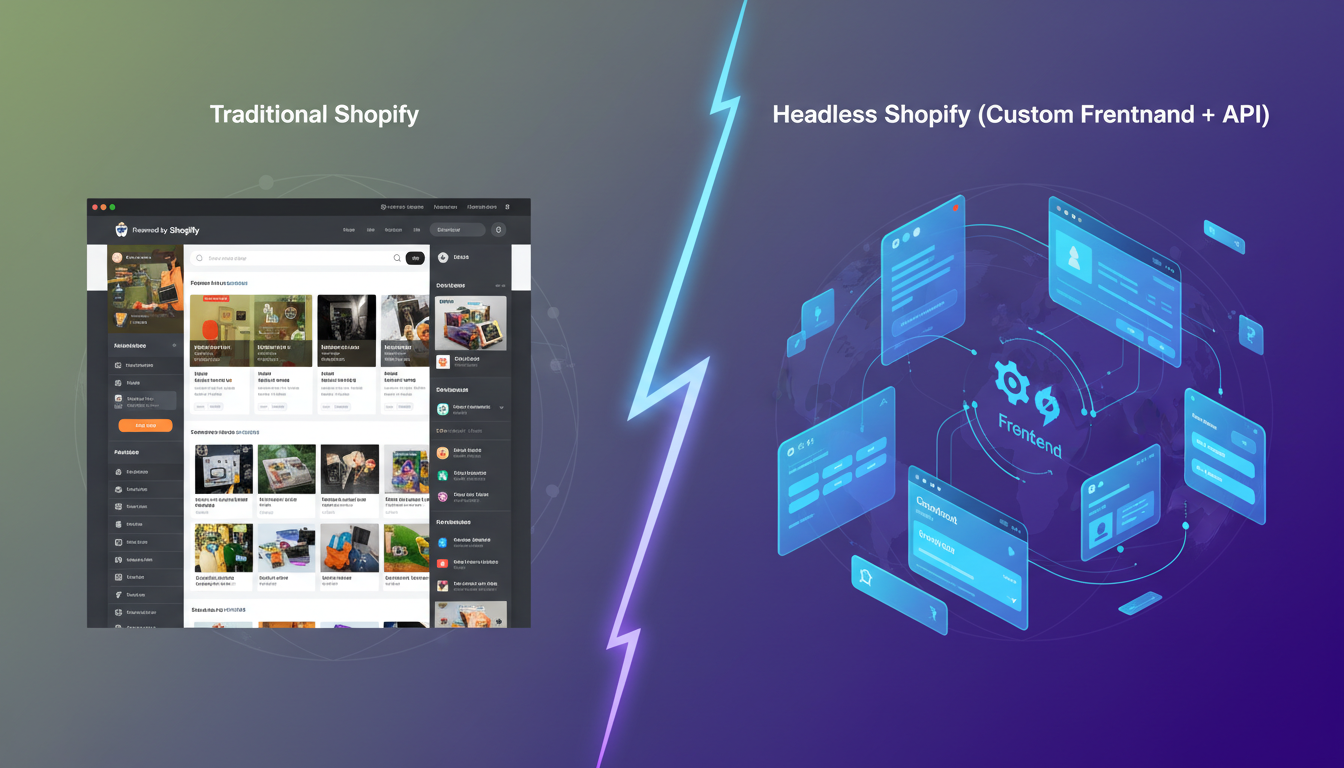
Traditional Shopify architecture bundles your frontend (what shoppers see) and backend (inventory, checkout, payments) together inside Shopify’s theme system using Liquid. Headless commerce separates these two layers entirely.
In a headless setup, your frontend is built in a JavaScript framework — most commonly Next.js, Nuxt.js, or Shopify’s own Hydrogen (built on Remix) — and it communicates with Shopify’s backend exclusively through APIs: the Storefront API for product data and the Admin API for store management. Shopify still handles checkout, payments, subscriptions, and fulfillment. Your custom frontend handles every pixel the shopper sees.
This architecture is what powers stores like Allbirds, Kotn, and Gymshark — brands that needed experiences their Liquid themes simply couldn’t deliver. But it’s not a universal upgrade. It’s a trade-off with very specific winners and losers.
The 6 Core Pros of Shopify Headless Commerce
1. True Frontend Freedom and Custom UX
With a traditional Shopify theme — even a heavily customized one — you’re constrained by what Liquid and the Online Store 2.0 schema allow. Headless removes that ceiling entirely. You can build infinite-scroll product pages, immersive editorial layouts, 3D product configurators, real-time inventory maps, or AR try-on experiences using any frontend technology stack.
For brands where the experience is part of the product — luxury goods, high-design furniture, bespoke apparel — this matters enormously. A theme-based store simply cannot deliver those interactions at the same quality level.
2. Superior Page Speed and Core Web Vitals
This is the headline benefit, and it holds up under scrutiny — with caveats. A well-built headless Shopify store can achieve Largest Contentful Paint (LCP) scores under 1.2 seconds, compared to the 2.5–4.5 second range typical of theme-based stores loaded with apps. When you pre-render pages using static site generation (SSG) or incremental static regeneration (ISR) in Next.js, the browser receives near-instant HTML with no server round-trips on load.
Google’s 2025 Core Web Vitals thresholds now require LCP under 2.5s for a “Good” rating. Headless, when implemented correctly, makes that target achievable even for large catalogs.
3. Omnichannel Content Delivery
Because your frontend is decoupled, you can serve the same Shopify product and inventory data to multiple surfaces simultaneously: your web storefront, a React Native mobile app, a kiosk interface, a voice commerce integration, or a PWA — all from one backend. You’re not rebuilding your catalog for each channel; you’re just building a new frontend that queries the same Storefront API.
This is a legitimate structural advantage for brands running both D2C and wholesale, or brands expanding into mobile apps without duplicating their commerce stack.
4. Decoupled Development Velocity (When Teams Are Large Enough)
With headless, your frontend and backend teams can work independently. A developer working on a new product page template doesn’t need to worry about breaking checkout logic, and vice versa. For stores with dedicated engineering teams of 3+, this parallelization meaningfully accelerates the release cycle.
5. Third-Party CMS Integration
Headless architecture lets you pull content from a best-in-class CMS — Contentful, Sanity, or Prismic — independently of Shopify’s native content tools. If your marketing team needs rich editorial content, complex landing page logic, or multilingual content management, a dedicated CMS connected to your headless frontend is far more capable than Shopify’s native metafields and metaobjects (though those have improved significantly in 2025).
6. Shopify Checkout Remains Intact
One of the most practical benefits of headless Shopify specifically: you still use Shopify’s native checkout. Unlike some headless platforms that require you to rebuild checkout entirely, Shopify’s Checkout Extensibility (available via Settings → Checkout → Customize) works with headless stores. You keep Shop Pay, Shopify Payments, accelerated checkout, and all fraud protection — which is a significant advantage over fully custom-built commerce solutions.
The 6 Real Cons of Shopify Headless Commerce
1. High Development Cost and Long Build Times
A production-ready headless Shopify storefront typically costs between $40,000 and $200,000+ to build, depending on complexity. Mid-market agencies quote 3–6 months for a full headless implementation. Compare that to a high-quality Shopify theme customization, which can be completed in 4–8 weeks for $8,000–$25,000. The cost delta is not trivial, and it compounds over time through ongoing maintenance.
2. App Ecosystem Compatibility Breaks
This is the single most underestimated pain point. The vast majority of Shopify apps — including Klaviyo’s embedded forms, Okendo’s review widgets, Rebuy’s smart cart, and Hotjar’s session recording — inject themselves into your storefront via Shopify’s ScriptTag API or theme app extensions. In a headless setup, none of these work out of the box. You need to either find headless-compatible versions of each app or build custom integrations for each one.
Some apps like Klaviyo and Rebuy now offer JavaScript SDKs and API-first modes that work in headless environments, but this requires developer time for every single integration. Before going headless, audit every app in your store (go to Apps → Installed Apps) and verify headless compatibility for each one.
3. Shopify’s Built-in Features Stop Working Natively
Features like product reviews, predictive search, cart drawers, and wishlists that come “free” with modern Shopify themes all need to be custom-built in a headless environment. Even something as basic as displaying a metafield value on a product page requires a Storefront API query and a frontend component. Every convenience you took for granted has a development cost attached in headless.
4. Ongoing Maintenance Is a Significant Overhead
Shopify releases platform updates continuously. When Shopify updates its Storefront API (currently at version 2025-04), your headless frontend may need updates to stay compatible. When Shopify adds new checkout features, you may need custom work to surface them on your frontend. Headless stores require a retained developer relationship indefinitely — this is not a build-it-and-forget-it architecture.
5. SEO Complexity Increases
JavaScript-rendered frontends introduce real SEO risk if not implemented correctly. While Googlebot can render JavaScript, it does so with a delay, and pre-rendering or SSR (server-side rendering) is strongly recommended for product pages, collection pages, and blog content. You’ll need to manually configure your sitemap submission, canonical tags, structured data (JSON-LD), and hreflang tags — all things that standard Shopify themes handle automatically. Tools like Google Search Console and PageSpeed Insights become daily instruments rather than occasional checkpoints.
6. The Performance Gains Require Expert Implementation
Headless architecture gives you the potential for superior performance — it doesn’t guarantee it. A poorly implemented Next.js storefront with unoptimized images, client-side API waterfalls, and no edge caching will perform worse than a well-tuned Shopify Dawn theme. The performance ceiling is higher with headless, but so is the floor for mistakes. You need engineers who understand edge CDNs (Vercel, Netlify, Cloudflare Workers), Core Web Vitals optimization, and API caching strategies.
Shopify Headless Commerce vs. Traditional Shopify: Benchmark Comparison
| Factor | Traditional Shopify Theme | Shopify Headless (Well-Built) | Shopify Headless (Poorly Built) |
|---|---|---|---|
| Avg. LCP (Largest Contentful Paint) | 2.5 – 4.5s | 0.8 – 1.5s | 3.0 – 6.0s |
| Build Cost (Initial) | $5,000 – $30,000 | $40,000 – $200,000+ | $40,000 – $200,000+ |
| Time to Launch | 4 – 8 weeks | 3 – 6 months | 3 – 6 months |
| App Compatibility | Full (1,000s of apps) | Partial (API-first apps only) | Partial (API-first apps only) |
| Shopify Checkout | Native, full support | Native, full support | Native, full support |
| Frontend Flexibility | Limited by Liquid/theme schema | Unlimited | Unlimited |
| Ongoing Dev Maintenance | Low | High | Very High |
| SEO Complexity | Low (handled by Shopify) | Medium-High (manual configuration) | Very High (high risk of indexing issues) |
| Time-to-Content for Marketers | Fast (theme editor, sections) | Slower (requires CMS or developer) | Slower (requires CMS or developer) |
Who Should Actually Go Headless on Shopify?
The honest answer is: fewer stores than the agencies selling headless projects would have you believe. Here’s how to self-assess.
Go headless if all of the following are true:
- Your store generates over $3M annually and has budget for ongoing development retainers
- You need UI interactions that are technically impossible in Liquid (3D configurators, AR, real-time personalization at scale)
- You’re serving the same catalog across 3+ channels (web, app, kiosk, etc.)
- You have an in-house or retained engineering team with Next.js or Hydrogen experience
- Your current theme performance is genuinely bottlenecking conversion rates, verified via Google Analytics 4 and PageSpeed Insights data
Stay on a traditional Shopify theme if any of the following are true:
- You’re under $3M in annual revenue and your team doesn’t include a dedicated Shopify developer
- Your marketing team needs to update content and landing pages regularly without developer involvement
- You rely heavily on plug-and-play apps like Klaviyo email capture forms, Okendo review widgets, or Rebuy smart carts
- You launched in the last 12 months and haven’t yet optimized your existing theme’s performance
A well-optimized Shopify Dawn or Prestige theme, combined with strategic app choices and image optimization, can achieve sub-2.5s LCP scores without the overhead of headless. Exhaust that option first.
Shopify Hydrogen: The Middle Ground Worth Knowing
If you’re committed to going headless, Shopify’s Hydrogen framework (based on Remix) is the most Shopify-native option available in 2026. It’s purpose-built for Shopify’s Storefront API, includes built-in caching strategies, and is deployed on Oxygen (Shopify’s edge hosting platform) — which means your headless frontend lives on the same infrastructure as Shopify itself, reducing API latency significantly.
Hydrogen includes prebuilt components for product pages, cart management, and collection filtering, which dramatically reduces build time compared to a custom Next.js implementation starting from scratch. Shopify’s own Hydrogen demo store — available at hydrogen.shopify.dev — scores consistently above 95 on Google PageSpeed Insights for mobile.
For stores seriously considering headless, the evaluation order should be: 1) Hydrogen on Oxygen → 2) Next.js Commerce on Vercel → 3) Custom framework. Only go custom if Hydrogen’s constraints genuinely don’t fit your use case.
What Are the Real Pros of Shopify Headless Commerce?
The term “pros of headless” gets thrown around loosely in agency blog posts, often without distinguishing between theoretical benefits and ones that actually materialize for mid-market stores. Here’s a clear-eyed breakdown of the advantages that are genuinely real in 2026 — and the conditions under which they apply.
Performance at scale is the most defensible pro. When your catalog exceeds 10,000 SKUs or your traffic spikes are unpredictable (think seasonal sales, influencer drops), a headless frontend deployed on edge CDN infrastructure handles traffic distribution far more elegantly than Shopify’s server-rendered Liquid templates. Vercel’s Edge Network, for example, serves pre-rendered pages from over 100 edge locations globally, meaning a shopper in Bangkok and a shopper in Berlin both receive near-identical sub-second load times. That’s not achievable with traditional Shopify at the same consistency.
Personalization depth is a second genuine advantage. With a headless setup, you can integrate a personalization engine like Ninetailed or Dynamic Yield directly into your frontend rendering pipeline. This means different users can see different product sequencing, hero banners, and pricing tiers — all server-side, without client-side flicker. Traditional Shopify apps that add personalization do so client-side, which creates visible content shifts (high CLS scores) and personalization delays. Headless makes truly seamless personalization architecturally possible.
Content-commerce convergence is the third real pro. Fashion and lifestyle brands increasingly need editorial content — lookbooks, buying guides, interactive stories — that lives alongside transactional product pages. A headless frontend connected to Contentful or Sanity can render rich editorial content and product catalog data in the same page layout, with the same design system, without Shopify’s content limitations. This is the architecture behind brands like Gymshark and Allbirds, where the line between editorial and commerce is intentionally blurred.
A/B testing infrastructure improves significantly in headless environments where you control the rendering layer. Tools like LaunchDarkly or Optimizely’s feature flagging can split-test entire page templates server-side, rather than relying on client-side JavaScript injection that degrades page speed and creates flash-of-original-content issues common in Shopify theme-based A/B tests.
The honest qualifier: all of these benefits require expert implementation to realize. The pro isn’t inherent to going headless — it’s achievable through headless, given the right team.
How Do You Fix Common Shopify Headless Commerce Problems?
If you’ve already gone headless and are experiencing specific pain points, here are tactical fixes for the most common issues — organized by problem type.
Fix 1: App Integrations Not Working
The most frequent headless Shopify support request. The fix depends on the app:
- Klaviyo: Use Klaviyo’s JavaScript API (
klaviyo.js) loaded via your frontend’s<head>, and triggeridentifyandtrackevents manually on cart additions and page views. Klaviyo’s 2025 SDK supports server-side event tracking via their REST API for headless environments. - Okendo Reviews: Okendo offers a headless-compatible widget via their JavaScript embed. Load it asynchronously on product page templates after your main content renders to avoid blocking LCP.
- Rebuy Smart Cart: Rebuy’s Storefront API integration supports headless setups — configure it via
Rebuy → Settings → Headless Modein the Rebuy dashboard, then use their npm package in your frontend. - Hotjar: Standard Hotjar script injection works in headless storefronts — add the Hotjar tracking code to your frontend’s global layout component. Ensure you’re firing
hj('stateChange', path)on client-side route changes so Hotjar records full session replays across page navigations.
Fix 2: SEO Indexing Issues
- Audit your rendering strategy first. Go to your Google Search Console property and check the Coverage → Excluded report for “Crawled but not indexed” or “Discovered but not indexed” signals.
- Switch all product and collection pages to SSR or SSG — never client-side-only rendering for crawlable content.
- Implement JSON-LD structured data for Product, BreadcrumbList, and Organization schemas manually — these won’t be auto-generated as they are in standard Shopify themes.
- Submit your XML sitemap manually at Google Search Console → Sitemaps. Your headless framework won’t auto-submit to Shopify’s native sitemap at
yourstore.com/sitemap.xml.
Fix 3: Slow API Response Times
- Implement aggressive query-level caching for your Storefront API calls. In Next.js, use
fetchwith{ next: { revalidate: 60 } }to cache product data at the edge for 60-second intervals. - Use Shopify’s Storefront API 2025-04 which introduced query complexity scoring — optimize your GraphQL queries to request only the fields you actually render.
- Deploy on Vercel Edge Functions or Cloudflare Workers rather than traditional Node.js servers, so API calls resolve from the closest possible geographic node.
Why Does Shopify Headless Commerce Create These Challenges?
Understanding the root cause of headless challenges helps you anticipate them before they become expensive emergencies. The difficulties aren’t bugs or oversights — they’re the direct structural consequence of architectural decoupling.
The app ecosystem challenge exists because Shopify’s entire app model was built around Liquid and ScriptTag injection. Shopify’s App Bridge and theme app extensions are deeply integrated with the Online Store 2.0 rendering pipeline. When you remove Liquid from the equation, you remove the hooks that 90% of Shopify apps use to inject their functionality into your storefront. The ecosystem is adapting — Shopify has been pushing app developers toward the Storefront API and Admin API since 2023 — but as of 2026, coverage is still incomplete for many specialized apps.
The SEO complexity challenge exists because Shopify’s Liquid-rendered storefronts produce crawlable HTML server-side by default. When you switch to a JavaScript-first frontend, you introduce the possibility of content that Googlebot sees only after JavaScript execution — which Googlebot handles with a crawl delay. That delay can range from days to weeks, meaning new product pages or collection updates may not index quickly. This is not a Shopify problem; it’s a JavaScript framework problem that headless inevitably introduces.
The maintenance overhead challenge exists because Shopify ships platform updates on a quarterly API versioning cycle. The Storefront API deprecates old versions after 12 months, which means your headless frontend has mandatory upgrade windows. A traditional Shopify theme receives these updates automatically through Shopify’s managed infrastructure — your headless frontend does not. Every Shopify platform evolution requires active developer effort in a headless architecture, whereas traditional themes absorb most updates passively.
The performance variability challenge exists because headless shifts performance ownership entirely to your team. Shopify’s CDN, image optimization, and server infrastructure are battle-tested at massive scale. When you move your frontend off Shopify’s native infrastructure, you become responsible for CDN configuration, image optimization pipelines (ideally using a service like Cloudinary or Imgix), bundle size management, and cache invalidation strategies. Teams underestimating this often end up with a headless store that performs worse than the theme they replaced.
How Do You Prevent Shopify Headless Commerce Issues Before They Start?
Prevention is far cheaper than remediation in headless projects. The stores that successfully go headless without costly mid-project pivots share a consistent set of pre-launch practices.
Step 1: Conduct a Full App Compatibility Audit Before Starting
List every app installed in your Shopify admin (Apps → Installed Apps). For each app, contact the developer and explicitly ask: “Does your app support headless Shopify deployments via Storefront API?” Document the answer and identify replacements for any app that doesn’t. Do not start frontend development until this audit is complete — discovering mid-build that your subscription management app doesn’t support headless is an expensive surprise.
Step 2: Define Your Rendering Strategy for Every Page Type
Before writing a single line of frontend code, document the rendering strategy for every page type in your store:
- Product pages: SSG with ISR (revalidate every 60–300 seconds) for best performance + freshness balance
- Collection pages: SSR for faceted filtering; SSG for static collections
- Blog posts: SSG — these rarely change and benefit most from static pre-rendering
- Cart/Checkout: Client-side only (this is fine; carts are user-specific and not crawled)
- Account pages: Client-side only — these are behind authentication walls
Step 3: Set Up Performance Monitoring Before Launch
Establish your Core Web Vitals baseline during staging, not after launch. Use PageSpeed Insights on at least 10 URLs (home, 3 product pages, 2 collection pages, cart, blog index, blog post, search results). Set up Google Analytics 4 with enhanced ecommerce events before go-live so you have conversion data from day one. Install Hotjar on your staging environment to identify UX friction points before real shoppers see them.
Step 4: Plan for Shopify API Version Upgrades
Build your headless project with API version abstraction from the start. Store your Storefront API version in a single configuration file — not hardcoded across dozens of GraphQL query files. This makes quarterly API version upgrades a one-line change rather than a find-and-replace operation across your entire codebase. Schedule a quarterly review of Shopify’s API deprecation changelog (available at shopify.dev/changelog) as a recurring calendar event for your development team.
Step 5: Start with Hydrogen, Not a Custom Stack
Unless you have a compelling technical reason to use Next.js or a custom framework, start with Shopify Hydrogen deployed on Oxygen. Hydrogen’s prebuilt components handle product queries, cart state, and checkout redirects correctly out of the box. Oxygen’s edge hosting eliminates the API latency issue. This combination reduces your time-to-launch by 4–8 weeks and eliminates an entire category of maintenance complexity. You can always migrate to a custom framework later once your store’s specific requirements justify the additional overhead.
Shopify Headless Commerce in 2026: The Realistic Verdict
Shopify headless commerce is a genuinely powerful architecture for the stores it fits. The performance ceiling is real, the design freedom is real, and the omnichannel flexibility is real. But the costs — financial, operational, and technical — are equally real, and they’re consistently underestimated by store owners who are pitched headless as an upgrade rather than a trade-off.
The most important shift in 2026 is that Shopify’s own investment in Hydrogen, Oxygen, Checkout Extensibility, and Storefront API maturity has narrowed the gap between headless and traditional Shopify significantly. A well-built Shopify theme on Online Store 2.0 with smart performance optimization is no longer embarrassed by most headless implementations in a side-by-side comparison.
Make your decision based on verified performance data from your actual store — pull your Core Web Vitals from Google Search Console → Core Web Vitals and your bounce rates by device from Google Analytics 4 before assuming your theme is the bottleneck. If the data justifies headless, go in with your eyes open: budget for expert developers, build a full app compatibility plan, and commit to ongoing maintenance. If the data says your theme is performing adequately, invest that headless budget into conversion rate optimization, email flows in Klaviyo, and A/B testing — those will generate faster returns with far less risk.