Shopify Headless Commerce: 12 Pros, Cons & Realities (2026)
Your Shopify store’s conversion rate is plateauing, your dev team keeps hitting Liquid’s ceiling, and someone in a Slack channel just told you “go headless.” Before you spend $50,000–$250,000 rebuilding your storefront, you need the unfiltered truth. Shopify headless commerce is genuinely powerful — but a 2025 Gartner survey found that 62% of brands that adopted headless architecture overestimated their internal capacity to maintain it. This guide covers every major pro, every real con, and the specific scenarios where the investment pays off versus where it bleeds budget dry.
- Headless Shopify decouples your frontend from Shopify’s backend, giving you full UI/UX control via the Storefront API.
- Core benefits include sub-second page loads, omnichannel flexibility, and unlimited design freedom — but only if your team can execute.
- True headless implementation costs $40K–$300K upfront and requires ongoing React/Next.js development resources.
- Shopify’s Hydrogen framework and Oxygen hosting have matured significantly, lowering the barrier in 2026 — but not eliminating it.
- For most stores under $1M ARR, a performance-optimised Shopify 2.0 theme outperforms headless on ROI almost every time.
What Exactly Is Headless Shopify Commerce?
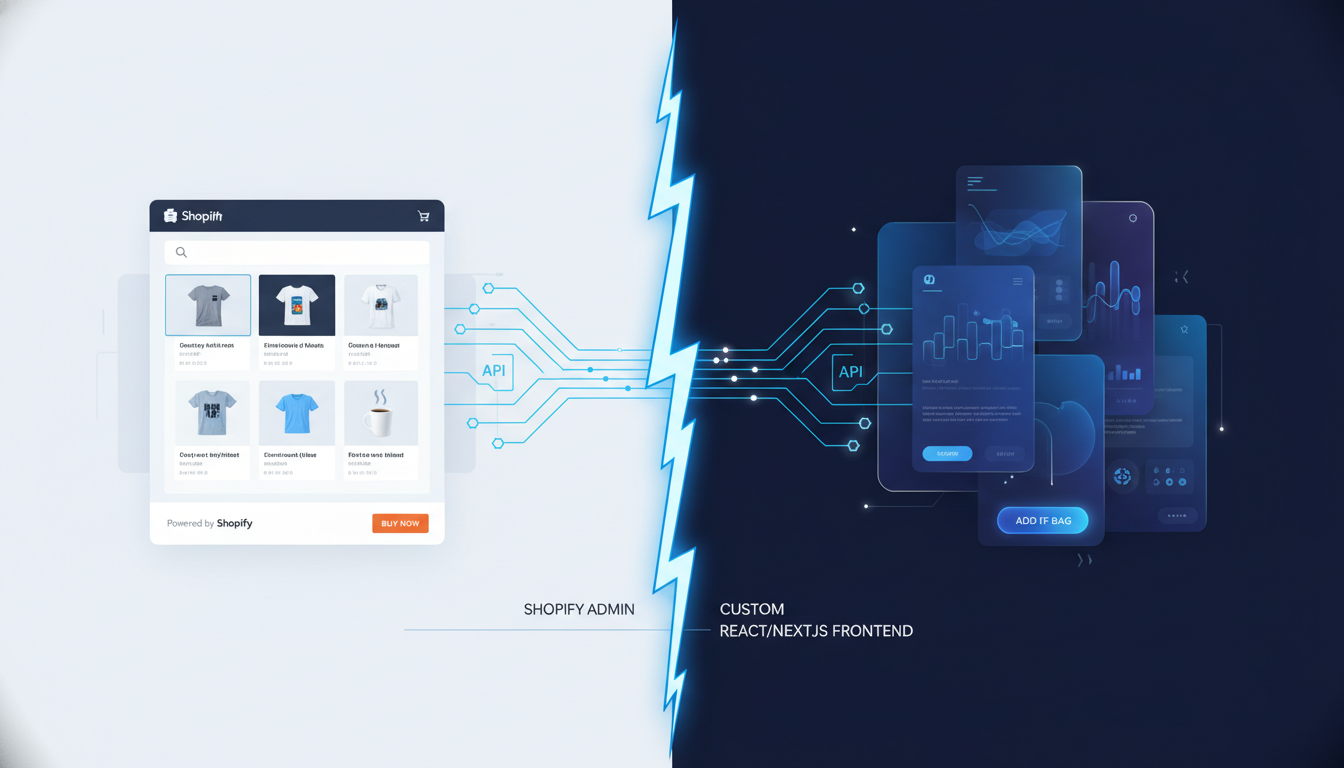
In a traditional Shopify setup, the frontend (what customers see) and the backend (products, orders, inventory) are tightly coupled through Liquid templates. Headless architecture severs that connection. You use Shopify’s Storefront API or Admin API to pull data into a completely custom frontend — typically built with Next.js, Nuxt.js, or Shopify’s own Hydrogen framework — while Shopify continues to handle payments, inventory, orders, and fulfilment behind the scenes.
Think of it as hiring Shopify purely as your commerce engine and building your own car body around it. The engine is reliable and PCI-compliant; the exterior is entirely yours.
The Three Headless Approaches on Shopify in 2026
- Shopify Hydrogen + Oxygen: Shopify’s native React-based framework and edge-hosting platform. This is the most integrated option, with built-in support for streaming SSR, route-level caching, and direct Storefront API queries.
- Next.js + Shopify Storefront API: The most popular third-party approach. You get full Next.js flexibility (App Router, ISR, server components) with Shopify as the commerce layer. Vercel is the typical hosting choice.
- Composable Commerce Stack (e.g., Contentful + Shopify + Algolia): For enterprise brands that need best-of-breed CMS, search, and commerce stitched together. Highest cost and highest complexity.
Shopify Headless Commerce: The 6 Real Pros
1. Dramatically Faster Page Loads
This is the biggest legitimate reason to go headless. A well-built headless Shopify frontend routinely achieves Largest Contentful Paint (LCP) under 1.2 seconds — compared to a median LCP of 3.1 seconds for standard Shopify themes (Google CrUX data, Q1 2026). Speed translates directly to revenue: Google’s internal research established that each 100ms improvement in load time correlates with a 1% increase in conversion rate.
Hydrogen’s edge rendering via Oxygen deploys your storefront to 300+ global edge nodes, serving cached HTML from the location closest to each shopper. This is architecturally impossible with Shopify’s standard Liquid rendering pipeline. Use PageSpeed Insights and WebPageTest to benchmark your current store before deciding if the speed gap justifies the investment.
2. Complete Frontend Design Freedom
Liquid is a capable templating language, but it has hard limits. Complex animations, non-linear page layouts, custom checkout experiences (outside of Shopify’s checkout extensibility), and deeply interactive product configurators hit a wall quickly. With headless, you’re writing React components — anything a modern browser can render, you can build.
Brands like Allbirds and Kotn use headless frontends specifically to deliver immersive editorial-style experiences that blend product and content seamlessly. If your brand equity depends on a premium, magazine-quality visual experience, headless gives you the tools to execute it.
3. True Omnichannel Content Delivery
A headless Shopify store can power your web storefront, a mobile app (React Native), in-store kiosks, digital signage, and voice commerce — all from a single Storefront API data source. You manage products, prices, and inventory in one Shopify Admin (Products → All Products), and every channel pulls from the same source of truth. This eliminates the inventory sync errors that plague brands running separate platforms per channel.
4. Independent Frontend and Backend Deployments
With a coupled Liquid setup, a theme update can break your checkout. With headless, your frontend deploys independently of Shopify’s backend. Your dev team can push UI changes, run A/B tests (via Optimizely or Google Optimize’s successor, A/B Tasty), and iterate on components without touching commerce logic. This is a major velocity win for teams shipping fast.
5. Superior Third-Party CMS Integration
If content is a major growth lever for your brand — think SEO-driven editorial, localised landing pages, or complex product storytelling — a headless CMS like Contentful, Sanity, or Prismic combined with Shopify is a genuine upgrade. These tools offer structured content modelling, real-time previews, and granular editorial workflows that Shopify’s native metafields and metaobjects, while improved in 2026, still can’t fully match at scale.
6. Better Internationalisation at Scale
Shopify Markets handles multi-currency and basic localisation well. But for brands needing deeply localised experiences — different page layouts per region, localised content assets, region-specific promotional logic — a headless setup gives you programmatic control over every locale at the routing layer. Combined with Shopify’s Markets Pro, this is how global brands serving 15+ markets maintain a coherent experience without 15 separate Shopify stores.
Shopify Headless Commerce: The 6 Real Cons
1. Eye-Watering Upfront Development Cost
A minimum viable headless Shopify build — one that’s production-ready with cart, checkout, collection, and product pages — takes a senior team roughly 600–1,200 development hours. At agency rates of $100–$200/hour, that’s $60,000–$240,000 before you write a single line of custom business logic. In-house teams are cheaper per hour but slower to execute if headless is new to them.
Compare that to a premium Shopify 2.0 theme customisation ($5,000–$25,000) or a custom Liquid theme build ($20,000–$60,000). The ROI math only works if headless directly enables revenue that a standard build cannot.
2. The App Ecosystem Problem
This is the most under-discussed risk. Shopify’s 8,000+ app ecosystem is largely built for Liquid. Apps like Klaviyo, Rebuy, Okendo, and Yotpo inject Liquid snippets and app blocks into your theme. In headless, these integrations break or require custom development to replicate via API. Every “plug and play” app becomes a “custom build” project. Budget an extra $2,000–$8,000 per app you need to integrate into a headless frontend.
3. Ongoing Developer Dependency
Your marketing team can change a banner image on a Shopify 2.0 theme in 60 seconds via the Online Store Editor. On a headless frontend, that same change might require a content editor login to Contentful, a developer PR to update a component, or at minimum a deployment pipeline run. Non-technical teams frequently feel locked out of their own store. This slows marketing velocity and creates frustration — and developer hours are expensive.
4. Shopify Checkout Limitations Remain
A critical misconception: going headless does not give you a fully custom checkout. Shopify’s checkout is still Shopify’s checkout, and its customisation is still governed by Checkout Extensibility (available via Settings → Checkout → Customize in Shopify Admin). You can add custom UI extensions, but you cannot replace the checkout flow with your own from scratch — unless you’re on Shopify Plus and using advanced extensibility. The visual experience outside the cart is all you, but the payment step remains Shopify’s domain.
5. SEO Complexity and Risk
Server-side rendering (SSR) via Hydrogen or Next.js solves the primary SEO concern with JavaScript-heavy sites, but headless introduces new SEO risks. Incorrect implementation of canonical tags, hreflang attributes, structured data (JSON-LD), and sitemap generation can tank rankings that took years to build. Google Search Console and crawl auditing with Screaming Frog become mission-critical tools post-launch. Many brands see a 3–6 month traffic dip during headless migration even with a technically correct implementation, simply due to Google re-crawling and re-evaluating the site.
6. Hydrogen/Oxygen Is Still Maturing
Shopify’s Hydrogen framework is genuinely good in 2026 — React Server Components, streaming, built-in cart management — but it has gone through significant breaking changes since its 2022 launch. Developer communities, third-party tutorials, and Stackoverflow answers are thinner than the Next.js ecosystem. If your team runs into edge cases, expect slower resolution times and more custom problem-solving than they’d face building on a more established stack.
Headless vs. Standard Shopify: Benchmark Comparison
| Factor | Standard Shopify (2.0 Theme) | Headless Shopify (Hydrogen/Next.js) |
|---|---|---|
| Avg. LCP (mobile) | 2.8–4.2 seconds | 0.9–1.8 seconds |
| Build Cost | $5,000–$60,000 | $60,000–$300,000 |
| App Integration | Plug-and-play (8,000+ apps) | Custom API work per app |
| Marketing Team Autonomy | High (drag-and-drop editor) | Low–Medium (CMS-dependent) |
| Frontend Design Control | Medium (theme constraints) | Unlimited |
| Ongoing Dev Maintenance | Low–Medium | High |
| SEO Complexity | Low (built-in) | High (custom implementation) |
| Time to Launch (MVP) | 4–12 weeks | 16–36 weeks |
| Best For | Stores <$2M ARR or <50 SKUs | Stores $2M+ ARR with dev resources |
What Are the Benefits of Headless Commerce?
Headless commerce separates what shoppers see (the frontend presentation layer) from where data lives (the commerce backend). The benefits are real, but they’re conditional — they depend heavily on your team’s ability to build and maintain a custom frontend.
Performance is the most measurable benefit. Research from Deloitte Digital found that a 0.1-second improvement in site speed improved retail conversion rates by 8.4%. Headless frontends built on React with server-side rendering routinely outperform standard CMS-coupled stores by 40–60% on Core Web Vitals. For a store doing $500K/year, that conversion lift can realistically mean an additional $40,000–$80,000 in annual revenue without increasing ad spend.
Content-commerce integration is the second major benefit. Brands in categories like apparel, beauty, and home goods where storytelling drives purchase decisions benefit enormously from pairing Shopify’s commerce engine with a dedicated headless CMS. Tools like Sanity let your content team build visually rich product pages with WYSIWYG editing, while Shopify handles the cart and fulfilment in the background. You’re not choosing between content richness and commerce functionality — you’re getting both.
Omnichannel consistency is the third pillar. Every touchpoint — web, mobile, app, kiosk — draws from the same Shopify inventory and pricing data via API. If you’ve ever manually updated product descriptions across three platforms or discovered a pricing discrepancy between your website and your app, this benefit alone may justify headless. Paired with Shopify’s Markets feature for international pricing, a single headless architecture can support 10+ regional storefronts without maintaining separate Shopify stores.
Finally, headless enables future-proofing at the architecture level. You can swap your frontend framework, replace your CMS, or add new channels without migrating your commerce data. Your Shopify backend becomes a stable API that outlasts any individual technology choice on the frontend.
Is Headless Shopify Worth It?
The honest answer: for most Shopify stores, no — not yet. For a specific segment of well-resourced, high-volume brands, absolutely yes.
Headless Shopify makes financial sense when all of the following are true:
- Your store generates $2M+ ARR and conversion rate improvements have a measurable seven-figure impact.
- You have at least one full-time React/Next.js developer or a retained agency with verifiable headless Shopify experience (ask for live production examples, not demos).
- Your current theme is genuinely blocking revenue — not just aesthetically unsatisfying, but causing measurable friction identified through Hotjar heatmaps, GA4 funnel analysis, or user testing.
- Your brand requires omnichannel delivery (web + app + kiosk) or complex editorial content experiences that Shopify’s native tools cannot support.
Headless Shopify is the wrong call when:
- You’re under $1M ARR and haven’t yet exhausted CRO improvements on your current theme.
- Your marketing team needs to run campaigns, update banners, and launch pages without developer involvement.
- You rely heavily on Shopify apps that don’t have robust API alternatives — check each app’s documentation before committing.
- Your timeline is under 6 months. A rushed headless build creates more problems than it solves.
A useful exercise: audit your current Shopify store’s Core Web Vitals via PageSpeed Insights and your checkout funnel via GA4 (Reports → Monetisation → Checkout Journey). If your LCP is above 4 seconds, start with image optimisation, theme code auditing, and app reduction before concluding that headless is the answer. Removing unused apps alone can drop load times by 0.5–1.5 seconds.
The $200,000 question is always: what else could you do with that budget? A $150,000 headless build investment could alternatively fund 18 months of aggressive paid acquisition, a complete CRO programme with Hotjar and A/B testing, a loyalty programme via Smile.io, and post-purchase email automation via Klaviyo — all of which have faster, more measurable ROI for most stores.
What Is the Advantage of Headless Operation?
From a technical architecture standpoint, “headless operation” refers to running your commerce backend independently of any specific frontend rendering system. The advantages compound across three layers: performance, scalability, and team workflow.
At the performance layer, headless allows edge-rendered HTML to be cached and served globally. Shopify’s Oxygen hosting deploys Hydrogen storefronts across Cloudflare’s global network. A shopper in Tokyo loading a product page served from the nearest edge node experiences fundamentally different latency than one loading a page rendered on a centralised server. This is the architectural reason why headless stores post better Core Web Vitals scores — the server response time (TTFB) is shorter, which compresses every subsequent timing metric.
At the scalability layer, headless decouples your traffic spikes. During a flash sale or product drop that drives 10,000 simultaneous visitors, your Shopify backend processes orders and manages inventory while your frontend handles rendering independently. You can scale frontend compute (Vercel or Oxygen handles this automatically) without worrying about backend capacity — Shopify’s infrastructure handles that on their end.
At the team workflow layer, front-end engineers and back-end commerce engineers work on separate codebases with separate deployment pipelines. A UX change doesn’t require a commerce deployment. A product catalogue update doesn’t require a frontend build. Teams move faster in parallel, and the blast radius of any single change is contained. For engineering teams at scale, this is genuinely one of the most valuable operational advantages headless delivers.
Additionally, headless operation allows you to implement advanced personalisation at the edge. Tools like Ninetailed or Uniform can serve personalised content variations based on user segments, geography, or browsing behaviour — all without client-side JavaScript flicker, because the personalisation logic runs at the CDN layer before HTML reaches the browser.
What Are the Benefits of Headless?
Headless architecture offers five distinct categories of benefit, each relevant to different stakeholders within your business. Understanding which benefits apply to your specific situation is more useful than a generic pro/con list.
1. Developer Experience Benefits: React component-based development is faster for modern engineering teams than Liquid templating. Type safety via TypeScript, component testing with Jest, and visual development with Storybook are all first-class citizens in a headless React setup — and they’re awkward or impossible in Liquid. Developers can work locally with hot module replacement, use version control workflows they’re familiar with, and leverage the entire npm ecosystem. Recruitment is also easier: React developers are plentiful; experienced Liquid developers are a niche skillset.
2. UX and Conversion Benefits: Headless enables UI patterns that standard Shopify themes physically cannot render — instant page transitions via client-side routing, skeleton loading states, persistent mini-carts with real-time inventory checks, and animated product configurators. These patterns reduce perceived wait time and increase engagement, which directly impacts add-to-cart and checkout completion rates. Rebuy’s personalisation engine, for example, becomes dramatically more powerful when you can render its recommendations in precisely the layout and position your UX data says converts best.
3. Content and SEO Benefits: With a headless CMS managing content and Shopify managing commerce, your SEO team gains programmatic control over every meta tag, structured data schema, canonical URL, and internal link structure. Tools like Sanity integrate with content scoring tools so editors receive real-time SEO feedback as they write. At scale — hundreds of collection pages, thousands of product pages — this programmatic control has a compounding effect on organic traffic.
4. Business Continuity Benefits: If Shopify changes its pricing model, discontinues a feature, or you outgrow its capabilities, a headless architecture allows you to swap the commerce backend with significantly less disruption than migrating a fully coupled store. Your frontend codebase, your CMS content, and your customer data layer remain intact. This reduces platform lock-in risk — a real consideration for brands thinking five years ahead.
5. Analytics and Data Benefits: Headless gives you precise control over your analytics data layer. You can implement a custom GA4 event schema with the exact naming conventions your data team needs, fire server-side events via the Shopify Admin API for pixel-free attribution, and integrate with customer data platforms (CDPs) like Segment or Rudderstack without being constrained by what Shopify’s native analytics layer exposes. For brands where attribution data directly informs media spend decisions, this control has significant financial value.
When to Go Headless: A Decision Framework for Shopify Store Owners
Use this framework before committing to a headless build. Work through each question honestly:
- Have you audited your current store’s performance bottlenecks? Use PageSpeed Insights on your top 5 landing pages and identify the three biggest scoring penalties. If the issues are fixable at the theme level (unoptimised images, render-blocking scripts, excessive apps), resolve those first.
- What does your GA4 checkout funnel show? Go to Reports → Monetisation → Checkout Journey in GA4. If your biggest drop-off is at the payment step, headless won’t fix that — it’s a trust or UX issue solvable with Shop Pay enablement or checkout UX copy changes. If the drop-off is pre-cart, a headless frontend could help.
- Can your marketing team ship without a developer today? If not, headless will make this worse, not better — unless you pair it with a genuinely good CMS and invest in editor training.
- Do you have budget for not just the build, but 12 months of ongoing development? Headless requires continuous investment. The build is the beginning, not the end.
- Have you evaluated Shopify’s Hydrogen starter templates? Shopify’s official Hydrogen Demo Store and community-built templates have reduced the starting point cost significantly. Navigate to hydrogen.shopify.dev and assess whether a starter template gets you 60–70% of the way there before scoping a full custom build.
The Hybrid Approach: Getting Headless Benefits Without Full Commitment
Many brands in the $500K–$3M range are finding success with a hybrid model: keep Shopify’s standard checkout and core pages on a 2.0 theme, but build specific high-traffic or high-value pages — homepage, key collection pages, product detail pages for hero SKUs — as headless components delivered via a separate Next.js frontend.
This approach, sometimes called “selective headless” or “progressive headless,” lets you get the performance and UX benefits where they matter most, without replacing your entire stack. Your marketing team retains control of standard pages in the Shopify Online Store Editor (Online Store → Themes → Customize), while engineers manage the high-performance custom pages independently.
It’s not architecturally elegant, but for brands with limited dev resources and specific performance goals, it’s a pragmatic path that delivers measurable results in 8–16 weeks rather than 6–9 months.
Shopify Headless Commerce: The Bottom Line
Headless Shopify is a legitimate architectural choice for the right brand at the right stage — not a universal upgrade everyone should pursue. The performance ceiling is real, the design freedom is genuine, and the omnichannel capability is genuinely differentiated. But the cost, complexity, and ongoing developer dependency are equally real, and they destroy ROI for brands that aren’t ready to commit to them fully. Audit your current store’s bottlenecks with PageSpeed Insights, Hotjar, and GA4 first. Exhaust every optimization available on your existing Shopify setup. If you’re still hitting a hard architectural ceiling that’s costing you measurable revenue, then headless is the move — and Shopify’s Hydrogen framework makes it more accessible in 2026 than at any point before. Go in with realistic budget expectations, the right team, and a clear brief on which specific outcomes you’re building toward.