Shopify Checkout Conversion Rate: 14 Proven Tactics to Reduce Drop-offs (2026)
Most Shopify stores hemorrhage revenue at checkout — not at the product page, not in the cart. The average e-commerce checkout abandonment rate sits at 70.19% according to the Baymard Institute’s 2025 benchmark study, meaning roughly seven out of every ten customers who reach your Shopify checkout page never complete the purchase. If your Shopify checkout conversion rate is hovering below 50%, you’re leaving real money on the table every single day.
The good news: checkout is one of the highest-leverage areas to fix. Small, targeted changes — disabling a forced account creation step, adding a trust badge, enabling Shop Pay — can compound into a 10–25% lift in completed orders within weeks.
- What a good Shopify checkout conversion rate benchmark actually looks like in 2026
- The 14 highest-impact tactics to plug checkout leaks — with specific Shopify Admin paths
- Which tools (Shop Pay, Rebuy, Klaviyo, Hotjar) produce the fastest wins
- How to diagnose your exact drop-off points using GA4 and Hotjar before you change a single line of code
- Answers to the most common checkout optimization questions store owners ask
Why Your Shopify Checkout Is Losing You Money Right Now
Checkout abandonment is not one problem — it’s a cluster of friction points that compound on each other. Baymard’s research identifies the top reasons shoppers abandon checkout:
- 48% — Extra costs (shipping, taxes, fees) revealed too late
- 26% — Forced account creation
- 22% — Slow or complicated checkout process
- 17% — Didn’t trust the site with their credit card info
- 16% — Unsatisfactory return policy
Each of these has a direct fix inside Shopify or via a Shopify app. The tactics below address every one of them systematically.
Shopify Checkout Conversion Rate Benchmarks (2026)
Before you optimize, you need to know where you stand. The table below breaks down checkout conversion rate benchmarks by traffic source and industry vertical, based on Shopify data, Littledata’s 2025 Shopify benchmarks, and Baymard Institute research.
| Segment | Poor (< this) | Average | Good | Top 10% |
|---|---|---|---|---|
| Overall Shopify store (checkout-to-order) | < 35% | 40–50% | 55–65% | > 70% |
| Fashion & Apparel | < 30% | 38–48% | 52–60% | > 65% |
| Health & Beauty | < 38% | 45–55% | 60–68% | > 72% |
| Home & Garden | < 32% | 40–50% | 55–62% | > 68% |
| Electronics & Tech | < 28% | 35–45% | 50–58% | > 63% |
| Mobile traffic specifically | < 28% | 35–43% | 48–58% | > 62% |
| Email/SMS traffic (Klaviyo-driven) | < 50% | 58–68% | 72–80% | > 85% |
Notice the stark difference between cold paid traffic and warm email/SMS traffic. Customers arriving from a Klaviyo abandoned checkout flow convert at nearly twice the rate of cold traffic — which is exactly why that flow should be live in your store before you spend another dollar on ads.
Step 1: Diagnose Before You Fix — Use GA4 + Hotjar
Optimizing without data is guessing. Run this diagnostic first and you’ll know exactly which of the 14 tactics below deserve your attention first.
Set Up the GA4 Checkout Funnel Report
- In Google Analytics 4, navigate to Explore → Funnel Exploration
- Add steps: View Cart → Begin Checkout → Add Payment Info → Purchase
- Set the date range to the last 90 days for statistical significance
- Segment by device type — mobile vs. desktop drop-off rates almost always diverge significantly
Any step losing more than 30% of users is a priority fix. Most stores find their sharpest drop at the payment info step, which typically signals trust issues or too many required form fields.
Layer in Hotjar Session Recordings
Install the Hotjar Shopify app and filter recordings to sessions where users reached checkout but did not purchase. Watch 20–30 of these recordings. You’ll spot patterns within the first ten: rage clicks on a confusing shipping selector, users scrolling past a buried promo code field, or hesitation on the payment step. These behavioral signals are worth more than any benchmark.
Tactic 1: Enable Shop Pay as Your Default Accelerated Checkout
This is the single highest-ROI change most Shopify stores haven’t fully activated. Shop Pay has a checkout-to-order conversion rate 50% higher than guest checkout, according to Shopify’s own published data — because it autofills address and payment details for returning Shopify shoppers across the entire Shopify ecosystem.
To enable it: go to Settings → Payments → Shopify Payments → Manage → Enable Shop Pay. Make sure it appears as the primary button on your cart page and at the top of checkout. If you’re using a custom theme, check that the accelerated checkout buttons are rendering above the fold on mobile.
Tactic 2: Remove Forced Account Creation
Forced account creation is the second most-cited checkout abandonment reason globally. Shopify gives you a clean fix.
Navigate to Settings → Checkout → Customer accounts and select either “Accounts are optional” or “Accounts are disabled”. For most stores, optional is the right choice — it lets repeat customers log in for faster checkout while not blocking guests. After making this change, expect a measurable lift in checkout completion within 30 days.
Tactic 3: Show Shipping Costs Before Checkout
Hidden shipping costs are the #1 reason for checkout abandonment at 48%. The fix is psychological as much as technical: surface the shipping cost on the product page and cart page, not just at checkout.
- Add a shipping calculator widget to your cart page using your theme’s built-in settings or a lightweight app like Estimated Delivery Date & Time by Channelwill
- Display a free shipping threshold progress bar in the cart (e.g., “You’re $12 away from free shipping”) — Rebuy’s Smart Cart feature handles this natively
- Set up free shipping threshold rules at Settings → Shipping and delivery → Shipping zones
Tactic 4: Activate Checkout Extensibility Features (Shopify Plus)
If you’re on Shopify Plus, you have access to Checkout Extensibility — Shopify’s replacement for checkout.liquid that lets you add custom UI blocks without risking upgrade compatibility. The most valuable extensions to add:
- Trust badge blocks — Add payment icons, security seals (McAfee, Norton), and money-back guarantee messaging directly in the checkout flow
- Post-purchase upsell blocks — Tools like Rebuy and AfterSell integrate here to show one-click upsell offers immediately after payment, with no re-entry of card details required
- Loyalty point display — Show LoyaltyLion or Smile.io points the customer will earn from this order to reduce hesitation
Access these at Settings → Checkout → Customize checkout in your Shopify Admin. The drag-and-drop editor lets you add, remove, and reorder blocks without a developer.
Tactic 5: Reduce Form Fields to the Absolute Minimum
Baymard Institute’s usability research finds that the average checkout form has 14.88 fields, but the optimal number is 7–8. Every extra field is a micro-friction point that multiplies abandonment probability.
In your Shopify checkout settings (Settings → Checkout → Form options), set the following fields to “Hidden” if they’re not required for your fulfillment process:
- Company name (hide unless you sell B2B)
- Address line 2 (make optional, not required)
- Phone number (make optional unless you need it for SMS)
If you need phone numbers for Klaviyo SMS flows, collect them post-purchase instead — your conversion rate will thank you.
Tactic 6: Add Visible Trust Signals Throughout Checkout
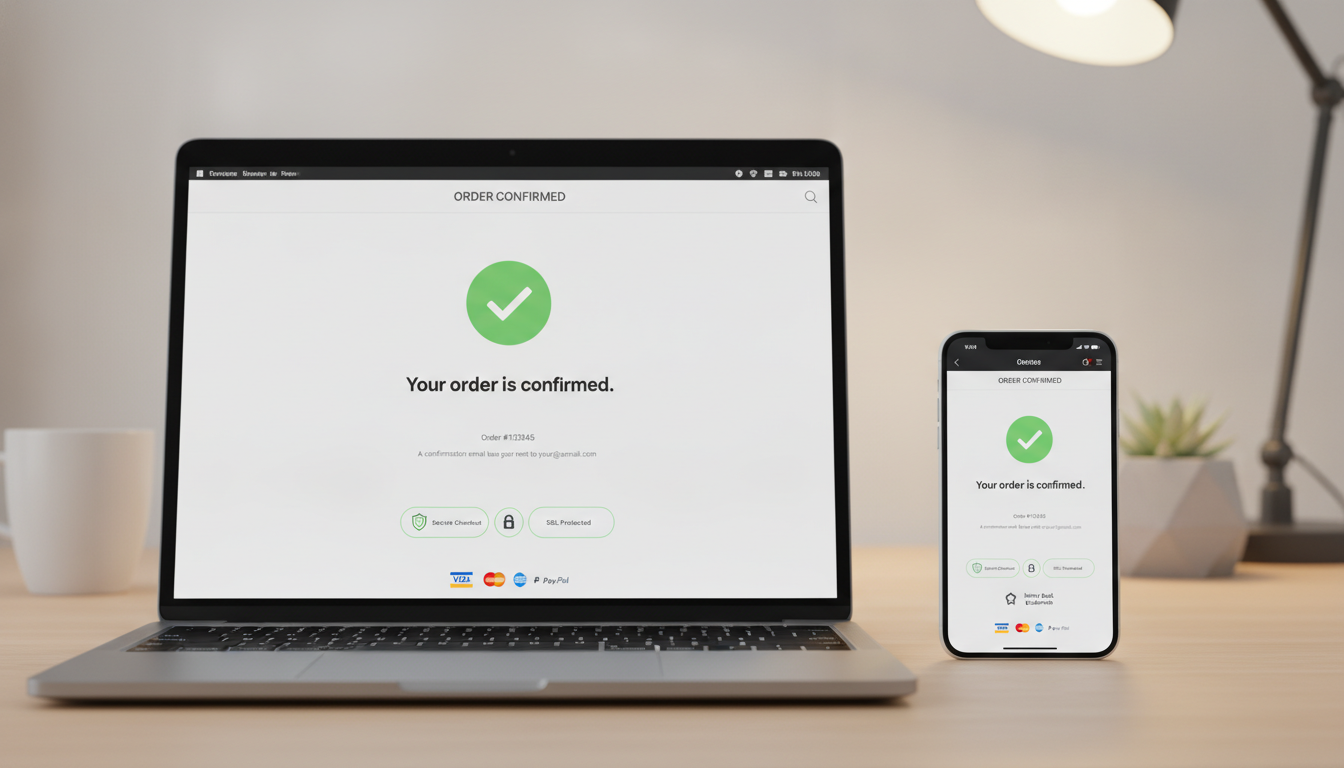
Trust signals aren’t decoration — they’re conversion infrastructure. 17% of checkout abandonment is directly attributed to payment security concerns. Deploy trust signals at every point of hesitation:
Trust Signal Placement Checklist
- Cart page: Payment method icons (Visa, Mastercard, Amex, PayPal, Apple Pay), SSL lock icon, money-back guarantee
- Checkout header: “Secure checkout” badge with padlock — editable in your theme’s checkout settings
- Checkout footer: Return policy link and customer service contact — add via Checkout Extensibility blocks or checkout.liquid (non-Plus)
- Near the CTA button: “Your payment info is never stored” or “256-bit SSL encryption” micro-copy
Tactic 7: Optimize Checkout Page Speed
A checkout page that takes more than 3 seconds to load on mobile loses a significant chunk of buyers right there. Run your store through Google PageSpeed Insights and target a mobile score above 70 and a Largest Contentful Paint (LCP) under 2.5 seconds.
The fastest wins for Shopify checkout speed:
- Compress all images using Shopify’s built-in WebP conversion or an app like TinyIMG
- Audit your installed apps — every app injects JavaScript. Remove any app you haven’t actively used in 60 days
- Enable Shopify’s native lazy loading by ensuring your theme uses
loading="lazy"on below-fold images - Use a Shopify-hosted checkout (don’t redirect to third-party payment pages) — every redirect adds latency and abandonment risk
Tactic 8: Build an Abandoned Checkout Email + SMS Flow in Klaviyo
If you’re not running an abandoned checkout flow, you’re giving up recoverable revenue on every single day your store is live. Klaviyo reports that the average abandoned cart/checkout flow generates $5.81 per recipient — making it one of the highest-revenue automations in any Shopify store’s stack.
The Minimum Viable Abandoned Checkout Flow
- Email 1 — 1 hour after abandonment: Simple, plain-text-style reminder. Subject line: “You left something behind.” Include product image, name, price, and a direct checkout link.
- SMS 1 — 2 hours after abandonment (if SMS consent captured): Short, direct. “Hey [First Name], your [Product] is still in your cart. Grab it here: [link]”
- Email 2 — 24 hours after abandonment: Add social proof — pull in Okendo or Judge.me reviews for the abandoned product. Address objections (free returns, fast shipping).
- Email 3 — 72 hours after abandonment: Optional urgency or incentive. Only offer a discount here if your margins support it — don’t train customers to abandon carts intentionally.
Set this up in Klaviyo under Flows → Create Flow → Browse Ideas → Abandoned Checkout. Ensure Klaviyo’s Shopify integration is syncing checkout events, which requires the Klaviyo app installed from the Shopify App Store and the “Checkout Started” event enabled.
Tactic 9: Enable One-Page Checkout (Shopify’s Default Since 2023)
Shopify rolled out its one-page checkout as the default for all new stores in late 2023, consolidating what used to be a three-step process (contact info → shipping → payment) into a single scrollable page. Shopify reported a 1.7x improvement in checkout speed and measurable conversion lifts after the rollout.
If your store was created before late 2023 and you haven’t migrated yet, go to Settings → Checkout → Checkout layout and switch to “One-page checkout.” Test your checkout flow after switching to confirm all custom scripts and apps still function correctly.
Tactic 10: Add Post-Purchase Upsells to Increase AOV Without Hurting CVR
One of the most common mistakes store owners make is cluttering the checkout page with upsell offers that interrupt the payment flow. The correct approach is post-purchase upsells — shown after payment is confirmed but before the thank-you page, requiring only one tap to accept with no re-entry of card details.
Rebuy’s post-purchase offer feature and AfterSell both integrate with Shopify’s native checkout extensibility to power this. Stores using post-purchase upsells with Rebuy report average AOV lifts of 10–15% without any negative impact on initial checkout conversion rate.
Tactic 11: Display Clear Delivery Estimates at Checkout
Shipping speed is a purchase trigger. A 2024 Metapack study found that 54% of shoppers abandon checkout when expected delivery timelines are unclear. If your checkout page shows “Standard shipping: 5–10 business days” with no further context, you’re creating unnecessary uncertainty.
Use an app like Order Delivery Date by Appikon or the Estimated Delivery Date app to display specific date ranges (e.g., “Arrives by Thursday, Jan 16”) rather than day-range estimates. Pair this with carrier-calculated shipping rates enabled at Settings → Shipping and delivery → Manage rates → Add rate → Use carrier or app to calculate rates.
Tactic 12: Optimize for Mobile Checkout Specifically
Mobile accounts for more than 70% of Shopify traffic but converts at a significantly lower rate than desktop — typically 8–12 percentage points lower, per Littledata’s 2025 benchmarks. The gap is almost entirely UX-driven. Mobile-specific fixes:
- Make all tap targets at least 44x44px — too-small buttons cause mis-taps and frustration
- Prioritize Apple Pay and Google Pay — these eliminate typing entirely on mobile and are the fastest path to completed purchase
- Use numeric keyboard triggers for card number and CVV fields — ensure your theme’s checkout uses
inputmode="numeric"on these inputs - Test your checkout on real devices — use BrowserStack or your own iOS/Android device; mobile emulators in Chrome miss real rendering issues
Tactic 13: A/B Test Checkout Copy and CTA Buttons
Your “Complete Order” button copy, your checkout headline, and your shipping cost framing are all testable variables that can move conversion rate meaningfully. Shopify Plus stores can use Shopify’s native Checkout Extensibility combined with third-party A/B testing tools like Convert.com or VWO to run properly instrumented checkout tests.
High-value elements to test first:
- CTA button copy: “Complete Order” vs. “Place My Order” vs. “Pay Now — Free Returns”
- Shipping framing: “$0 shipping” vs. “Free shipping” vs. “Free 3-day delivery”
- Security micro-copy placement: above vs. below the payment button
- Order summary layout: collapsed vs. expanded by default on mobile
Tactic 14: Implement a Proactive Discount Strategy — Without Hurting Margins
Blanket discounts train customers to abandon checkout waiting for a coupon. A smarter approach: use exit-intent technology (available via Privy or OptiMonk) to trigger a discount offer only when the user shows signs of leaving checkout — mouse moving toward browser chrome on desktop, or prolonged inactivity on mobile.
Set a maximum of 5–10% off for first-time customers only. Exclude repeat buyers from this trigger — they already know your brand and don’t need the discount to convert. This preserves margin while recovering buyers who genuinely needed a nudge.
How to Optimize Shopify Checkout?
Optimizing your Shopify checkout is a systematic process, not a one-time fix. The highest-impact changes address the four core friction categories: friction, fear, confusion, and cost surprise.
Start with friction reduction. Enable Shopify’s one-page checkout layout (Settings → Checkout → Checkout layout) if you haven’t already. Remove or hide unnecessary form fields under Settings → Checkout → Form options. Enable accelerated checkout buttons — Shop Pay, Apple Pay, Google Pay — so returning customers and mobile users can skip manual data entry entirely.
Address fear with trust signals. Place payment method icons, SSL indicators, and return policy links directly on the checkout page. If you’re on Shopify Plus, use Checkout Extensibility to add a trust badge block without touching code. For non-Plus stores, add trust content to your checkout.liquid file or via a checkout branding app.
Eliminate cost surprise. Show shipping costs on the cart page before the customer clicks “Checkout.” Use a free shipping progress bar (Rebuy’s Smart Cart handles this well) to encourage order value increases that unlock free shipping, turning a potential abandonment into a higher-value order.
Recover abandonment systematically. A three-email, one-SMS abandoned checkout flow in Klaviyo is non-negotiable. Stores running this flow recover between 5–15% of abandoned checkouts, which at volume represents thousands of dollars in otherwise-lost revenue monthly.
Finally, measure everything with GA4’s Funnel Exploration report and validate qualitative behavior with Hotjar session recordings. Repeat the diagnostic after every meaningful change — checkout optimization is an ongoing process, not a project with an end date.
What Is a Good Shopify Checkout Conversion Rate?
A “good” Shopify checkout conversion rate depends heavily on your traffic source, product category, average order value, and whether you’re measuring checkout-started-to-purchase or cart-to-purchase. These two metrics are often conflated, which leads to misinterpretation.
Checkout-started-to-purchase (the more actionable metric) measures only users who reached your checkout page. According to Littledata’s 2025 Shopify benchmark report, the median Shopify store converts 49% of checkout sessions into orders. If you’re above 60%, you’re performing well. Above 70%, you’re in the top 10% of Shopify stores globally.
Overall store conversion rate (sessions-to-purchase) is a different metric and typically sits between 1.5–3.5% for most Shopify stores, depending on traffic quality. High-intent traffic from email and SMS campaigns can push this above 5%, while cold paid social traffic commonly converts below 1%.
The most important benchmark isn’t an industry average — it’s your own historical performance by channel. A store driving mostly cold TikTok traffic will have a lower overall CVR than one running primarily to a warm email list, and comparing these stores directly is meaningless.
Set your baseline using the GA4 Funnel Exploration report over 90 days, segment by traffic source, and set a realistic 60-day improvement target. A 5–10 percentage point improvement in checkout conversion rate is achievable within one quarter for most stores that haven’t yet addressed the core friction points above.
How to Increase Checkout Conversion Rate?
Increasing your Shopify checkout conversion rate requires addressing the specific leaks in your checkout funnel, which means diagnosing before optimizing. That said, the following interventions produce consistent lifts across virtually every Shopify store regardless of vertical:
1. Enable Shop Pay. This is the fastest, lowest-effort change with documented impact. Shopify’s own data shows Shop Pay converts at 1.5x the rate of standard guest checkout. Go to Settings → Payments → Shopify Payments → Manage and enable it today.
2. Reduce to one-page checkout. If you’re still on the three-step checkout flow, switch at Settings → Checkout → Checkout layout. Eliminating page-to-page transitions removes both load time and psychological friction.
3. Show delivery dates, not day ranges. “Arrives by January 16” converts better than “5–7 business days.” Install an estimated delivery date app and connect it to your carrier’s real-time data.
4. Launch an abandoned checkout flow in Klaviyo. This is recoverable revenue sitting uncollected. A 3-touch flow (1 hour, 24 hours, 72 hours) with a product-specific email template routinely recovers 5–15% of abandoned checkouts.
5. Add post-purchase upsells via Rebuy. Protect your checkout CVR by moving upsell offers post-payment rather than during checkout. This increases AOV without interrupting the payment decision.
6. Test mobile checkout on real devices. At least 70% of your traffic is mobile. A broken or slow mobile checkout is the single biggest conversion drain most stores have. Test on iOS Safari and Android Chrome specifically — these are where the bulk of your mobile customers are.
Implement these six changes before pursuing more complex optimizations like A/B testing or exit-intent overlays. The foundational fixes will almost always outperform advanced tactics run on a broken foundation.
Is a 1% Conversion Rate Good?
A 1% overall store conversion rate is below average for most Shopify verticals, but whether it’s a problem depends entirely on your traffic source, AOV, and customer acquisition cost. Context makes this number almost meaningless without additional data.
When 1% might be acceptable: If you’re selling high-ticket items ($500+), a 1% conversion rate paired with a high AOV and strong repeat purchase rate can produce healthy unit economics. Luxury goods, bespoke products, and B2B catalog stores routinely see overall conversion rates below 2% while remaining profitable.
When 1% signals a serious problem: If you’re running paid social campaigns to cold audiences and converting at 1% across all sessions, your cost per acquisition is likely unsustainable. For a store with a $50 AOV and a $1.50 CPC, a 1% conversion rate means a $150 CPA — unprofitable for almost any product in that price range.
According to Shopify’s 2025 commerce data and Littledata’s benchmarks, the median Shopify store converts between 1.5% and 2.5% of all sessions into purchases. Top-performing stores in high-intent verticals (health supplements, pet supplies, hobby goods) reach 3–5%.
If your overall conversion rate is at 1%, investigate these four areas first: traffic quality (are you attracting buyers or browsers?), product-market fit signaled by bounce rate on product pages, checkout friction measured via GA4 funnel, and price competitiveness. Use Hotjar heatmaps on your product detail pages to see where attention and clicks are going before users reach checkout — often the problem isn’t checkout at all, it’s the product page failing to build sufficient purchase intent.
Putting It All Together: Your 30-Day Checkout Optimization Sprint
The 14 tactics in this guide aren’t meant to be implemented all at once. Prioritize by effort-to-impact ratio and execute in this sequence:
- Week 1 — Foundation: Enable Shop Pay, remove forced account creation, switch to one-page checkout, hide unnecessary form fields
- Week 2 — Trust & Transparency: Add trust badges, surface shipping costs on the cart page, display delivery date estimates
- Week 3 — Recovery: Launch Klaviyo abandoned checkout flow (3 emails + 1 SMS), set up exit-intent discount trigger for first-time visitors only
- Week 4 — Measurement & Iteration: Set up GA4 funnel report, install Hotjar, watch 20 abandonment recordings, identify your next highest-impact fix
Improving your Shopify checkout conversion rate isn’t about finding one magic fix — it’s about systematically removing every reason a motivated buyer has to stop. The stores consistently hitting 65%+ checkout conversion rates aren’t doing anything exotic; they’ve simply addressed every item on the list above and built a measurement system that catches new leaks before they compound. Start with the highest-impact, lowest-effort changes today, measure obsessively, and treat checkout optimization as a permanent discipline rather than a one-time project.