Shopify Site to App Conversion: 12 Steps to Launch a Native Mobile App (2026)
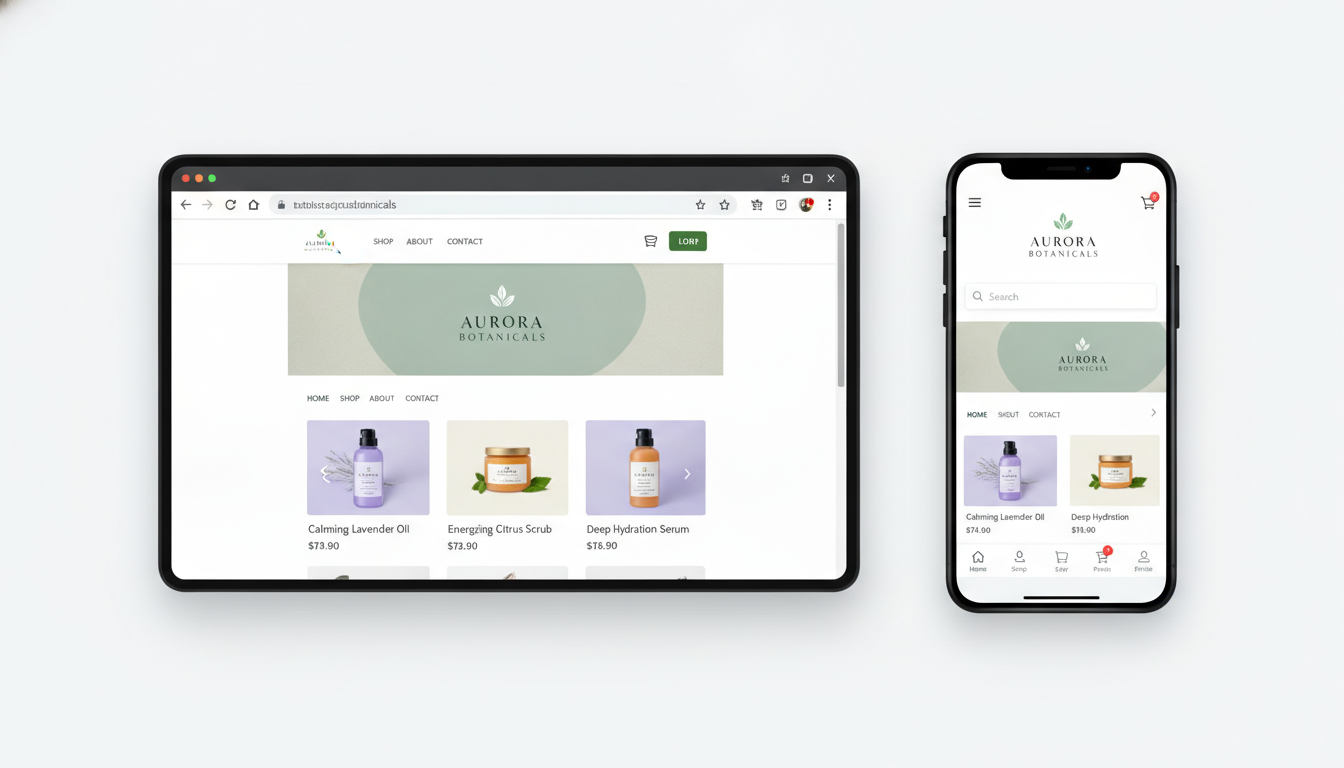
Your Shopify store loads fine on mobile — but fine isn’t winning anymore. Mobile commerce accounts for 73% of all global ecommerce traffic in 2026 (Statista), and shoppers who use a branded native app convert at 3x the rate of mobile web visitors. If you’re doing $50K–$5M a year and you haven’t turned your Shopify store into an app yet, you’re leaving a measurable chunk of revenue on the table every single month.
This guide cuts through the noise. You’ll get a step-by-step Shopify site-to-app conversion roadmap — from choosing the right build approach to configuring push notifications and measuring lift in Google Analytics 4 (GA4).
- Native apps deliver 3x higher conversion rates vs. mobile web — with push notifications driving up to 88% re-engagement (CleverTap, 2025).
- You have three viable build paths: no-code app builders, PWA wrappers, and custom native development — each with distinct cost/performance tradeoffs.
- Shopify’s StoreFront API and Mobile Buy SDK are the technical backbone for any serious native app build.
- App Store Optimization (ASO) is a separate discipline from SEO — skip it and your app won’t be found after launch.
- Post-launch, push notification segmentation via Klaviyo or OneSignal is your highest-ROI mobile retention lever.
Why Shopify Store Owners Are Prioritizing App Conversion in 2026
Mobile web performance has plateaued. Even with a perfect Lighthouse score on PageSpeed Insights, the native app experience is fundamentally different — faster perceived load, offline browsing, home screen presence, and OS-level push notifications that don’t require a browser to be open.
The data is stark. App users spend an average of 201.8 minutes per month on shopping apps vs. 10.9 minutes on mobile web (AppsFlyer, 2025). That session depth compounds into higher average order values and lower cart abandonment. For Shopify merchants, converting your existing store into an app isn’t a vanity project — it’s a retention and LTV play.
There’s also a competitive angle. Most Shopify stores in the $50K–$500K revenue band still don’t have a native app. If your vertical has a loyalty-driven customer base — apparel, beauty, supplements, pet products — an app gives you a defensible engagement channel that no algorithm change can take away from you.
3 Build Paths for Shopify Site to App Conversion
Before you write a single line of code (or pay someone to), you need to choose the right architecture. The wrong choice at this stage costs you months and tens of thousands of dollars.
Path 1: No-Code App Builders
Tools like Vajro, Plobal Apps, and Tapcart connect directly to your Shopify store via API and generate iOS and Android apps with drag-and-drop builders. Setup takes days, not months. Pricing typically runs $99–$599/month depending on order volume and features.
This path is right for you if you’re under $500K/year, want to test app performance before committing to a full build, or lack in-house development resources. The tradeoff: you’re limited to the builder’s design system and feature set. Deep customizations — custom checkout flows, AR try-on, loyalty integrations — are off the table or heavily constrained.
Path 2: Progressive Web App (PWA)
A PWA turns your Shopify storefront into an installable, app-like experience without going through the App Store. Frameworks like Hydrogen (Shopify’s own React-based headless framework) or third-party PWA layers can deliver offline capability, home screen installation, and push notifications via web push APIs.
PWAs are ideal if you want broad reach without maintaining separate iOS and Android codebases. The ceiling is lower than native — iOS Safari still restricts some PWA capabilities — but for many merchants, a well-built Hydrogen PWA is more than sufficient and dramatically cheaper than native development.
Path 3: Custom Native App Development
A fully custom iOS/Android app built using React Native or Flutter, connected to Shopify via the Storefront API and Shopify Mobile Buy SDK. This is the highest-performance, highest-cost path — expect $30,000–$150,000+ for initial development and ongoing maintenance costs.
This path is for merchants doing $1M+ who need features that no builder can replicate: custom AR, real-time inventory sync with complex ERP systems, subscription management via Recharge, or deeply personalized experiences powered by Rebuy’s recommendation engine.
Shopify Site to App Conversion: 12 Steps to Do It Right
Step 1: Audit Your Mobile Web Performance First
Run your Shopify store through PageSpeed Insights and Google Lighthouse before you build anything. Your app’s UX should be informed by where your mobile web fails — slow product pages, broken filters, janky checkout. Document every friction point. These become your app’s must-fix list.
Step 2: Confirm Your Shopify Plan Supports API Access
Navigate to Settings → Plan in your Shopify Admin and confirm you’re on at least the Basic Shopify plan. The Storefront API is available on all plans, but custom storefronts and Hydrogen deployments may require Shopify Plus for advanced features. If you’re building headless, also check Settings → Apps and sales channels → Develop apps to ensure custom app development is enabled for your store.
Step 3: Choose and Configure Your Storefront API Access
Go to Settings → Apps and sales channels → Develop apps → Create an app. Under API credentials, generate a Storefront API access token. Scope the permissions carefully — you’ll need unauthenticated_read_product_listings, unauthenticated_write_checkouts, and unauthenticated_read_customer_tags at minimum for a functional shopping app.
If you’re using a no-code builder like Tapcart, this step is handled automatically during onboarding — but understanding what’s happening under the hood matters when you’re debugging sync issues later.
Step 4: Map Your Core App Screens
Don’t replicate your website 1:1. Mobile apps have distinct navigation patterns. Your app needs at minimum: a home screen, collection browser, product detail page (PDP), cart, checkout, and account/loyalty hub. Use Hotjar heatmaps on your mobile web store to identify which sections of each page users actually engage with — strip everything else from the app’s initial release.
Step 5: Optimize Product Detail Pages for Mobile-First Display
Your PDP is where conversions happen or die. On app, you have more control over this screen than on mobile web. Prioritize: swipeable image galleries, sticky “Add to Cart” buttons, collapsible product description accordions, and star rating displays powered by Okendo or Judge.me. Stores that display reviews on PDPs see a 270% lift in purchase likelihood (Spiegel Research Center).
Step 6: Implement a Mobile-Native Checkout Flow
Shopify’s hosted checkout is not available inside a native app by default — you’ll redirect to a web view unless you build a custom checkout experience. For no-code builders, this web view is standard. For custom builds, integrate Shop Pay via the Buy SDK to enable one-tap checkout. Go to Settings → Payments → Accelerated checkouts and ensure Shop Pay is active before your app build begins.
Step 7: Set Up Push Notification Infrastructure
Push notifications are the primary reason merchants report ROI from their apps. Connect Klaviyo‘s mobile push feature (available on their email/SMS plans) or integrate OneSignal for a more standalone push solution. Build these segments on day one:
- Abandoned cart — trigger 30 minutes post-abandonment
- Back-in-stock alerts for wishlisted items
- Post-purchase upsell — send 48 hours after delivery confirmation
- Win-back — target users who haven’t opened the app in 30 days
- Flash sale announcements — time-limited offers that expire within the notification window
Push notification opt-in rates on iOS average 44% for shopping apps (Airship, 2025) — dramatically higher than email list opt-in rates for the same audience.
Step 8: Configure Deep Linking
Deep links allow you to send users directly to a specific product, collection, or promotion inside your app from an external URL — critical for email campaigns, social ads, and SMS flows. In Shopify’s Admin, set up your app’s associated domain under Online Store → Domains. Work with your developer or app builder to configure Universal Links (iOS) and App Links (Android) so every external touchpoint routes correctly into the app.
Step 9: Integrate Your Existing Shopify Apps and Data
Your app should inherit your existing Shopify ecosystem. Key integrations to configure before launch:
- Rebuy — personalized product recommendations on PDP and cart
- Klaviyo — sync customer segments and purchase history for push and email
- Yotpo or Smile.io — expose loyalty points and rewards inside the app
- Recharge — if you sell subscriptions, surface subscription management in the account screen
- GA4 — implement Firebase Analytics (which feeds into GA4) for app-specific event tracking
Step 10: Set Up App Store Optimization (ASO) Before Launch
ASO is not SEO. Your app’s discoverability in the Apple App Store and Google Play Store depends on a completely separate set of signals: app title, subtitle, keyword field (iOS only), screenshots, preview video, and ratings velocity. Research your category keywords using AppFollow or Sensor Tower. Your app title should include your brand name plus a high-volume category term — e.g., “BrandName: Fashion Shopping App”.
Step 11: Submit to App Stores and Prepare for Review
Apple’s App Store review process takes 1–3 days on average for initial submissions. Google Play is typically 24–48 hours. Common rejection reasons for Shopify-based apps: incomplete metadata, missing privacy policy URL, and insufficient app functionality in the demo account. Create a dedicated reviewer account in your Shopify Admin with sample products and pre-loaded cart items before submission.
Step 12: Measure, Iterate, and Scale
Post-launch, track these KPIs in GA4 via Firebase and your app builder’s dashboard weekly:
- App install-to-purchase conversion rate (benchmark: 2.5%–5% within 7 days)
- Push notification click-through rate (benchmark: 7%–12% for segmented sends)
- Average session length (benchmark: 4–8 minutes for shopping apps)
- 30-day retention rate (benchmark: 25%–35% for well-run apps)
- App-driven revenue as % of total Shopify revenue (target: 15%–30% within 6 months)
Shopify Site to App Conversion: Platform Comparison Table
| Platform / Approach | Build Time | Cost (Year 1) | Custom Dev Required | Push Notifications | Best For |
|---|---|---|---|---|---|
| Tapcart | 1–2 weeks | $1,200–$7,200/yr | No | Yes (built-in) | $50K–$500K merchants |
| Vajro | 1–3 weeks | $1,188–$7,188/yr | No | Yes (built-in) | $50K–$300K merchants |
| Plobal Apps | 2–4 weeks | $2,400–$12,000/yr | Minimal | Yes (advanced) | $200K–$1M merchants |
| Shopify Hydrogen (PWA) | 6–12 weeks | $15,000–$40,000 | Yes | Web Push only | $500K–$2M merchants |
| Custom Native (React Native) | 12–24 weeks | $40,000–$150,000+ | Yes (fully) | Yes (full native) | $1M+ merchants |
How to Convert Shopify Website Into App?
The most direct path to converting your Shopify website into an app in 2026 is using a Shopify-native app builder that connects to your store via the Storefront API. Here’s the process broken down practically:
- Choose your build path based on your annual revenue and technical resources (see the table above).
- Install your chosen app builder from the Shopify App Store. Navigate to Apps → Shopify App Store and search for “Tapcart,” “Vajro,” or “Plobal Apps.” Install and grant the required API permissions.
- Configure your app’s navigation and design inside the builder’s dashboard. Map collections, set brand colors, upload your logo, and configure the home screen layout.
- Connect your existing data: product catalog, customer accounts, discount codes. Most builders pull this automatically via Shopify’s API — verify that your product metafields and variant options sync correctly.
- Set up push notifications and create your first five automated flows (abandoned cart, back-in-stock, post-purchase, win-back, flash sale).
- Test on real devices using the builder’s preview app before submitting to app stores. Test every checkout scenario including discount codes, gift cards, and Shop Pay.
- Prepare App Store assets: 6.7″ iPhone screenshots (minimum 3, maximum 10), App Preview video (15–30 seconds), app icon (1024×1024px), and privacy policy URL.
- Submit to Apple App Store and Google Play simultaneously. Track review status in App Store Connect and Google Play Console.
- Launch marketing: email your list via Klaviyo, add an app download banner to your Shopify storefront using a Smart Banner meta tag, and run a targeted Meta campaign to your top customer segment.
For merchants who want the custom native route, the process begins with generating Storefront API credentials in Shopify Admin, selecting React Native or Flutter as your framework, and integrating the Shopify Mobile Buy SDK for cart and checkout functionality. This requires a development team with Shopify API experience — the self-build route is not practical unless you have that in-house.
One critical detail most guides skip: your Shopify theme settings, custom Liquid code, and third-party scripts do not transfer to your app. Your app pulls data from Shopify’s API, not your theme. This means any custom functionality built in Liquid (custom upsell blocks, custom notification bars, custom badge logic) must be rebuilt natively inside your app or via API-based app integrations.
Is Shopify Still Worth It in 2026?
Shopify remains the dominant ecommerce platform for merchants doing under $10M/year, and the platform has only deepened its technical moat since 2024. In 2026, Shopify powers over 4.8 million live stores globally (BuiltWith, 2026) and processes more than $235 billion in GMV annually. The ecosystem — apps, developers, agencies, integrations — is unmatched by any competitor at this price point.
The “is Shopify worth it” question usually comes from merchants feeling squeezed by transaction fees or platform limitations. Here’s an honest breakdown:
Shopify’s transaction fees are a real cost. On the Basic plan, you pay 2% per transaction on non-Shopify Payments orders. On Shopify plan, it’s 1%. On Advanced, 0.5%. If you’re using a third-party payment gateway for legitimate reasons (international markets, specific fraud tools), these fees add up. Moving to Shopify Payments — available in 23+ countries — eliminates them entirely.
The platform’s 2025–2026 updates have been substantial. Shopify Markets Pro expanded global selling capabilities. Shopify Functions replaced Scripts and allows merchants to customize checkout logic without Plus. Hydrogen 2.0 brought server-side rendering performance improvements that close the gap with custom-built storefronts. And native B2B selling features on Plus now compete directly with platforms that previously owned that segment.
For mobile commerce specifically — which is what this guide is about — Shopify’s ecosystem is unambiguously strong. The Storefront API is mature, well-documented, and actively maintained. No-code app builders have deep Shopify-native integrations that simply don’t exist for WooCommerce or BigCommerce equivalents.
The honest answer: if you’re already on Shopify and generating revenue, the switching cost to any other platform in 2026 is almost never worth it. If you’re evaluating platforms from scratch for a new store, Shopify is still the default correct answer for most use cases unless you have highly specific B2B, marketplace, or regulatory requirements that demand a different architecture.
Who Is the Highest Earner on Shopify?
Shopify does not publicly disclose individual merchant revenue data, so there’s no definitive ranked list. However, based on reported figures, brand funding rounds, and industry coverage, several Shopify-based stores consistently appear at the top of revenue estimates.
Gymshark is frequently cited as one of the highest-grossing Shopify stores in history. The UK-based fitness apparel brand scaled from a garage startup to over £400 million (~$500M+) in annual revenue on Shopify before transitioning to Shopify Plus. Kylie Cosmetics (Kylie Jenner’s brand) and Allbirds are also among the highest-profile Shopify Plus merchants, each generating hundreds of millions annually.
In 2025, SKIMS (Kim Kardashian’s shapewear brand) was reported to be running on Shopify Plus with revenues surpassing $750M annually. Fashion Nova, which built its entire DTC model on Shopify, has been reported at over $1 billion in annual revenue in recent years.
What’s more instructive than the top names is what they have in common:
- All use Shopify Plus for advanced checkout customization and dedicated support
- All have native mobile apps or heavily optimized mobile experiences
- All use email/SMS automation via tools like Klaviyo at scale
- All have significant influencer or social commerce distribution strategies
- All invest heavily in post-purchase retention — loyalty programs, subscriptions, or high repeat-purchase category positioning
The ceiling on Shopify revenue is not a platform limitation — it’s a distribution and brand-building challenge. The platform has demonstrably supported businesses scaling from zero to $1B+. What separates these outliers from the average Shopify merchant is retention infrastructure, mobile-first UX, and community-driven demand generation — not the platform choice itself.
What Is a Good Conversion Rate for a Shopify Website?
The average Shopify store conversion rate sits between 1.4% and 3.3% across all industries, with the top 20% of stores converting at 3.3% or above (Littledata, 2025 benchmarks). But this number is nearly useless without segmenting by traffic source and device type.
Here’s what the data actually looks like when broken down properly:
| Traffic Source / Context | Average Conversion Rate | Top Quartile |
|---|---|---|
| Email traffic (Klaviyo campaigns) | 4.5%–6.0% | 8%+ |
| Organic search (Google) | 2.1%–3.5% | 5%+ |
| Paid social (Meta Ads) | 0.8%–1.8% | 3%+ |
| Mobile web (all sources) | 1.1%–2.2% | 3.5%+ |
| Native app (push notification traffic) | 3.5%–6.5% | 9%+ |
| Desktop web (all sources) | 2.8%–4.2% | 6%+ |
| SMS (Postscript/Klaviyo SMS) | 5.0%–8.0% | 12%+ |
The most important number in that table is the native app push notification row. A 3.5%–6.5% conversion rate on app traffic is achievable for a median merchant — and that’s precisely why the site-to-app conversion investment pays off faster than most CRO initiatives.
To improve your Shopify store’s conversion rate specifically, focus on these highest-leverage areas:
- Checkout abandonment: Enable Shop Pay and accelerated checkout options under Settings → Payments. Stores with Shop Pay enabled see up to 50% higher checkout conversion on returning customers (Shopify internal data, 2025).
- Product page trust signals: Add Okendo or Judge.me reviews, display star ratings in collection grid images, and show real-time “X people viewing this” social proof via apps like Fomo.
- Mobile navigation friction: Run a session recording analysis in Hotjar on your mobile product pages. Filter for rage clicks and dead clicks — these reveal navigation failures you can’t see in aggregate analytics.
- Page speed: Every 1-second delay in load time reduces mobile conversion rates by 8.11% (Deloitte, 2024). Run your store through PageSpeed Insights monthly and target a mobile score above 65 at minimum.
- Cart recovery: Build a three-touch cart recovery sequence in Klaviyo: email at 1 hour, push notification at 3 hours (if you have the app), SMS at 24 hours. Three-touch cart recovery sequences recover 28% more abandoned carts than single-email sequences (Klaviyo internal benchmark, 2025).
A “good” conversion rate for your Shopify store is ultimately relative to your traffic quality and category. A luxury jewelry brand converting at 0.8% from cold paid traffic is performing excellently. A supplement brand with warm email traffic converting at 2% is underperforming. Always benchmark against your own historical data and your specific traffic sources — not a global average that blends every category together.
The Post-Launch Growth Loop: Turning App Users Into Repeat Buyers
Installing your app is not the finish line — it’s the starting point for a retention loop that compounds over time. The merchants who extract the most value from their Shopify apps treat the app as a dedicated CRM channel, not just a mobile storefront.
The post-launch retention stack that consistently outperforms:
- Personalization via Rebuy: Surface “buy again” recommendations on the home screen for repeat purchasers. Rebuy’s Smart Cart and dynamic bundles work via the Storefront API and can be surfaced inside any custom or builder-based app.
- Loyalty integration via Smile.io or Yotpo: Display points balance on the app’s account screen. Merchants who surface loyalty status in their app see 2.1x higher app session frequency vs. those who don’t (Yotpo, 2025).
- In-app exclusive offers: Reserve specific promotions, early access drops, or bundle deals for app users only. This creates a tangible reason for customers to install and keep your app — and it’s a zero-cost retention tactic that works at any revenue level.
- Review requests via Okendo: Trigger post-purchase review request push notifications at 7 days post-delivery. Okendo’s native Shopify integration supports this flow and feeds reviews back to your PDPs automatically.
The compound effect here is significant. An app user who receives personalized push notifications, sees their loyalty points balance, and gets exclusive offers is, by every measurable metric, a fundamentally higher-LTV customer than a one-time web visitor. Repeat customers on Shopify spend 67% more per order than first-time buyers (Shopify, 2025) — and your app is the most direct channel you own to turn first-timers into repeat buyers.
Bringing It All Together
Converting your Shopify store into a native app in 2026 is one of the highest-ROI investments available to merchants in the $50K–$5M revenue range — provided you execute the launch with the right architecture, push notification strategy, and post-launch retention infrastructure. The choice between no-code builders like Tapcart, a Hydrogen PWA, or full custom native development should be driven by your revenue, your technical resources, and the complexity of your existing Shopify ecosystem. Whatever path you choose, the Storefront API is your foundation, push notifications via Klaviyo or OneSignal are your primary ROI driver, and deep linking is the connective tissue that makes every other marketing channel more effective. Measure relentlessly in GA4 and your app dashboard, benchmark against the conversion rate data in this guide, and iterate your push notification segments monthly. The merchants who treat their app as a living retention channel — not a one-time launch project — are the ones who will be reporting 20–30% of total Shopify revenue coming through the app within 12 months.