Shopify Mobile App Builder Comparison: 8 Best Options Ranked (2026)
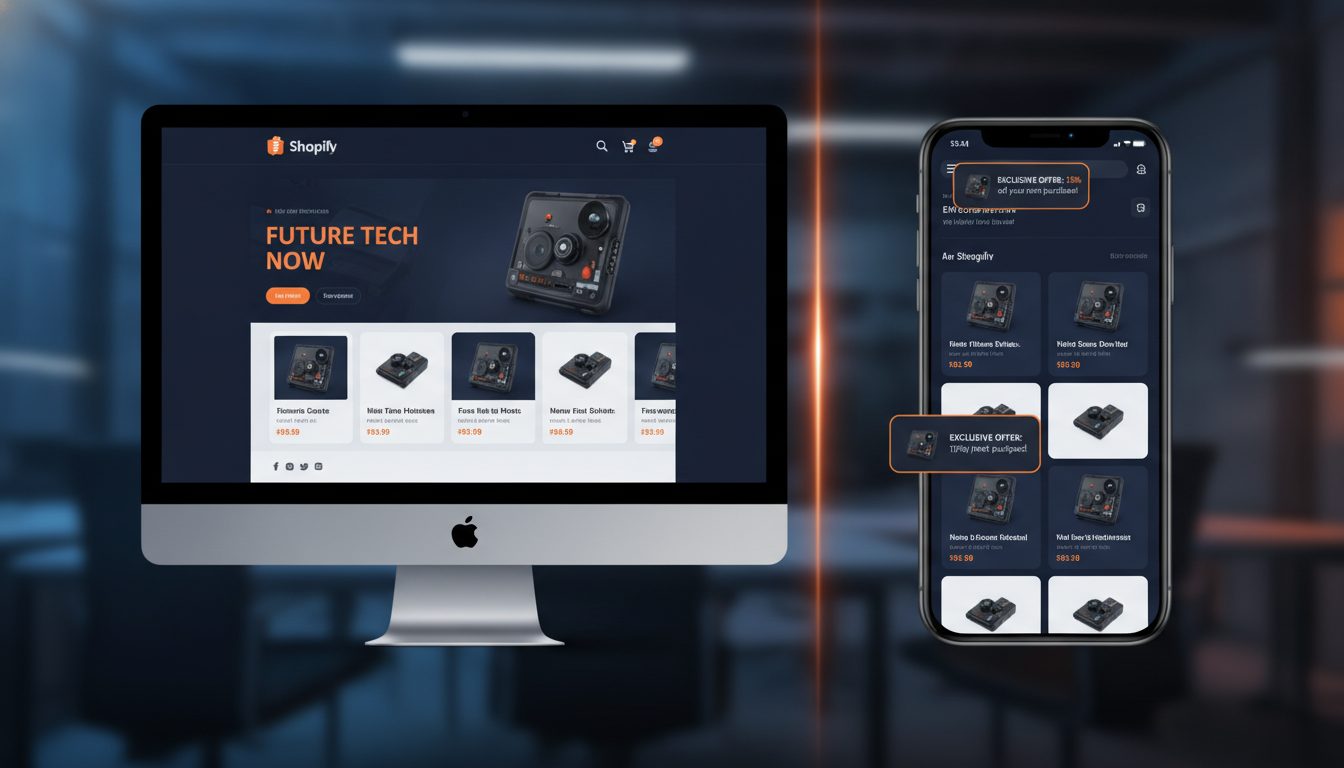
Your Shopify store’s mobile website is losing you money. Mobile commerce accounted for 73% of all global e-commerce sales in 2025 (Statista), yet mobile browser conversion rates still sit 2–3x lower than native app conversion rates. If you’re doing $500K+ per year and haven’t converted your Shopify store into a native iOS and Android app, that gap is real revenue walking out the door. The good news: a modern Shopify mobile app builder can get you live in days — not months — without a full engineering team.
This guide breaks down the 8 most competitive options available in 2026, compares them on cost, feature depth, and conversion performance, and tells you exactly when builder platforms stop being enough and custom development becomes the smarter investment.
- Native mobile apps convert at 3–5x the rate of mobile browsers — the ROI case for building one is stronger than ever in 2026.
- Vajro, Tapcart, and Plobal Apps are the three most feature-complete no-code Shopify mobile app builders right now.
- Free Shopify mobile app builder tiers exist but carry serious limitations — most stores doing real volume need a paid plan within 60 days.
- Custom Shopify mobile app development makes financial sense above roughly $2M annual revenue or when you need deep third-party integrations.
- Push notifications alone — when properly segmented through Klaviyo or a native in-app tool — can recover 15–20% of abandoned sessions.
Why Your Shopify Store Needs a Mobile App in 2026
The mobile web has improved dramatically, but it still can’t close the gap with native apps on three critical metrics: load speed, personalization depth, and re-engagement capability. Native apps load 1.5–2x faster than mobile browsers on equivalent hardware, which directly impacts bounce rate and add-to-cart events.
Push notifications are the single biggest conversion lever that mobile web still can’t fully replicate. Web push opt-in rates hover around 5–8%, while native app push notification opt-in rates average 45–60% (Airship, 2025). That’s a 7–10x difference in your ability to re-engage a customer who browsed but didn’t buy.
Beyond re-engagement, apps enable features that meaningfully change shopping behavior:
- Biometric checkout (Face ID / fingerprint) that eliminates password friction
- Offline browsing for product catalogs
- Persistent wishlists tied to user accounts rather than browser sessions
- In-app loyalty program dashboards integrated with tools like Smile.io or Yotpo Loyalty
- One-tap reorder flows for consumable or subscription products
If your store runs subscriptions via Recharge or Bold Subscriptions, a native app makes the subscriber experience dramatically stickier — and churn measurably drops.
The 8 Best Shopify Mobile App Builders Compared
The builder market has matured significantly. Below is a structured comparison of the platforms you’ll actually evaluate in 2026, followed by detailed breakdowns of the top three.
| Platform | Starting Price (USD/mo) | No-Code Builder | Push Notifications | Live Preview | Best For |
|---|---|---|---|---|---|
| Vajro | $99 | Yes | Yes (segmented) | Yes | Mid-market DTC brands |
| Tapcart | $200 | Yes | Yes (advanced) | Yes | High-volume fashion/lifestyle |
| Plobal Apps | $149 | Yes | Yes (AI-powered) | Yes | Stores scaling past $1M |
| Shopney | $149 | Yes | Yes | Yes | Boutique & niche stores |
| Appy Pie | $36 | Yes | Limited | Yes | Budget-conscious beginners |
| MageNative | $49 | Yes | Yes | Yes | SMB stores, India market |
| Buildfire | $159 | Partial | Yes | Yes | Custom feature needs |
| Custom Development | $15,000–$80,000+ (one-time) | No | Yes (full control) | N/A | Enterprise / complex integrations |
Vajro — Best All-Around Shopify Mobile App Builder by Vajro
Vajro has consistently ranked as one of the strongest no-code options for Shopify merchants since its founding. The platform connects directly to your Shopify Admin and syncs your product catalog, collections, metafields, and customer data automatically — no manual CSV uploads or re-tagging required.
The Shopify mobile app builder by Vajro stands out for three reasons: its live video commerce integration (letting you run shoppable Instagram Live-style streams inside your app), its deep segmentation for push notifications, and its Klaviyo integration that lets you trigger push notifications based on Klaviyo flow logic. Most competitors force you to manage push campaigns in a completely separate system. Vajro lets your existing Klaviyo segments — VIP customers, lapsed buyers, high-CLV cohorts — drive both email and push in one workflow.
Pricing starts at $99/month for the Core plan. Enterprise features like advanced analytics and dedicated support require their higher-tier plans at $299–$599/month. App store submission is handled entirely by Vajro’s team, which eliminates the most technically intimidating part of the process for non-developers.
Tapcart — Best for High-Volume Fashion and Lifestyle Brands
Tapcart powers the mobile apps of brands like Fashion Nova, Chubbies, and several nine-figure Shopify Plus merchants. It’s the most design-forward of the no-code builders, giving your team pixel-level control over app UX without touching code. The block-based editor mirrors the logic of Shopify’s Online Store 2.0 editor, so your team learns it fast.
Where Tapcart justifies its $200/month entry price is in its push notification engine. Campaigns are segmented by purchase history, browsing behavior, geographic location, and even real-time inventory status — meaning you can push a “back in stock” alert to customers who viewed but didn’t buy a sold-out product. Tapcart reports average push notification open rates of 25–35% among its merchant base, which benchmarks well above email open rate averages of 15–20% for e-commerce (Klaviyo 2025 Benchmark Report).
The platform also supports custom blocks built by developers, which gives you an escape hatch if you need a feature that the no-code editor can’t handle natively.
Plobal Apps — Best AI-Driven Option
Plobal Apps differentiates itself with an AI layer that sits on top of its core mobile app builder. The AI engine analyzes user behavior in-app — browse depth, tap patterns, session duration — and dynamically personalizes the home screen layout for each returning user. Think of it as a simplified version of what Amazon does on its homepage, but applied to your Shopify catalog.
The platform also includes an AI-powered push notification timing optimizer that identifies the highest-probability send window for each individual subscriber — not just broad time-zone segmentation, but individual behavioral analysis. Plobal merchants report a 22% average uplift in push notification conversion rates after enabling the AI send-time optimization (Plobal internal data, 2025).
Is There a Free Shopify Mobile App Builder?
Several platforms advertise free tiers or free trials, but you need to read the fine print carefully. Here’s the realistic breakdown:
- Appy Pie offers the most accessible entry point at $36/month, with a limited free trial — but the free tier watermarks your app and restricts push notifications entirely.
- MageNative runs a 30-day free trial with full features, which is genuinely useful for validating whether a builder-based approach fits your store before committing budget.
- Vajro offers a 30-day free trial with live app preview, no credit card required. Push notifications are locked until you move to a paid plan.
- Shopney provides a 7-day free trial that includes app submission guidance — short, but enough to see whether the design tools meet your brand standards.
The honest truth about a shopify mobile app builder free option: for a store generating meaningful revenue, the platforms worth using don’t have sustainable free tiers. Budget roughly $100–$200/month for a credible builder. That’s a rounding error compared to the revenue upside from improved mobile conversion rates and push notification re-engagement campaigns.
If you’re pre-revenue or under $10K/month, start with MageNative’s trial to learn what features matter to your customers before investing in a higher-tier platform.
Shopify Mobile App Builder vs. Custom Development: Which Is Right for You?
This is the most consequential decision in the entire mobile app journey, and most agencies give you a biased answer based on what they sell. Here’s a framework based on your actual situation:
When a Builder Platform Is the Right Choice
- Your annual revenue is under $2M and you don’t have a dedicated engineering team
- Your product catalog, checkout flow, and loyalty mechanics are all standard Shopify features — no highly customized logic
- You need to launch within 4–8 weeks
- Your primary goal is push notifications and a faster mobile shopping experience, not a fundamentally different UX
When Custom Shopify Mobile App Development Makes Sense
- You need deep integrations with ERP systems, custom fulfillment logic, or B2B pricing tiers that builder platforms can’t handle
- Your brand’s UX vision requires interaction patterns (e.g., AR try-on, 3D product viewers, custom quiz flows) that no builder supports
- You’re above $2–3M annually and the platform fees plus revenue share costs more per year than amortized custom build costs
- You’re pursuing a headless Shopify architecture with a React Native or Flutter front-end that calls Shopify’s Storefront API
Custom Shopify mobile app development in India has become a credible option for mid-market brands that need custom builds but can’t absorb $60–80K US agency rates. Reputable India-based Shopify development agencies — particularly in Ahmedabad, Pune, and Bengaluru — deliver React Native apps against Shopify’s Storefront API for $15,000–$30,000 USD, with quality that competes directly with Western agencies at 40–60% lower cost. Vet agencies by reviewing their published Shopify Partner profile, their App Store-listed apps, and client references with verifiable Shopify Plus stores.
The Hybrid Approach
An often-overlooked option: start with a builder platform like Tapcart or Vajro to establish your app’s user base and benchmark conversion data, then migrate to a custom build once you have 6–12 months of behavioral data telling you exactly what your app users want. This avoids the classic mistake of spending $50K on a custom app built around assumptions that user data would have corrected.
How to Connect Your Shopify Store to a Mobile App Builder
The technical setup is simpler than most store owners expect. Here’s the standard process for any major builder platform:
- Install the builder’s Shopify app from the Shopify App Store. Navigate to your Shopify Admin → Apps → App Store, search for your chosen platform (e.g., “Vajro” or “Tapcart”), and click Install.
- Authorize API permissions. The platform needs read/write access to Products, Collections, Customers, and Orders. Review the permission scope before approving — a reputable builder only requests what it needs.
- Configure your brand settings inside the builder dashboard: logo, primary/secondary color hex codes, typography choices, and home screen layout.
- Map your Shopify collections to app navigation. Most builders let you set your main navigation tabs — Home, Shop, Cart, Account — and tie each to specific Shopify collections or pages.
- Set up push notification opt-in prompts. Go to the builder’s Notifications → Settings section and configure your opt-in trigger (on first launch vs. after first purchase). Delaying the prompt until after first purchase consistently produces higher opt-in rates.
- Enable Shopify Payments or Shop Pay within the app checkout. Navigate to Shopify Admin → Settings → Payments and confirm that your active payment gateways are compatible with the builder’s in-app checkout. Most builders use Shopify’s native checkout, so this is seamless by default.
- Submit to the App Stores. Provide your Apple Developer account credentials (annual fee: $99 USD) and Google Play Console credentials (one-time fee: $25 USD). Most builders handle the submission process end-to-end and manage app review responses on your behalf.
- Connect your analytics stack. Link Google Analytics 4 via the builder’s integration settings to track in-app events alongside your website data in a unified GA4 property. If you use Hotjar on your web store, note that most builder platforms offer their own in-app session recording tools — check whether yours is included before paying for a separate tool.
Maximizing Revenue After Your App Launches
Getting your app in the App Store is the beginning, not the end. The stores that see the best ROI from their mobile app treat it as a distinct acquisition and retention channel with its own strategy.
Push Notifications: Your Highest-ROI Re-Engagement Tool
Set up at minimum four automated push notification flows from day one:
- Abandoned cart push: Trigger 1 hour after cart abandonment. Keep copy under 60 characters. Include a product image if the platform supports rich pushes.
- Browse abandonment push: Trigger 4 hours after a user views a product page without adding to cart. Segment by product category to keep messaging relevant.
- Back-in-stock push: Automatically trigger when a product a user previously viewed returns to inventory. These consistently achieve 30–40% open rates.
- Win-back push: Target users who haven’t opened the app in 30 days with a personalized incentive. Use Klaviyo’s RFM segmentation to identify the right cohort and pass that segment into your push notification platform.
Integrating Rebuy for In-App Personalization
If you already use Rebuy for personalized product recommendations on your web store, confirm whether your chosen mobile app builder supports Rebuy’s Smart Cart widget natively. Tapcart and Plobal both support Rebuy integrations in their higher-tier plans. With Rebuy active in-app, you can surface AI-driven “Frequently Bought Together” recommendations directly in the cart, a tactic that typically adds 8–15% to average order value for stores with catalogs over 50 SKUs.
Tracking App-Specific Performance in GA4
Create a dedicated GA4 data stream for your mobile app separate from your web data stream. This lets you compare conversion rate, AOV, and session duration between mobile app users, mobile web users, and desktop users in clean, side-by-side Exploration reports. Most stores find their app conversion rate is 2.5–4x their mobile web conversion rate within 90 days of launch — having clean GA4 data to prove that ROI makes budget decisions for future app investment straightforward.
Can I Build a Mobile App with Shopify?
Yes — and in 2026 it’s easier and more capable than most store owners realize. Shopify does not natively ship a tool that creates a standalone iOS or Android app from your store, but its ecosystem has three legitimate pathways for doing exactly that.
The first pathway is third-party no-code builder apps from the Shopify App Store, such as Vajro, Tapcart, Plobal, and Shopney. These platforms connect to your store via Shopify’s API, mirror your catalog and checkout in a native app wrapper, and handle App Store and Google Play submission for you. Most stores launch within 2–6 weeks using this method, with zero custom code required.
The second pathway is Shopify’s Storefront API and Hydrogen framework, which allows developers to build fully custom mobile app front-ends (typically in React Native or Flutter) that call Shopify’s commerce backend for product data, cart management, and checkout. This is the architecture used by enterprise Shopify Plus merchants who need a truly bespoke experience. Shopify’s own Hydrogen framework is optimized for web storefronts, but the underlying Storefront API is fully mobile-compatible.
The third pathway is a Progressive Web App (PWA), which is a mobile-optimized web experience that can be installed on a user’s home screen like an app, with offline capability and limited push notification support. PWAs are faster to build than native apps and don’t require App Store approval, but they don’t achieve the same conversion rates as native apps because they can’t access all device hardware features and their push notification opt-in and delivery rates remain lower than native.
For stores between $200K and $2M annual revenue, the no-code builder pathway delivers the best ROI-to-effort ratio. Custom Storefront API builds are worth the investment at higher revenue thresholds or when your product experience requires hardware access (camera for AR, NFC for in-store scan-to-order, etc.) that only native development enables.
Does Shopify Work with Shein?
Shopify and Shein do not have a direct native integration, but there are several ways the two platforms intersect depending on your use case.
If you’re a Shopify merchant wanting to sell products sourced from Shein’s supplier network, the most common approach is using a third-party dropshipping app like AutoDS or Zendrop, which can pull product data from Chinese manufacturers (many of whom also supply Shein’s ecosystem) directly into your Shopify catalog. You’re not pulling directly from Shein’s retail platform, but you’re accessing overlapping supply chain sources.
If you’re asking whether Shein itself operates on Shopify — it does not. Shein runs on a proprietary e-commerce infrastructure built entirely in-house, which powers its ultra-fast trend cycle, real-time demand sensing, and hyper-personalized app experience. Shein’s tech stack is one of the most sophisticated in consumer retail, purpose-built for a business model that no off-the-shelf platform including Shopify could support at its volume and SKU velocity.
If you’re a Shopify merchant competing in the fast-fashion or low-cost goods space and looking to match some of Shein’s capabilities, the relevant Shopify tools are: Loox or Okendo for social proof at scale, Rebuy for personalized product recommendation feeds that mimic Shein’s “You May Also Like” logic, and a mobile app builder (Tapcart or Plobal) to replicate the addictive native app shopping experience that Shein’s app has perfected. Shein’s app generates over 7 million daily active users in the US alone (Bloomberg Second Measure, 2025) — the native app format is a core driver of that engagement, not an afterthought.
Who Is the Highest Earner on Shopify?
Shopify does not publicly publish individual merchant revenue rankings, but based on verified public disclosures, industry reporting, and Shopify Plus case studies, the highest-grossing individual brands on the Shopify platform in recent years include some well-known names.
Gymshark, the UK-based fitness apparel brand founded by Ben Francis, reached a $1.3 billion valuation and reportedly processed over $500 million in annual revenue through its Shopify Plus store before its partial acquisition by General Atlantic. Gymshark is frequently cited as one of Shopify’s most successful merchant stories globally and used Shopify as its core commerce platform through most of its growth phase.
Skims (Kim Kardashian’s shapewear brand), Allbirds, and Kylie Cosmetics have all been confirmed Shopify Plus merchants at various points, each generating hundreds of millions annually. Kylie Cosmetics famously crashed Shopify’s servers during its launch period — an event Shopify has since referenced in its infrastructure capability marketing.
In terms of individual entrepreneurs (rather than celebrity-backed or VC-funded brands), the Shopify ecosystem has produced numerous eight-figure self-funded store owners. The Shopify Build a Business competition — run during Shopify’s earlier growth years — surfaced several merchants crossing $1M in monthly revenue within 12 months of launch. More recently, Shopify’s annual “Commerce+” report highlights anonymous merchant cohorts where the top 1% of stores generate over $10M annually.
The honest answer is that Shopify’s highest earners are not the celebrities or brand names — they’re often niche DTC operators in unglamorous categories (industrial supplies, specialty foods, professional tools) who have built systematic operations around excellent sourcing, strong email programs with Klaviyo, subscription models on Recharge, and obsessive conversion rate optimization through persistent A/B testing with tools like Convert or Intelligems.
Will AI Replace Shopify Developers?
Not in the way most people fear — but AI is already reshaping what Shopify developers spend their time on, and that shift has real implications for how you staff your e-commerce operation in 2026.
The tasks AI is genuinely replacing right now: boilerplate Liquid template work, repetitive CSS/JS modifications, basic app configuration, and standard metafield schema setups. Tools like Shopify’s built-in Sidekick AI assistant, GitHub Copilot trained on Shopify’s theme architecture, and Claude-based coding agents can generate a working Liquid section — a product recommendations row, a custom announcement bar with countdown timer, a conditional discount banner — in minutes with a well-written prompt. A task that billed at 3–4 developer hours two years ago now takes 30 minutes including review and QA.
The tasks AI cannot reliably replace yet: system-level architecture decisions, complex API integration design, performance debugging at scale, and the judgment calls that require understanding a specific merchant’s business model. When a Shopify Plus merchant’s checkout is breaking for 8% of sessions on iOS 18.3 under a specific payment gateway condition, diagnosing that requires a developer who understands both Shopify’s checkout extensibility framework and native iOS WebKit behavior. No AI tool reliably handles that end-to-end today.
For Shopify mobile app development specifically, AI is accelerating React Native scaffolding and Storefront API query generation significantly. Developers using AI-assisted coding tools report 30–50% faster build times on standard Shopify Storefront API integration work (GitHub State of Octoverse, 2025). That’s reducing the cost of custom mobile app development, which makes the custom vs. builder decision more competitive at lower revenue thresholds than it was two years ago.
The practical implication for store owners: the cost of custom Shopify development is declining because AI-assisted development is raising individual developer output. Expect custom mobile app builds that cost $60K in 2023 to cost $35–40K in 2026 from the same quality of agency. Simultaneously, the bar for what “builder platform” tools can do is rising as those platforms also embed AI into their editors. The middle ground between no-code and fully custom is getting narrower — in three years, the choice will likely be between a very capable AI-assisted no-code builder and a fully bespoke custom build, with very little in between.
Choosing the Right Shopify Mobile App Builder for Your Store
The decision comes down to four variables: your annual revenue, your catalog complexity, your timeline, and your in-house technical capability. Stores under $500K should start with Vajro or MageNative, validate push notification ROI within 90 days, and reinvest the revenue uplift into higher-tier features. Stores between $500K and $2M get the most value from Tapcart or Plobal, where the advanced push segmentation and AI personalization tools directly address the conversion gap between mobile web and native app. Stores above $2M with complex integration needs should seriously model the cost of a custom React Native build against the Shopify Storefront API — the math shifts in favor of custom development faster than most agencies want to admit.
Whatever platform you choose, set up your GA4 app data stream before launch, configure your four core push notification flows on day one, and integrate Klaviyo so your existing customer segmentation powers both your email and push channels from a single source of truth. The stores winning mobile commerce in 2026 aren’t the ones with the fanciest app design — they’re the ones that treat their app as a retention engine and run it with the same rigor they bring to their email program.