Shopify Site to App Conversion: 12 Steps to Go Native (2026)
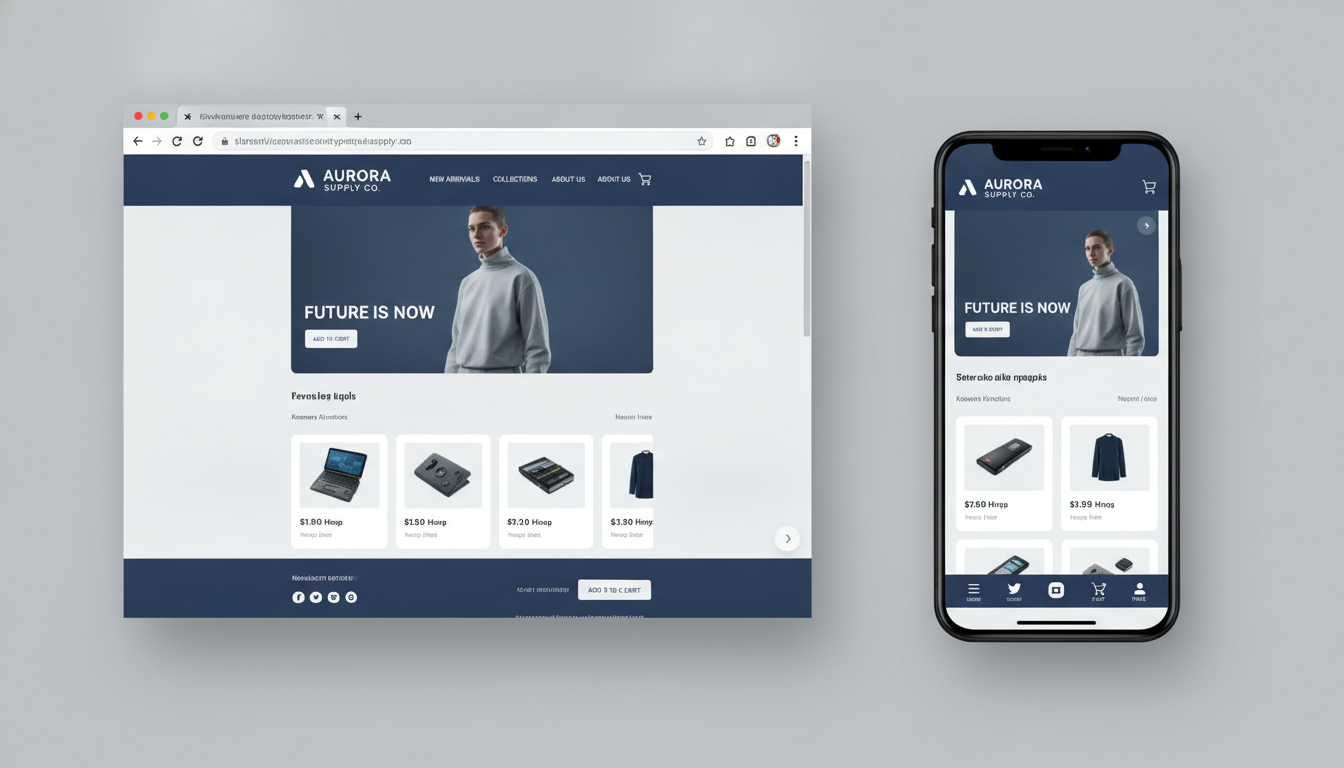
Your Shopify store’s mobile traffic is probably already over 70% of your total visits — yet your mobile conversion rate is likely sitting at half what your desktop rate is. According to Insider Intelligence’s 2025 Mobile Commerce Report, mobile apps convert at 3x the rate of mobile browsers, and the average order value from app sessions runs 20–30% higher. That gap is revenue you’re leaving on the table every single day.
This guide walks you through exactly how to convert your Shopify site into a fully functional native iOS and Android app — from choosing the right build approach to configuring push notifications, measuring results in GA4, and avoiding the mistakes that cause most app launches to stall.
- The three distinct approaches to Shopify site-to-app conversion and which one fits your revenue stage
- A step-by-step technical walkthrough including specific Shopify Admin paths and API configurations
- Benchmark data comparing browser vs. PWA vs. native app performance for Shopify merchants
- How to set up push notifications through Klaviyo and drive repeat purchases post-launch
- How to measure app conversion rate properly in GA4 and Firebase, and what good looks like
Why Mobile Browser Performance Isn’t Good Enough Anymore
Shopify’s native mobile web experience has improved dramatically with OS 2.0 themes and the Dawn framework, but the browser environment still carries structural disadvantages. Every session starts cold — no persistent login, no cached personalization data, no push notification channel.
App users, by contrast, are retained customers. They’ve opted in. Data from Airship’s 2025 App Engagement Report shows push notification open rates averaging 14–20% for ecommerce apps, compared to email open rates of 30–40% — but push notifications deliver that reach with zero cost-per-send. Over a 12-month customer lifecycle, app users typically generate 3.5x more revenue than mobile browser users from the same acquisition cohort.
For Shopify merchants doing $300K–$5M per year, the ROI math on a native app is usually clear by month three. Below that revenue threshold, a Progressive Web App (PWA) is often the smarter first step.
The 3 Approaches to Shopify Site-to-App Conversion
Not all “Shopify to app” solutions are the same. You have three fundamentally different technical paths, each with its own tradeoffs on cost, performance, and time-to-market.
1. No-Code App Builders (SaaS Wrappers)
Tools like Tapcart, Vajro, MageNative, and Plobal Apps connect directly to your Shopify store via the Storefront API and wrap your catalog, collections, and checkout inside a pre-built native shell. You get iOS and Android apps without writing a single line of code. Setup takes 2–6 weeks. Monthly costs range from $250 to $1,500+ depending on GMV and feature set.
The tradeoff: you’re operating within the platform’s design constraints. Deep customization — custom checkout flows, bespoke loyalty integrations, Liquid-level UI control — is either unavailable or requires a custom plan at significantly higher cost.
2. Progressive Web Apps (PWAs)
A PWA is a web app that behaves like a native app: installable from the browser, capable of push notifications (on Android; limited on iOS until Safari 17+), and able to cache content for offline viewing. For Shopify, PWAs are typically built using a headless front-end (React/Next.js) connected to Shopify via the Storefront API or Hydrogen.
PWAs are the right call if you want app-like UX without the App Store approval process, or if your dev budget is limited but your technical team is capable. Expect a build timeline of 8–20 weeks and a one-time development cost of $15,000–$80,000 depending on complexity.
3. Fully Custom Native Apps
Built in React Native, Flutter, or Swift/Kotlin, these apps give you complete control over UX, performance, and integrations. They use Shopify’s Storefront API for product and cart data, the Customer Account API for authentication, and the Admin API for backend operations. Build timelines run 4–9 months. Costs start at $60,000 and scale quickly with complexity.
This path makes sense when your brand experience is a core differentiator, when you need deep integration with custom loyalty programs or AR features, or when you’re doing enough volume that even a 0.5% lift in conversion rate pays for the development cost within a quarter.
Shopify Site to App Conversion: 12 Steps to Launch
Step 1 — Audit Your Mobile Analytics First
Before touching any build tool, open GA4 and segment your sessions by device category. Go to your GA4 property → Reports → User → Tech → Platform / Device Category. Document your current mobile browser conversion rate, average session duration, and bounce rate. These become your baseline KPIs. If your mobile conversion rate is already above 3%, an app will amplify strong existing UX. If it’s below 1.5%, fix your mobile theme first — an app won’t rescue a broken shopping experience.
Step 2 — Choose Your Build Approach
Use the decision criteria in the comparison table below. Revenue stage and in-house technical capacity are the two most decisive factors. Don’t let vendor sales pitches override this framework.
Step 3 — Connect the Shopify Storefront API
Regardless of which approach you choose, your app will pull product, collection, cart, and customer data through Shopify’s Storefront API (GraphQL). To generate your Storefront API access token:
- Go to Shopify Admin → Settings → Apps and sales channels → Develop apps
- Click Create an app and name it (e.g., “Mobile App — Storefront”)
- Under API credentials → Storefront API, select the permission scopes you need:
unauthenticated_read_product_listings,unauthenticated_read_collection_listings,unauthenticated_write_checkouts, andunauthenticated_read_customer_tagsat minimum - Click Save, then Install app
- Copy the Storefront API access token — store it securely in your environment variables
Step 4 — Set Up the Customer Accounts API
Shopify’s new Customer Accounts (introduced in 2024 and now the standard in 2026) use a token-based auth flow. Go to Shopify Admin → Settings → Customer accounts and switch to the “New customer accounts” experience. This enables the Customer Account API, which your app will use for login, registration, order history, and address management — eliminating the need for a custom auth system.
Step 5 — Migrate Your Metafields and Custom Data
Any custom product data you’ve built using metafields needs to be exposed via the Storefront API. Go to Shopify Admin → Settings → Custom data, select each metafield definition you’ve created, and ensure the “Storefront API access” toggle is enabled. Skipping this step causes missing data in your app’s product pages — a common launch bug.
Step 6 — Integrate Klaviyo for Push Notifications
Push notifications are the primary revenue driver that separates a native app from a mobile website. Klaviyo’s mobile push product (available on Growth plans and above) allows you to send push notifications as part of the same flows you already use for email — abandoned cart, post-purchase, win-back, and back-in-stock.
Install the Klaviyo SDK in your app (iOS via Swift Package Manager, Android via Gradle). Trigger the KlaviyoSDK().initialize() method at app launch with your Klaviyo public API key. Profile data syncs automatically when users log in via the Customer Account API. Merchants using Klaviyo push in combination with email report a 22–35% lift in flow revenue versus email alone (Klaviyo internal benchmark data, 2025).
Step 7 — Configure Rebuy for In-App Personalization
Rebuy’s Storefront API-compatible widgets power product recommendations, smart cart upsells, and post-purchase offers. In your app, call Rebuy’s recommendation endpoint using your store’s Rebuy API key to surface “Customers also bought” and “Complete the look” modules on PDP screens. This is one of the highest-ROI implementation decisions you can make at the app layer — Rebuy reports an average 15% AOV increase from merchants using their recommendation engine across mobile surfaces.
Step 8 — Implement Apple Pay and Google Pay
Checkout friction is the single biggest killer of app conversion rates. Native apps can invoke Apple Pay and Google Pay with a single tap — no card entry, no shipping form. If you’re using Shopify Payments, both are supported natively through the Storefront API’s checkout mutations. Implement checkoutShippingAddressUpdateV2 and checkoutCompleteWithTokenizedPaymentV3 to handle the payment token returned by the device’s wallet.
Step 9 — Integrate Okendo for In-App Reviews
Social proof drives conversion on product pages — and this holds true in the app as much as on web. Okendo’s Storefront API integration lets you fetch and display reviews natively inside your app’s PDP layout using their GraphQL endpoints. Displaying star ratings and review counts above the fold on mobile product pages consistently lifts add-to-cart rates by 8–15% in A/B tests.
Step 10 — Set Up Firebase for App Analytics
GA4 handles web analytics, but app analytics require Firebase. Link your Firebase project to GA4 via the Firebase console → Project Settings → Integrations → Google Analytics. This gives you unified cross-platform reporting. Track custom events: app_open, view_item, add_to_cart, begin_checkout, purchase. Use these funnels to identify exactly where your in-app conversion drops off — typically between view_item and add_to_cart.
Step 11 — Submit to the App Stores
For Apple App Store: create your app record in App Store Connect, complete the App Privacy questions (especially important given Shopify’s data collection), and submit for review. Apple’s review process takes 1–3 business days for new apps in 2026. For Google Play: create your app in the Google Play Console, complete the Data Safety section, and publish to the internal testing track first before rolling out to production.
Both stores require you to disclose your use of Shopify Payments, third-party analytics (Firebase, Klaviyo), and any data shared with advertising platforms. Prepare this documentation before submission to avoid rejection delays.
Step 12 — Run Your Post-Launch Optimization Cycle
Launch is not the finish line. In the first 90 days, use Hotjar’s mobile session recordings on your PWA (or in-app screen recording tools like UXCam for native apps) to watch real users navigate your app. Focus on rage taps, dead zones, and drop-off screens. Run A/B tests on your product page layout using your app builder’s built-in testing tools or a third-party framework. Prioritize fixing the biggest drop-off point in your Firebase funnel before adding new features.
Shopify Site-to-App Build Approach Comparison
| Approach | Best For (Annual Revenue) | Time to Launch | Estimated Cost | Customization Level | Push Notifications |
|---|---|---|---|---|---|
| No-Code SaaS (Tapcart, Vajro) | $100K – $1M | 2–6 weeks | $3K–$18K/year | Low–Medium | ✅ Built-in |
| Progressive Web App (PWA) | $50K – $500K | 8–20 weeks | $15K–$80K one-time | Medium–High | ✅ Android / ⚠️ iOS limited |
| Custom Native App (React Native / Flutter) | $500K+ | 16–36 weeks | $60K–$250K+ | Full | ✅ Full native |
| Shopify Mobile (Hydrogen + React Native) | $1M+ | 20–40 weeks | $100K–$400K+ | Full + Shopify-native | ✅ Full native |
How to Convert Shopify Website Into App?
The most practical path for most Shopify merchants is a no-code or low-code SaaS app builder — specifically Tapcart, Vajro, or MageNative — because these tools are purpose-built for the Shopify ecosystem and handle the App Store compliance requirements for you.
Here’s the condensed workflow for using a platform like Tapcart:
- Install the Tapcart app from the Shopify App Store. It connects automatically to your store via the Storefront API — no manual API token configuration required.
- Design your app screens inside Tapcart’s drag-and-drop builder. Map your home screen, collection pages, PDP layout, and cart screen. You can import your Shopify theme’s color palette and fonts directly.
- Configure push notification campaigns. Connect Tapcart to Klaviyo using the native integration (Tapcart Dashboard → Integrations → Klaviyo). This syncs customer segments bidirectionally, so your existing Klaviyo flows trigger push notifications alongside email.
- Set up Apple Pay and Google Pay in the Tapcart checkout settings — these are enabled by default if your store uses Shopify Payments.
- Connect your Apple Developer account ($99/year) and Google Play Developer account ($25 one-time). Tapcart’s team handles the App Store submission on your behalf on paid plans.
- Test using TestFlight (iOS) and the internal testing track (Android) before going live. Send the build to your team and top customers for feedback.
- Launch and monitor. Track installs, sessions, and revenue in Tapcart’s built-in dashboard alongside Firebase for deeper funnel analysis.
The full process from account creation to live App Store listing typically takes 3–5 weeks using a no-code builder. The bottleneck is almost always Apple’s review process, not the technical build. Plan for at least one round of App Store rejection and budget 5–7 extra days for resubmission if you’re on a hard launch deadline.
If you’re on a custom-built Shopify theme with heavy Liquid customization, audit which features rely on theme-specific JavaScript before starting — no-code app builders pull data through the Storefront API, not your Liquid templates, so certain custom functionalities (like bespoke subscription logic or custom bundling) will need to be rebuilt using app builder-native tools or third-party integrations.
Is Shopify Still Worth It in 2026?
Yes — and the platform’s position has actually strengthened over the past 24 months. Shopify’s market share among the top 1 million ecommerce sites reached 29% in early 2026 (BuiltWith data), making it the dominant platform for independent ecommerce brands globally. Shopify Plus expanded its enterprise customer base by 40% year-over-year between 2024 and 2025, pulling accounts from Salesforce Commerce Cloud and Magento.
For merchants asking this question specifically in the context of mobile commerce, Shopify’s infrastructure advantages in 2026 are significant:
- Shopify Payments’ mobile wallet coverage: Shop Pay, Apple Pay, Google Pay, and Meta Pay are all supported natively — critical for reducing checkout friction in apps.
- Hydrogen and Oxygen: Shopify’s official headless framework (Hydrogen) and its free edge-hosting layer (Oxygen) make building high-performance PWAs and hybrid apps dramatically cheaper than they were in 2023.
- The Storefront API’s GraphQL coverage has expanded to include subscriptions, customer metafields, and B2B pricing — features that previously required workarounds or third-party apps.
- Shop App distribution: Shopify’s own Shop App has 150M+ registered users as of 2026, giving merchants instant exposure in a native mobile commerce environment without building their own app.
The legitimate criticism of Shopify in 2026 is transaction fees on non-Shopify Payments gateways (0.5–2% depending on plan), app dependency for core features, and higher-than-average plan costs at the Plus tier ($2,300/month). But for merchants in the $300K–$10M range who need a scalable, app-ready infrastructure with a rich ecosystem, no platform matches Shopify’s combination of speed-to-market and extensibility. The real risk isn’t choosing Shopify — it’s choosing Shopify and not optimizing your mobile channel.
What Is the Conversion Rate for Shopify App?
Conversion rates for Shopify-connected mobile apps vary significantly based on vertical, price point, and how well the app is optimized post-launch. But here’s what actual data shows across the ecosystem:
- Average mobile browser conversion rate for Shopify stores: 1.5–2.5% (Littledata Shopify Benchmark Report, 2025)
- Average PWA conversion rate: 2.5–4% — roughly 1.5–2x the mobile browser baseline
- Average native app conversion rate: 3–6% — with top-performing DTC brands hitting 7–9% in well-optimized apps
- Tapcart’s published merchant data (2025): average 4.2% conversion rate across their merchant base, with an average AOV 20% higher than mobile web sessions
- Push notification revenue attribution: merchants using abandoned cart push flows recover 8–12% of abandoned carts, compared to 3–5% for email-only recovery
The conversion rate uplift from app vs. mobile browser comes from three structural advantages: persistent sessions (no re-login friction), native checkout UX (Apple Pay / Google Pay available with one tap), and the psychological commitment effect of having installed an app. Users who install your app have already self-selected as high-intent customers.
That said, a poorly designed app can underperform a well-optimized mobile website. If your app’s product pages load slowly, if your navigation is confusing, or if your push notification cadence is aggressive enough to drive uninstalls, your app conversion rate will disappoint. Use UXCam or FullStory’s mobile SDK to record in-app sessions and identify friction points within the first 30 days of launch. Set a minimum target of 3.5% conversion rate for your app within 90 days of launch — if you’re below that, the problem is almost always in the product detail page or checkout flow.
Can Shopify Make Your Website an App?
Shopify itself does not automatically convert your website into a standalone iOS or Android app — there is no built-in “generate app” button in Shopify Admin. However, Shopify provides three official pathways that enable app creation with varying levels of technical effort.
Pathway 1 — The Shop App: Every Shopify store is automatically listed and accessible inside Shopify’s own Shop App (available on iOS and Android). Customers who have used Shop Pay can follow your store, receive order updates, and browse your catalog inside the Shop App natively. This is the closest thing to “automatic app creation” that Shopify offers. You don’t control the UX, but you get immediate native app distribution. Enable and optimize your Shop channel by going to Shopify Admin → Sales channels → Shop and completing your store profile, enabling product recommendations, and activating the Shop Cash rewards integration.
Pathway 2 — Shopify’s App Store ecosystem: Shopify officially supports and promotes third-party app builder solutions like Tapcart and Vajro through its App Store. These are not Shopify-built products, but Shopify’s Storefront API is specifically designed to power them. This is Shopify’s de facto answer to the “make my store an app” question for the majority of its merchant base.
Pathway 3 — Hydrogen (Headless): For merchants who want full control, Shopify’s Hydrogen framework (React-based) is the official headless solution. A React Native app built on top of Hydrogen’s data layer gives you a fully custom native app that is deeply integrated with Shopify’s checkout, payments, and subscription infrastructure. Shopify’s developer documentation at shopify.dev provides official guidance and starter kits for this approach.
The bottom line: Shopify provides the infrastructure and the ecosystem — but the app itself requires either a third-party SaaS builder or a custom development engagement. The choice between those two is a function of your revenue, your technical team, and how much differentiation you need in your mobile UX.
Common Mistakes That Sink Shopify App Launches
After watching dozens of Shopify app launches succeed and fail, the same failure patterns repeat consistently. Avoid these before you spend a dollar on development.
Launching Without a Push Notification Strategy
A Shopify app without push notifications is just a slower version of your mobile website. Push is the entire retention mechanism. Before you launch, build at least three automated flows: abandoned cart (trigger at 30 minutes post-abandonment), back-in-stock alerts (critical for fashion and beauty verticals), and post-purchase (review request at day 7). Use Klaviyo’s mobile push builder to create these in parallel with your email flows — the logic is identical, the channel is additive.
Ignoring App Store Optimization (ASO)
Your app’s App Store listing is a search engine result page. Most merchants upload a generic app name and one screenshot, then wonder why organic downloads are flat. Research keyword-rich app titles (e.g., “YourBrand — Fashion Shopping App”), write a keyword-dense description in the first 255 characters, and design preview screenshots that show the app in use — not abstract brand imagery. ASO has a direct impact on organic discovery and install conversion rates.
Not Fixing Mobile Web Performance Before Building the App
Run your store through PageSpeed Insights before committing to an app build. If your mobile PageSpeed score is below 50 and your Core Web Vitals are in the red, your underlying product catalog, images, and third-party scripts are the problem — not the channel. A no-code app builder will inherit these issues because it pulls data from the same Storefront API that serves your mobile web experience. Fix image compression (use Shopify’s WebP auto-conversion), defer non-critical scripts in your theme, and eliminate render-blocking third-party tags before building your app.
Treating the App Like a One-Time Project
Successful Shopify apps are managed products with a roadmap, an analytics review cadence, and a release cycle. Assign someone on your team to own app performance as a KPI — tracking weekly active users, session-to-purchase rate, push notification opt-in rate, and uninstall rate in Firebase. App stores also require ongoing maintenance: OS updates break things, API versions deprecate, and App Store policy changes require submission updates. Budget 5–10 hours per month for app maintenance from the moment you launch.
Key Takeaways for Shopify Merchants Going Mobile-Native in 2026
Converting your Shopify store into a native or near-native app is one of the highest-ROI infrastructure decisions available to a scaling ecommerce brand right now. The data is consistent: app users convert at 3–4x the rate of mobile browser users, spend 20–30% more per order, and retain at significantly higher rates when push notifications are active. The tools to execute this — Tapcart, Vajro, Klaviyo mobile push, Rebuy, Okendo, Firebase — are mature, well-documented, and deeply integrated with the Shopify ecosystem.
Your decision framework is straightforward: if you’re doing under $500K per year, start with a no-code builder or a PWA and focus your energy on push notification flows and ASO. If you’re doing $500K–$5M and your mobile experience is a competitive differentiator, a custom React Native or Flutter app built on Shopify’s Storefront API will give you the control and performance ceiling you need. Either way, launch something in the next 90 days — the compounding retention value of even a modest app install base will outperform any equivalent investment in paid acquisition within 6–12 months.