Shopify Site to App Conversion: 12 Steps to Launch a Native App (2026)
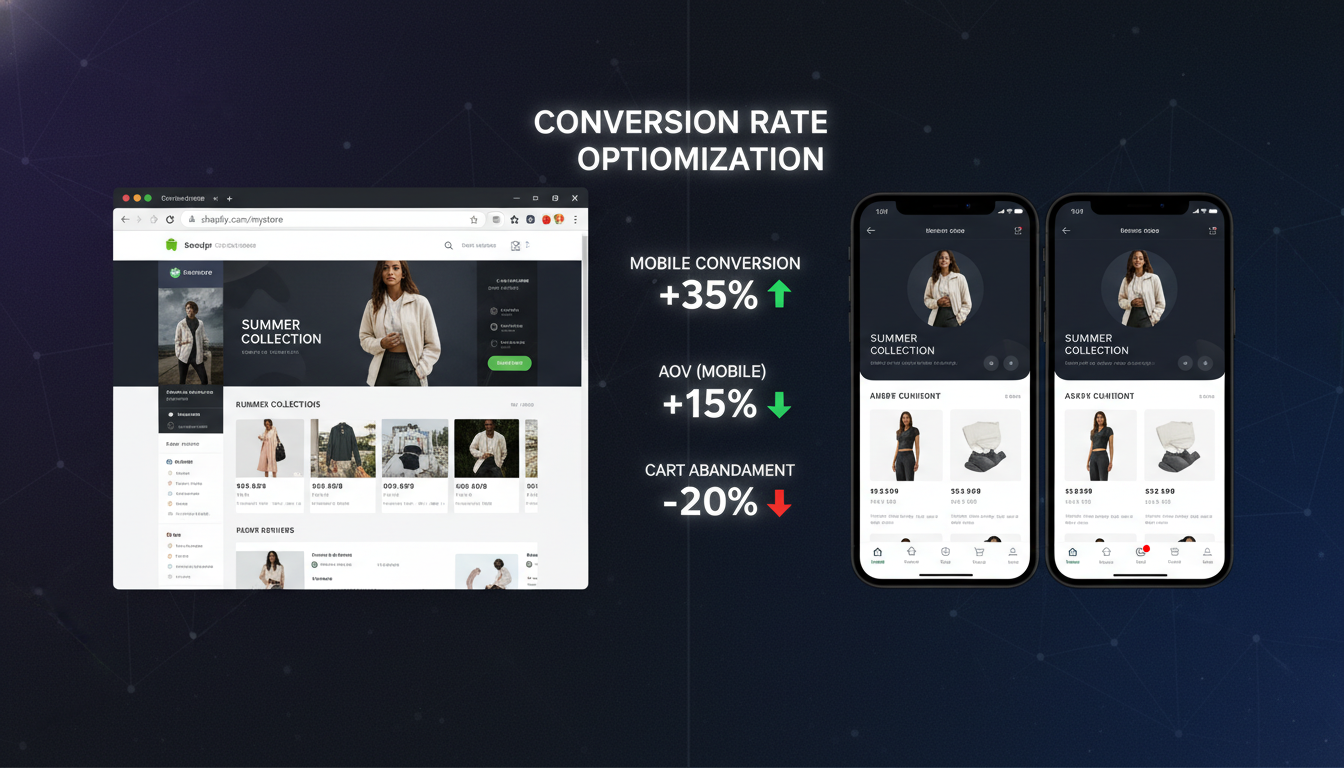
Your Shopify store is already generating revenue on mobile browsers — but you’re leaving a significant portion of it on the table. Mobile apps convert at 3× the rate of mobile web (Criteo, 2025), and repeat purchase rates from app users run 50–60% higher than from browser shoppers. If your store does $500K/year and 65% of your traffic is mobile, a native app isn’t a vanity project — it’s a revenue multiplier you can quantify.
This guide walks you through the complete Shopify site-to-app conversion process: what it actually means, which platforms do it well, the exact steps to go live, and how to measure success after launch.
- What “Shopify site to app conversion” means technically — and why it’s different from a PWA
- The 12 tactical steps to turn your Shopify store into a live iOS and Android app
- Which no-code platforms (Tapcart, Vajro, MageNative, Plobal Apps) perform best in 2026 and why
- Benchmark data on app conversion rates, push notification CTRs, and ROI timelines
- How to prevent common pitfalls that kill app adoption after launch
What Is Shopify Site to App Conversion?
Shopify site-to-app conversion is the process of taking your existing Shopify storefront — its product catalog, collections, cart logic, checkout, and customer accounts — and packaging it into a native iOS and Android application available on the App Store and Google Play.
This is not the same as a Progressive Web App (PWA). A PWA is still a browser-based experience wrapped in a shell. A native app is compiled code that runs directly on the device’s operating system, which gives it access to hardware features like push notifications, Face ID, camera-based AR try-ons, haptic feedback, and offline browsing — none of which are fully available to mobile web stores.
The technical method for most Shopify merchants is a no-code mobile app builder that connects to your Shopify store via the Storefront API and Admin API. Platforms like Tapcart, Vajro, and Plobal Apps pull your live product data, pricing, inventory, and metafields in real time, so your app always mirrors your store without manual syncing.
For merchants above $2M/year or with complex merchandising logic, the alternative is a custom-built React Native or Flutter app backed by Shopify’s Storefront API and Hydrogen framework. This gives you full design and logic control but requires a development team and a 3–6 month build timeline.
Either way, the conversion goal is the same: replace the friction-heavy mobile browser experience with a fast, personalized, notification-enabled native app that turns one-time buyers into loyal repeat customers.
Native App vs. Mobile Web vs. PWA: Key Differences
| Feature | Mobile Web (Shopify) | PWA | Native App (iOS/Android) |
|---|---|---|---|
| Push Notifications | No | Limited (Android only) | Yes — full iOS & Android |
| App Store Presence | No | No | Yes |
| Offline Browsing | No | Partial | Yes |
| Avg. Conversion Rate | 1.5–2.5% | 2.0–3.0% | 3.5–5.5% |
| Session Duration | Baseline | +15–20% | +40–60% |
| Cart Abandonment Rate | ~85% | ~80% | ~65–70% |
| Development Timeline | Already live | 2–6 weeks | 4 weeks (no-code) / 3–6 months (custom) |
| Monthly Cost | $0 additional | $99–$299/mo | $149–$999/mo (no-code) / custom dev cost |
Why Does Shopify Site to App Conversion Happen? (The Business Case)
Merchants pursue site-to-app conversion for one primary reason: mobile browser performance has plateaued, and the gap between browser and app behavior is widening. Understanding why the two channels perform so differently helps you prioritize your app build correctly.
Push Notifications Outperform Email on Mobile
Email open rates for ecommerce sit at 20–25% on a good day (Klaviyo benchmarks, 2025). Push notifications sent through a native app average a 50–60% open rate and a 7–10% click-through rate for well-segmented audiences (Plobal Apps internal data, 2025). That’s not a marginal improvement — it’s a fundamentally different communication channel.
When a customer installs your app, they opt into a direct line to their lock screen. An abandoned cart push sent 30 minutes after drop-off can recover sessions that email won’t reach for hours. You’re not competing with inbox clutter; you’re appearing between Instagram and their messaging apps.
App Sessions Last Longer and Convert More
Shopify’s own commerce trends data shows that app users spend an average of 201% more time per session than mobile web users visiting the same store. Longer sessions correlate directly with higher average order values. Customers who browse more products, interact with reviews via Okendo, and explore upsell flows from Rebuy are more likely to increase basket size before checkout.
Loyalty Loops Are Easier to Build In-App
In a browser, loyalty programs require the customer to re-login on every new session. In a native app, their account state is persistent. Integrations with LoyaltyLion, Smile.io, or Yotpo Loyalty can surface points balances, tier status, and reward redemptions directly in the app UI — creating a gamified experience that browser shopping simply can’t replicate.
The App Store Is a Discovery Channel
This is underappreciated: your app listing on the Apple App Store and Google Play is its own SEO surface. Shoppers searching “sustainable activewear” or “[your brand name]” on the App Store can discover and download your app without ever visiting your website. For brands with strong recall, app store search drives meaningful organic installs.
How to Fix Shopify Site to App Conversion: 12 Steps to Go Live
Whether you’re starting from scratch or recovering from a failed app launch, these 12 steps represent the proven sequence for a successful Shopify-to-app build in 2026.
Step 1: Audit Your Mobile Web Baseline First
Before building the app, measure what you’re starting from. Open Google Analytics 4, navigate to Reports → User Acquisition → Session default channel group, then segment by device category. Record your mobile web conversion rate, average session duration, and bounce rate. These become your pre-app benchmarks.
Also run your store through Google PageSpeed Insights. If your mobile score is below 60, fix it before launching the app — poor performance creates bad first impressions on both surfaces.
Step 2: Choose the Right App Platform for Your Store Size
Platform selection is the most consequential decision in your app build. Here’s the honest breakdown for 2026:
- Tapcart — Best for stores doing $500K–$5M/year. Deep Shopify integration, strong push notification segmentation, native checkout with Shop Pay support. Pricing starts at ~$200/mo.
- Vajro — Strong mid-market option with Live Selling features built in. Better for fashion and beauty brands with high social media engagement. Starts at ~$149/mo.
- Plobal Apps — Competitive for stores prioritizing push notification automation. Solid A/B testing features for push campaigns. Starts at ~$249/mo.
- MageNative — Good entry-level option for stores under $500K/year. Lower cost, fewer native features but fast to deploy.
- Custom React Native / Flutter — The right call if you have complex subscription logic (via Recharge), multi-currency needs, or highly customized checkout flows. Budget $30K–$80K for a quality build.
Step 3: Connect Your Shopify Store via API
Every no-code platform connects to Shopify through your Storefront API access token. In your Shopify Admin:
- Go to Settings → Apps and sales channels → Develop apps
- Click Create an app and name it after your platform (e.g., “Tapcart Integration”)
- Under API credentials, enable the Storefront API scopes:
unauthenticated_read_product_listings,unauthenticated_read_customers,unauthenticated_write_checkouts - Copy the Storefront API access token and paste it into your app builder’s integration panel
The platform will then sync your full product catalog, collections, pricing rules, and discount codes automatically.
Step 4: Map Your Navigation and Collections Architecture
App navigation must be simpler than your website navigation. Mobile screens don’t accommodate 8-item mega menus. Limit your bottom tab bar to 4–5 items: Home, Shop, Search, Account, Cart. Map your top 6–8 collections to the home screen. Everything else goes in a secondary “All Categories” drawer.
Step 5: Configure Push Notification Segments Before Launch
Most merchants set up push notifications after launch — this is backwards. Define your core segments in advance:
- Abandoned cart — trigger 30 minutes after cart abandonment, send 3 notifications over 24 hours
- Browse abandonment — trigger 1 hour after last product view with no purchase
- Back-in-stock alerts — trigger when a waitlisted SKU becomes available
- Win-back — trigger for users with no purchase in 60 days
- Flash sale / launch — manual sends to full subscriber list
Pair your push strategy with Klaviyo flows so that customers who don’t engage with push within 2 hours automatically receive an email follow-up. The two channels work as a system, not in isolation.
Step 6: Set Up In-App Personalization with Rebuy
Install Rebuy Smart Cart on your Shopify store before the app launch. Rebuy’s API-first architecture means its product recommendations surface natively inside your app’s cart and product detail pages. Configure:
- Post-purchase upsell offers triggered after checkout confirmation
- Frequently Bought Together carousels on PDPs
- Smart cart upsells with a progress bar toward free shipping thresholds
Step 7: Integrate Reviews with Okendo or Yotpo
Social proof is the single highest-impact conversion element on a product detail page. Okendo’s Shopify app has native SDK support for Tapcart, Vajro, and most major app builders — meaning your star ratings and photo reviews render inside the app without custom development. Configure this integration before launch day.
Step 8: Apply for Apple Developer and Google Play Accounts
This step takes longer than most merchants expect. Apple Developer Program costs $99/year and requires 24–48 hours for approval. Google Play Console costs a one-time $25 and approves faster, but app reviews for new submissions can take 3–7 days on both platforms. Start this process the same week you begin your app build — not the week you plan to launch.
Step 9: Configure App Store Optimization (ASO)
Your App Store listing is a search engine. Optimize it like one:
- App title: Brand name + primary category keyword (e.g., “BrandName — Sustainable Sneakers”)
- Subtitle (iOS): 30 characters, include your strongest value proposition
- Keyword field (iOS): 100 characters, no spaces between keywords, no repeating words from title
- Short description (Android): 80 characters, lead with the customer benefit
- Screenshots: 6–8 lifestyle screenshots with benefit-driven text overlays, not just UI screenshots
- Preview video: 15–30 seconds, show the purchase flow end-to-end
Step 10: Soft Launch to Your Email List First
Don’t submit to app stores and immediately run paid acquisition. Soft launch to your existing customer base via Klaviyo email and SMS first. Aim for 500–1,000 installs from customers who already know your brand. Their engagement metrics (session duration, purchase rate, review submissions) will signal to Apple and Google that your app has genuine utility, boosting organic App Store rankings for your category.
Step 11: Instrument GA4 and In-App Analytics
Add Firebase Analytics to your app build (most no-code platforms include this natively) and link it to your GA4 property via GA4 Admin → Data Streams → Add stream → App stream. Set up custom events for:
app_installwith source/medium attributionadd_to_cartwith product ID and collectioncheckout_startedpurchasewith transaction value and item countpush_notification_openedwith campaign name
Without these events properly configured, you cannot make informed decisions about which app screens and push campaigns are actually driving revenue.
Step 12: Run a 30-Day Post-Launch Conversion Audit
Thirty days after launch, pull your GA4 app data and compare:
- App conversion rate vs. mobile web conversion rate
- App average order value vs. mobile web AOV
- Push notification opt-in rate (benchmark: 45–60% for fashion, 30–45% for general retail)
- Day-7 and Day-30 retention rates (benchmarks: 25–35% Day-7, 12–20% Day-30 for ecommerce apps)
Use Hotjar’s mobile session recordings (available for web views within hybrid apps) to identify any UX friction points in the checkout or product browsing flows. Fix them in your next app update before scaling acquisition.
How to Prevent Common Shopify App Conversion Failures
A surprising number of Shopify merchants build an app, see lukewarm results, and conclude “apps don’t work for us.” The problem is almost never the app itself — it’s the mistakes made before, during, and right after launch that determine whether the channel succeeds.
Mistake 1: Launching Without a Push Notification Opt-In Strategy
iOS requires explicit user permission for push notifications. If you trigger the system permission prompt immediately on app open, your opt-in rate will be 20–30% at best. The fix: show a custom pre-permission screen first — explain the value (“Get notified when your size is back in stock”) before the OS prompt appears. This alone can increase opt-in rates from 25% to 55%.
Mistake 2: Ignoring App Store Reviews
Your app’s star rating directly affects conversion rates on the App Store listing. An app rated 3.8 converts at roughly half the rate of one rated 4.6. Trigger an in-app review request (using Apple’s SKStoreReviewRequest API) after a completed purchase — not on first launch. Customers who just successfully bought something are your happiest cohort and most likely to leave a 5-star review.
Mistake 3: Using Generic Push Notification Copy
“Don’t miss out!” and “Your cart is waiting!” are noise. Personalized push notifications that include the product name, a specific incentive, and urgency language outperform generic messages by 3–4× in click-through rate (Tapcart customer benchmarks, 2025). Example: “Your Black Linen Joggers are almost gone — here’s 10% off if you grab them in the next 2 hours.”
Mistake 4: Not Driving Existing Customers to Download the App
New app installs from paid acquisition cost $2–$5 each. Installs from your existing email list cost you only the price of an email send. Build a dedicated app download flow in Klaviyo: a 3-email sequence targeting your highest-LTV customers explaining what they gain by switching to the app (exclusive deals, push alerts, faster checkout). Segment by mobile device type so iOS users get App Store links and Android users get Google Play links.
Mistake 5: Neglecting App Performance Post-Launch
A native app that takes more than 2 seconds to load its home screen will see abandonment rates comparable to a slow website. Monitor your app’s performance monthly using Firebase Performance Monitoring and Apple’s Xcode Organizer metrics. App crashes are especially damaging — even a 1% crash rate on iOS triggers an App Store warning that depresses your search ranking. Stay on top of OS updates (Apple and Google typically release major updates in September–October) and test your app build against new OS betas in advance.
Mistake 6: Treating the App as a Static Deployment
The Shopify stores with the highest app revenue treat their app like a live marketing channel, not a one-time project. The top-performing merchants on Tapcart publish 2–4 in-app banners per month for promotions, update their home screen layout for seasonal campaigns, and refresh their push notification flows quarterly. Apps that go 6+ months without an update lose relevance in customers’ minds — and in algorithm rankings on the App Store.
What Metrics Define a Successful Shopify App Launch?
Knowing what “success” looks like prevents you from abandoning a channel that’s actually working, or over-investing in one that isn’t. Here are the benchmarks you should be measuring against in the first 90 days after your Shopify app goes live.
| Metric | Weak Performance | Average Performance | Strong Performance |
|---|---|---|---|
| App Conversion Rate | <2.5% | 2.5–4.0% | >4.0% |
| Push Opt-In Rate | <25% | 25–45% | >45% |
| Push Notification CTR | <3% | 3–7% | >7% |
| Day-7 App Retention | <20% | 20–30% | >30% |
| Day-30 App Retention | <10% | 10–18% | >18% |
| App AOV vs. Web AOV | Parity or lower | +10–20% higher | >+20% higher |
| Abandoned Cart Recovery Rate (Push) | <5% | 5–12% | >12% |
If you’re hitting “weak performance” across multiple metrics after 60 days, the root cause is almost always one of three things: insufficient install volume (fewer than 500 active users), push notification opt-in rate below 25%, or a checkout flow with unresolved friction. Use Hotjar session recordings to identify the friction, use your Klaviyo email list to drive more installs, and revisit your push opt-in pre-permission screen copy.
Shopify App Conversion Rate Benchmarks by Vertical
Not all verticals perform equally on native apps. Fashion and beauty brands historically see the highest app conversion lifts because their products are highly visual, browsing behavior is aspirational, and push notifications work exceptionally well for new arrivals and restocks. Here’s how different Shopify verticals compare:
| Vertical | Typical Mobile Web CVR | Typical App CVR | Lift | Best App Feature |
|---|---|---|---|---|
| Fashion & Apparel | 1.8–2.5% | 4.0–5.5% | +100–150% | Push for new arrivals & restocks |
| Beauty & Skincare | 2.0–3.0% | 4.5–6.0% | +80–120% | Loyalty points visibility |
| Health & Supplements | 2.5–3.5% | 4.0–5.0% | +50–80% | Subscription management (Recharge) |
| Home & Lifestyle | 1.5–2.0% | 3.0–4.0% | +60–100% | AR product visualization |
| Food & Beverage | 2.0–3.0% | 3.5–4.5% | +40–70% | Reorder shortcuts |
Frequently Asked Questions About Shopify Site to App Conversion
How long does it take to convert a Shopify store to a native app?
Using a no-code platform like Tapcart or Vajro, you can have a functional app built and submitted to the App Store within 2–4 weeks. The build itself takes 1–2 weeks. App Store review adds another 3–7 days on iOS and 3–5 days on Android. Google Play is typically faster than Apple. The longest part of the timeline is usually the Apple Developer account setup if you haven’t applied before.
Custom React Native builds take 3–6 months depending on complexity. Factor in time for QA testing across device types, OS versions, and screen sizes before submission. Budget 1–2 additional weeks for App Store rejections — Apple rejects roughly 30% of apps on first submission for guideline violations, most of which are easy to fix.
Do Shopify apps need to go through the checkout on the web or natively?
This is a critical technical point. As of 2026, Shopify requires all purchases made through apps built on its platform to use Shopify Checkout — you cannot build a fully custom native checkout that bypasses Shopify’s payment processing. No-code platforms like Tapcart handle this by embedding Shopify’s web-based checkout in a native web view, which still supports Shop Pay, Apple Pay, and Google Pay. The experience feels native, but the checkout layer itself is Shopify’s infrastructure.
Custom-built apps using Shopify’s Storefront API follow the same rule. This is actually a benefit for most merchants: it means you inherit Shopify’s PCI compliance, fraud detection via Shopify Protect, and all payment method support without additional development work.
The Bottom Line on Shopify Site to App Conversion in 2026
Converting your Shopify store to a native app is one of the highest-ROI projects a $500K–$5M brand can undertake right now. The conversion rate lift alone — from 2% on mobile web to 4–5% in a native app — can meaningfully move your annual revenue without adding a single dollar to your ad spend. When you stack push notifications on top of that, with recovery rates that outperform email by a factor of three, the payback period on a $250/month app platform is typically 30–60 days for a store with meaningful mobile traffic.
The merchants who fail with apps don’t fail because the channel doesn’t work — they fail because they skip the pre-launch push opt-in strategy, ignore the analytics instrumentation, and treat the app as a set-and-forget deployment rather than a live revenue channel. Follow the 12 steps in this guide, instrument your GA4 app stream from day one, and run your first post-launch audit at the 30-day mark. The data will tell you exactly what to optimize next.