Shopify Headless Commerce: 12 Pros, Cons & Critical Decisions (2026)
Your Shopify store is growing fast — and your current theme is starting to feel like a ceiling. You’ve heard that Shopify headless commerce unlocks unlimited frontend flexibility, but nobody tells you it also unlocks unlimited complexity, cost, and developer dependency. According to a 2025 Gartner report, 68% of brands that adopted headless architecture cited higher-than-expected implementation costs as their biggest regret. Before you commit, you need the full picture — not a vendor pitch.
This guide breaks down every meaningful pro and con of going headless on Shopify, with specific benchmarks, real architectural trade-offs, and the decision criteria you need to make the right call for your specific revenue stage and team.
- Headless Shopify separates your frontend presentation layer from Shopify’s backend — giving you full design and performance control via APIs.
- The performance ceiling for headless storefronts built on Next.js + Vercel is a sub-1-second LCP, compared to a typical 2.4–3.8s on standard Shopify themes.
- Going headless adds $40,000–$250,000+ in upfront development costs and 3–6 months of build time for most mid-market merchants.
- Shopify’s Storefront API and Hydrogen framework are the two primary technical paths — and they have meaningfully different trade-offs.
- Most Shopify stores doing under $2M/year should not go headless — the ROI math rarely works until you’re hitting specific conversion ceiling problems.
What Exactly Is Shopify Headless Commerce?
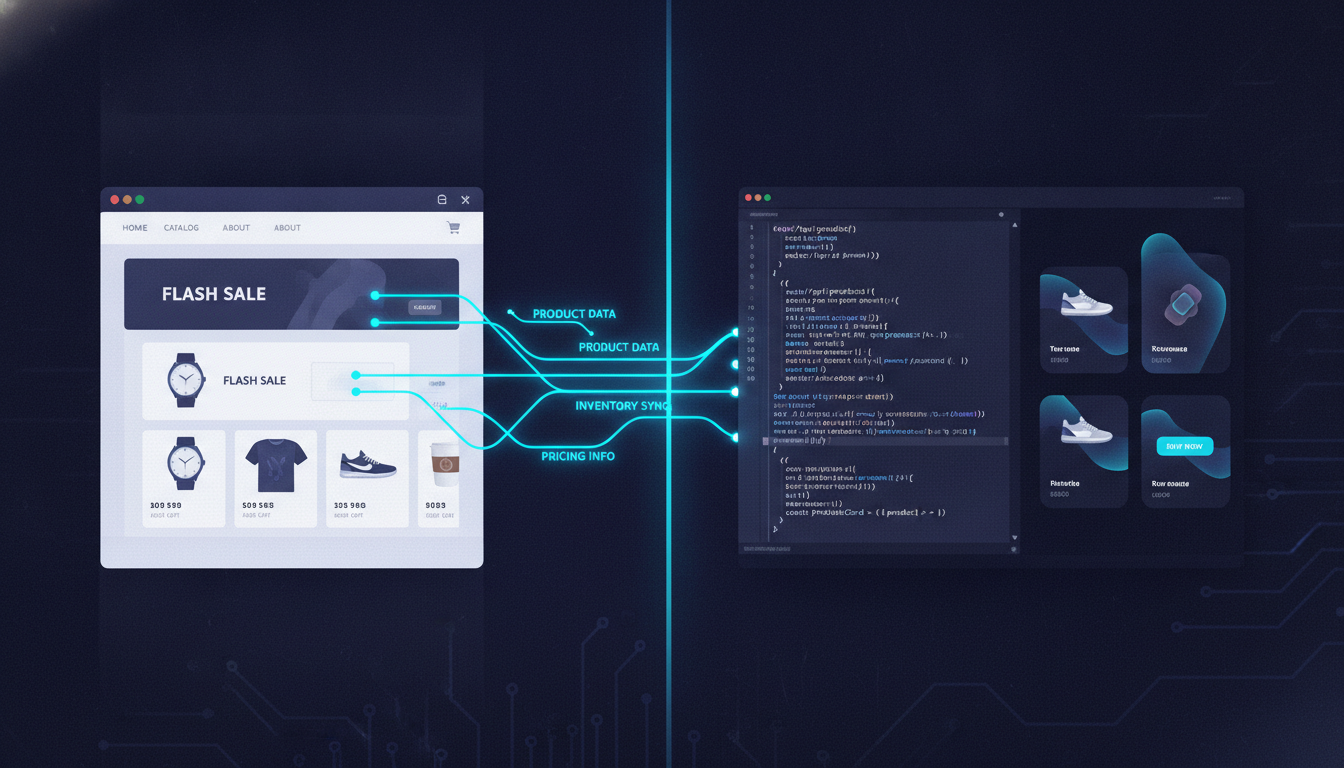
In a traditional Shopify setup, the frontend (what customers see) and the backend (inventory, checkout, payments) are tightly coupled inside Shopify’s Liquid theme system. Headless commerce decouples them. Your frontend is a completely separate application — typically built in React, Next.js, or Vue.js — that pulls data from Shopify’s backend via the Storefront API or Admin API.
Shopify gives you two native paths to go headless:
- Shopify Hydrogen: Shopify’s own React-based framework, paired with Oxygen (Shopify’s edge-hosting infrastructure). Purpose-built for headless Shopify storefronts with built-in streaming SSR and Shopify data hooks.
- Storefront API + custom framework: You build your own frontend stack (Next.js, Nuxt, Astro, etc.) and connect it to Shopify purely via GraphQL API. Full flexibility, zero Shopify-specific scaffolding.
The checkout, payments (including Shop Pay), and order management still live in Shopify. Your headless frontend is essentially a very sophisticated product catalog, content delivery, and UX layer.
The 7 Real Pros of Shopify Headless Commerce
1. Dramatically Faster Page Speeds
This is the most legitimate and measurable benefit. Standard Shopify themes — even well-optimized ones using the Dawn framework — typically score 55–72 on Google PageSpeed Insights for mobile. A properly architected headless storefront on Next.js with server-side rendering, deployed on Vercel or Shopify Oxygen, consistently hits 90+ mobile PageSpeed scores and sub-1.5s Largest Contentful Paint (LCP).
Google’s Core Web Vitals directly influence search rankings in 2026. A 100ms improvement in page load time correlates with a 1% increase in conversion rate (Deloitte, 2024). For a store doing $3M/year, that’s $30,000 in incremental revenue from load time alone.
2. Complete Design Freedom
Liquid’s templating system is capable, but it has hard walls. Headless removes every one of them. You can build scroll-triggered 3D product configurators, AR try-on experiences, fully custom checkout flows (using Shopify’s Checkout Extensibility alongside headless), and editorial content experiences that compete with luxury brand sites. Brands like Allbirds and Pura Vida have used headless Shopify architectures to ship experiences no theme could replicate.
3. True Omnichannel Content Delivery
Your headless frontend can serve the same Shopify product and inventory data to your website, mobile app, digital kiosks, and voice interfaces simultaneously. By pairing Shopify’s Storefront API with a headless CMS like Contentful, Sanity, or Builder.io, your marketing team manages content once and it distributes everywhere. This is the architectural reason most enterprise brands choose headless.
4. Independent Frontend and Backend Deployments
With a coupled Shopify theme, updating your storefront means touching the same codebase that controls your checkout path. Headless separates these concerns completely. Your development team can push frontend changes, run A/B tests with tools like Optimizely, or restructure navigation without any risk to checkout stability. Deployment velocity increases significantly for teams with dedicated frontend engineers.
5. Advanced Personalization Capabilities
Headless architectures make it far easier to implement real-time personalization at the rendering layer. You can integrate Rebuy’s personalization engine, pipe behavioral data from Klaviyo segments into your storefront rendering logic, or build custom recommendation carousels that respond to session-level signals. In a standard Shopify theme, deep personalization requires app embeds that add JavaScript weight and slow pages down.
6. Better Developer Experience for Engineering Teams
React and Next.js are the dominant tools in modern frontend development. If your team (or your agency) is already fluent in these tools, working in Liquid — Shopify’s proprietary template language — is genuinely slower. Headless lets your engineers work in the ecosystem they’re best at, which translates to faster iteration, easier hiring, and access to the broader JavaScript open-source ecosystem.
7. Future-Proof Architecture for Scale
When you’re ready to build a native mobile app, your headless Shopify backend is already API-ready. The same Storefront API powering your website can power an iOS/Android app built with React Native, or a Progressive Web App (PWA) layer. You’re not rebuilding your commerce logic — you’re adding new presentation surfaces on top of an existing API foundation.
The 5 Real Cons of Shopify Headless Commerce
1. High Upfront Development Cost
This is where most merchants get surprised. A production-ready headless Shopify storefront is not a theme swap. Expect $40,000–$120,000 for a mid-market build with a specialist agency, and $150,000–$250,000+ for complex builds with custom integrations. That’s before ongoing maintenance costs, which run $5,000–$20,000/month for teams that need continuous frontend development.
2. Shopify App Compatibility Breaks
This is the most frequently underestimated problem. The majority of Shopify apps — including many you’re already running — inject JavaScript directly into your Liquid theme via Script Tags or App Blocks. In a headless environment, these mechanisms don’t exist. Tools like Okendo reviews, Hotjar session recordings, loyalty apps, and upsell tools all need custom headless-compatible integrations. Some have them. Many don’t. Auditing your current app stack against headless compatibility is a mandatory first step before any headless project begins.
3. You Own the Infrastructure
With a standard Shopify theme, Shopify hosts everything. Going headless means your frontend lives on a third-party host — Vercel, Netlify, AWS, or Shopify’s own Oxygen (only for Hydrogen builds). You now own uptime, CDN configuration, SSL management, and caching strategy for your frontend. If Vercel has an outage, your storefront goes down regardless of Shopify’s status. This adds operational complexity that your team needs to be prepared for.
4. SEO Complexity Increases Significantly
Client-side rendered (CSR) React apps are poorly indexed by Googlebot compared to server-rendered HTML. If you go headless without implementing proper Server-Side Rendering (SSR) or Static Site Generation (SSG), you can actively damage your Shopify SEO rankings. Shopify Hydrogen handles this well by default, but custom Next.js builds require careful engineering discipline to ensure every product page, collection page, and blog post renders server-side. Using Google Search Console and Screaming Frog post-launch to audit crawlability is non-negotiable.
5. Longer Time-to-Market and Iteration Cycles
With Shopify’s Online Store Editor, a non-technical marketer can update a hero banner, add a product section, or change a promotional bar in minutes. In a headless storefront, those same changes typically require a developer, a code deployment, and a review cycle. Unless you pair your headless frontend with a visual CMS like Builder.io or Sanity Studio, you lose the operational agility that makes Shopify so powerful for fast-moving commerce teams.
Headless vs. Traditional Shopify: Benchmark Comparison
| Factor | Traditional Shopify Theme | Headless Shopify (Next.js + Vercel) | Shopify Hydrogen + Oxygen |
|---|---|---|---|
| Avg. Mobile PageSpeed Score | 55–72 | 88–97 | 85–95 |
| Avg. LCP (mobile) | 2.4–3.8s | 0.8–1.5s | 1.0–1.8s |
| Upfront Build Cost | $3,000–$25,000 | $60,000–$250,000+ | $40,000–$150,000 |
| App Compatibility | Near-universal | Limited — custom integrations required | Moderate — Hydrogen-specific ecosystem growing |
| Content Editor Access | Full (Online Store Editor) | Requires headless CMS (Builder.io, Sanity) | Partial — improving with Shopify updates |
| Time to Launch | 2–8 weeks | 4–9 months | 3–6 months |
| SEO Risk | Low | High (without proper SSR) | Medium (SSR handled by framework) |
| Ideal Revenue Stage | $0–$2M/year | $5M+/year with engineering team | $2M–$10M/year |
What Is Shopify Headless Commerce Pros? (Full Breakdown)
The core advantages of Shopify headless commerce center on three pillars: performance, flexibility, and scalability. Understanding these specifically — rather than as marketing talking points — helps you evaluate whether they apply to your actual situation.
Performance: Headless storefronts achieve superior Core Web Vitals because your frontend application can pre-render pages statically, cache them at the CDN edge globally, and deliver them with zero server processing time for returning visitors. Google PageSpeed Insights consistently shows headless Shopify builds scoring 88–97 on mobile — a range that standard Liquid themes almost never reach due to Shopify’s theme architecture constraints, third-party app script injection, and the overhead of Shopify’s own rendering pipeline.
Flexibility: Every pixel of your storefront is under your control. You’re not working around a theme’s section schema or waiting for a theme developer to ship a feature you need. If you want a product page that pulls in real-time inventory from a warehouse management system, displays personalized pricing from a B2B pricing engine, and renders a 3D model viewer — you build it. No theme limitation stops you. This level of control is transformative for brands with complex product catalogs, subscription models, or B2B use cases running on Shopify Plus.
Scalability: As your store grows into new channels — a native mobile app, a progressive web app, a kiosk at a retail location, or an API-first integration with a third-party marketplace — your headless Shopify backend scales with you. The Storefront API serves all of these surfaces from a single source of truth. Brands like Gymshark and Staples Canada have publicly cited their headless architecture as the foundation that enabled rapid international and multi-channel expansion.
Developer productivity is also a legitimate pro that often gets overshadowed by the cost conversation. Modern JavaScript developers can build faster, test more confidently, and integrate more easily with the broader npm ecosystem in a React-based headless stack than in Liquid. If you have an in-house engineering team, headless can actually reduce your long-term development costs compared to fighting Liquid’s constraints.
How to Fix Shopify Headless Commerce Problems Before They Derail Your Build
Framing headless challenges as “things to fix” is the right mindset — because most of the cons are engineering problems with known solutions, not fundamental dead ends. Here’s how to proactively address the most common headless Shopify failure modes.
Fix 1: App Compatibility Audit Before Day One
Before writing a single line of headless code, export your current Shopify app list from Settings → Apps and sales channels and audit every app against its headless documentation. Specifically check whether the app supports headless via a JavaScript SDK, REST/GraphQL API, or webhook-based integration. Apps like Klaviyo, Okendo, Rebuy, and Yotpo all have documented headless integration paths. Apps that rely purely on Script Tags injected into Liquid — with no API alternative — need to be replaced or removed.
Fix 2: Mandate SSR from Architecture Day One
The single biggest SEO risk in headless is shipping a client-side-rendered React app and watching your rankings collapse. Mandate Server-Side Rendering or Static Site Generation at the architecture level before development starts. In Next.js, use getServerSideProps for dynamic pages (cart, account) and getStaticProps with Incremental Static Regeneration (ISR) for product and collection pages. Validate every page type with Google Search Console’s URL Inspection Tool and Screaming Frog within two weeks of launch.
Fix 3: Implement a Visual CMS for Marketing Agility
The loss of Shopify’s Online Store Editor is a genuine operational pain point. Solve it by integrating Builder.io or Sanity Studio as a visual content layer. Builder.io specifically has a Shopify integration that gives non-technical marketers a drag-and-drop interface for building and editing pages in your headless storefront — without touching code. This restores the marketing agility your team had with the native theme editor.
Fix 4: Use Shopify Hydrogen If You’re Not at Enterprise Scale
If your engineering team doesn’t have deep React and GraphQL expertise, building a fully custom headless stack is an expensive mistake. Shopify Hydrogen gives you a pre-built React framework with Shopify data hooks, cart state management, and Oxygen hosting already configured. You get most of the headless benefits — performance, flexibility, SSR — with significantly less architectural risk than a ground-up custom build. Navigate to your Shopify Partner Dashboard and explore the Hydrogen templates to evaluate the starting point.
Fix 5: Set Up Observability Before Launch
Headless storefronts have more failure points than traditional themes — API timeouts, CDN cache misses, and build failures can all silently break your storefront. Implement Datadog or Sentry for error monitoring on your frontend application from day one. Pair this with Google Analytics 4 for ecommerce event tracking — you’ll need to manually fire GA4 purchase, add-to-cart, and view-item events via the GA4 Measurement Protocol since Shopify’s native GA4 integration only works in the Liquid theme layer.
Why Does Shopify Headless Commerce Create Complexity? (Root Causes Explained)
The complexity of headless Shopify isn’t accidental — it’s an architectural consequence of what you’re gaining. Understanding the root causes helps you predict and manage the problems rather than being surprised by them mid-project.
Root Cause 1: API Rate Limits. Shopify’s Storefront API uses a leaky bucket rate-limiting algorithm, capped at 1,000 request points per second. A high-traffic storefront with aggressive server-side rendering can hit these limits during traffic spikes — particularly at checkout, where cart and inventory API calls stack up. The fix is aggressive CDN caching for static content (product data, collections) and reserved API budget for dynamic endpoints (cart, customer account). Without this, you’ll see API throttling errors under load.
Root Cause 2: The Checkout Boundary. Shopify’s checkout — including Shop Pay, Shopify Payments, and all Checkout Extensibility features — remains a Shopify-hosted page, even in headless. Your beautifully designed headless storefront hands off to Shopify’s checkout UI at the moment of purchase. This boundary creates a visual discontinuity that brands need to account for with careful checkout branding (Settings → Checkout → Branding) and Checkout Extensions to add custom UI components.
Root Cause 3: The Shopify App Ecosystem Is Liquid-First. Shopify’s app marketplace has over 13,000 apps in 2026, and the overwhelming majority were built for Liquid themes. Headless merchants have access to maybe 15–20% of that ecosystem natively. This isn’t Shopify’s failure — it’s the natural lag between architectural innovation and ecosystem catch-up. The headless-compatible app ecosystem is growing rapidly, but it’s still a meaningful constraint for stores that rely heavily on third-party apps for core functionality.
Root Cause 4: The Skill Gap. Liquid developers and React developers are different people with different skill sets. Many Shopify agencies that are excellent at Liquid theme development are not equipped to architect a production-grade headless application. Choosing the wrong development partner for a headless project — one that bills headless hours but has limited real-world Storefront API production experience — is the most common reason headless Shopify projects go over budget and under-deliver.
How to Prevent Shopify Headless Commerce Mistakes (Pre-Build Checklist)
The best time to prevent headless problems is before you commit to the architecture. The following checklist is the filter every Shopify merchant should run through before signing a headless development contract.
Step 1: Validate the Business Case with Conversion Data
Open Google Analytics 4 and pull your mobile conversion rate, mobile bounce rate, and page load time data. If your mobile conversion rate is above 2.5% and your mobile LCP is under 3 seconds, speed is probably not your primary growth constraint. Don’t spend $100,000 fixing a problem that isn’t your ceiling. Use Hotjar heatmaps and session recordings to identify where users actually drop off — you may find checkout friction or product page clarity is the bigger issue, both of which are solvable on a standard Shopify theme.
Step 2: Run a PageSpeed Baseline
Test your current store in Google PageSpeed Insights (pagespeed.web.dev). If your mobile score is already above 75 and your LCP is under 2.5 seconds, headless will give you incremental gains — not transformational ones. The headless performance argument is most compelling for stores scoring below 55 on mobile with LCPs above 3.5 seconds.
Step 3: Audit Your Engineering Resources
Answer honestly: Do you have React and GraphQL developers on staff or retainer? If the answer is no, going headless means your entire storefront depends on an external agency. When that agency relationship ends, so does your ability to maintain and iterate on your store. Headless is a long-term engineering commitment, not a one-time project.
Step 4: Define Your Non-Negotiable App Stack
List the five apps your store absolutely cannot function without. Check each one for headless API support. If more than two of them don’t have headless integration paths, your pre-build cost estimate needs to include custom integration development — which typically adds $5,000–$20,000 per app to your project budget.
Step 5: Pressure-Test the Content Workflow
Ask your marketing team how many times per month they update homepage content, swap out banners, or launch new landing pages. If the answer is more than four times per month and they don’t want to involve developers, budget for a visual CMS integration (Builder.io starts at $99/month for Shopify; Sanity requires custom implementation). If you skip this, you’ll spend the first six months post-launch fielding frustrated requests from marketers who can’t update anything without a ticket.
Step 6: Plan Your Analytics Re-Implementation
Shopify’s native integrations with Google Analytics 4, Meta Pixel, and TikTok Pixel all rely on Shopify’s Liquid theme pixel injection. In a headless environment, you need to re-implement every tracking event manually via the respective JavaScript SDKs or server-side APIs. Map out every event you currently track — purchase, add_to_cart, view_item, begin_checkout — and budget 20–40 hours of development time specifically for analytics re-implementation and QA.
Should You Go Headless on Shopify in 2026?
The decision comes down to three criteria evaluated honestly against your specific situation.
Go headless if:
- Your store generates more than $5M/year and your current theme is a demonstrable conversion ceiling (sub-50 mobile PageSpeed, 3.5s+ LCP)
- You have dedicated frontend engineering resources — either in-house or a specialist headless agency on long-term retainer
- You need to serve your commerce data across multiple surfaces (web, native app, kiosk, B2B portal) simultaneously
- Your brand experience requirements genuinely exceed what any Shopify theme — including custom Liquid development — can deliver
Stay on traditional Shopify if:
- Your store is doing under $2M/year — the ROI math almost never works at this revenue level
- Your current app stack is heavily Liquid-dependent and migration costs are prohibitive
- Your marketing team needs to move fast on content without developer involvement
- You haven’t yet optimized your current Shopify theme — a well-optimized Dawn theme with proper image compression, lazy loading, and script minimization can reach a 75–82 mobile PageSpeed score without a complete rebuild
The middle ground — and often the right answer for stores between $2M and $5M — is Shopify Hydrogen with Oxygen hosting. It gives you meaningful performance gains and design flexibility without the full operational burden of a completely custom headless stack. You stay within Shopify’s ecosystem, benefit from Shopify’s continued investment in the Hydrogen framework, and reduce the skill-gap risk that kills custom headless builds.
Headless Shopify commerce is not a technology decision — it’s a business architecture decision. The stores that get it right are the ones that matched the architectural complexity to their actual revenue scale, engineering capacity, and genuine UX requirements. The stores that get it wrong are the ones that chased the performance promise without accounting for the operational cost of owning that performance. Run through every checklist in this guide before you commit, and your decision — in either direction — will be one you made with full information.