Shopify Cart Abandonment: 14 Strategies to Recover Lost Revenue (2026)
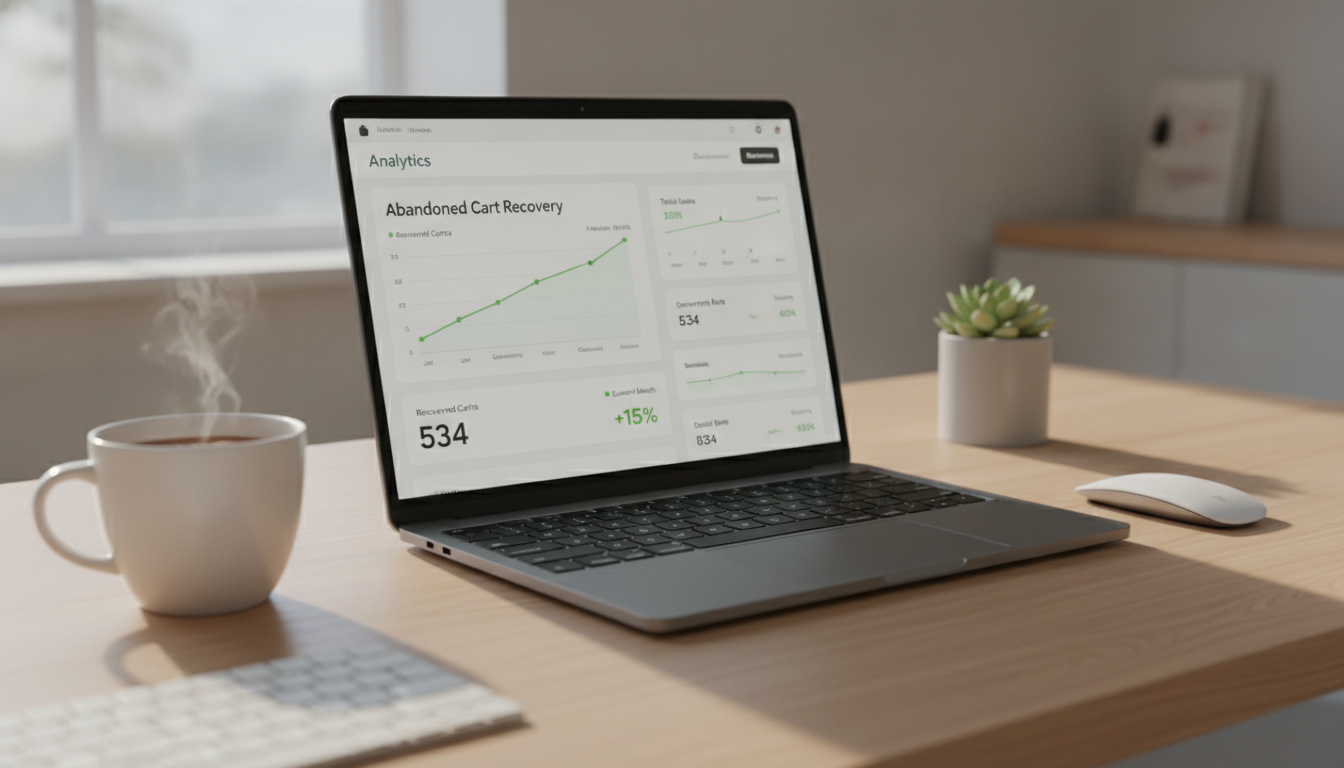
If you’re running a Shopify store, roughly 70 cents of every dollar your customers intend to spend never makes it to checkout. That’s not an exaggeration — the global average cart abandonment rate across e-commerce sits at 70.19% as of 2026 (Baymard Institute). For a store doing $500K/year in revenue, that’s potentially $1.16M in annual sales walking out the door before a single payment is processed.
Shopify cart abandonment isn’t a minor leak in your funnel — it’s the funnel. The stores that win aren’t the ones with the lowest abandonment rate (that’s nearly impossible to eliminate entirely). They’re the ones with the most systematic, multi-channel recovery infrastructure in place. This guide gives you that infrastructure, step by step.
- Why shoppers abandon Shopify carts — and which reasons are actually fixable
- How Shopify’s built-in abandoned checkout recovery works and where it falls short
- Benchmark data on recovery rates, email timing, and SMS performance
- 14 specific tactics — from checkout UX to Klaviyo flow architecture — you can implement this week
- Answers to the most common questions store owners ask about cart abandonment on Shopify
Why Shoppers Abandon Shopify Carts (The Data Behind the Decision)
Before you can fix abandonment, you need to understand what’s actually causing it. Baymard Institute’s 2025 large-scale UX study — based on 44 individual research studies — found the top reasons shoppers abandon carts during checkout:
| Abandonment Reason | % of Shoppers Citing It | Fixable on Shopify? |
|---|---|---|
| Extra costs too high (shipping, taxes, fees) | 48% | Yes — free shipping thresholds, clear cost display |
| Site required account creation | 26% | Yes — enable guest checkout |
| Slow delivery times | 23% | Partially — carrier options, delivery estimates |
| Didn’t trust site with credit card info | 25% | Yes — trust badges, SSL, payment branding |
| Too long or complicated checkout process | 22% | Yes — Shopify one-page checkout, Shop Pay |
| Couldn’t calculate total cost upfront | 21% | Yes — shipping calculator on cart page |
| Website errors or crashes | 17% | Yes — performance optimization |
| Payment method not accepted | 11% | Yes — expand payment options |
The critical insight: the majority of abandonment reasons are fixable at the store level. This means a significant portion of your lost revenue isn’t gone — it’s waiting for you to remove the friction that stopped the purchase.
How Does Shopify Abandoned Cart Work?
Shopify’s native abandoned checkout recovery is built into every plan and works automatically once you enable it. Here’s exactly what happens under the hood and how to configure it properly.
How Shopify Tracks Abandoned Checkouts
Shopify creates an “abandoned checkout” record when a customer reaches the checkout page, enters at least their email address, and then leaves without completing the purchase. The checkout is flagged as abandoned after one hour of inactivity. This is an important distinction — Shopify does not track cart abandonment on the cart page itself, only at the checkout stage after an email is captured.
This means if a customer adds items to their cart but never clicks “Proceed to Checkout,” Shopify has no email to recover them with. That’s a significant gap — and one of the core reasons third-party tools like Klaviyo exist.
Enabling Shopify’s Built-In Recovery Email
To turn on Shopify’s native abandoned checkout email, follow these steps:
- Go to Shopify Admin → Settings → Notifications
- Scroll to the Customer notifications section
- Click Abandoned checkout
- Set the send delay — Shopify defaults to 1 hour, which you can change to 6 or 10 hours
- Customise the email template with your brand logo, tone, and a direct link back to the checkout
- Click Save
Shopify’s native email is functional but limited. It sends a single email with no follow-up sequence, no segmentation, and no personalisation beyond the customer name and cart contents. For stores doing more than $100K/year, this is a starting point — not a complete strategy.
Where Shopify’s Native Tool Falls Short
The built-in recovery tool has three major limitations. First, it only captures customers who reached checkout — missing all pre-checkout abandoners. Second, it can’t segment by cart value, product type, customer lifetime value, or purchase history. Third, it doesn’t integrate with SMS, push notifications, or paid retargeting audiences. For a complete recovery system, you need to extend beyond native Shopify functionality.
What Is the Average Abandoned Cart Rate on Shopify?
The global e-commerce cart abandonment rate consistently hovers between 69% and 72%, but this headline number masks significant variation by industry, device type, and traffic source. Here’s what the data actually looks like when you break it down.
Abandonment Rate by Industry (2025–2026 Benchmarks)
| Industry | Average Cart Abandonment Rate |
|---|---|
| Fashion & Apparel | 68.3% |
| Consumer Electronics | 74.1% |
| Home & Garden | 70.9% |
| Beauty & Personal Care | 66.4% |
| Sporting Goods | 73.5% |
| Food & Beverage (DTC) | 57.2% |
| Luxury / High-Ticket Goods | 78.6% |
Source: SaleCycle 2025 E-Commerce Statistics Report, Baymard Institute 2025.
Abandonment Rate by Device
Device type is one of the most dramatic variables. Mobile cart abandonment rates average 85.65% compared to 73.07% on desktop (Statista, 2025). This gap exists because mobile checkout UX is typically more friction-heavy — small tap targets, slow page loads, and interrupted payment flows all compound on smaller screens.
For Shopify stores where mobile now accounts for 67%+ of traffic, optimising specifically for mobile checkout isn’t optional. If your Shopify theme hasn’t been audited for mobile checkout performance in the last 12 months, that’s your highest-leverage starting point.
What’s a “Good” Recovery Rate?
Industry data from Klaviyo’s 2025 benchmark report shows that well-configured abandoned checkout email flows recover between 3% and 14% of abandoned checkouts, with the median sitting around 5–7%. Adding SMS to an email flow pushes recovery rates toward the 8–14% range. Stores with personalised, multi-step sequences (email + SMS + push) can reach 15–20% recovery on captured contacts.
The key phrase is “captured contacts” — you can only recover abandoners you have contact details for. Growing your pre-checkout email capture is therefore just as important as your recovery sequence itself.
How to Reduce Cart Abandonment on Shopify?
Reducing abandonment is a two-pronged effort: fixing the friction that causes abandonment in the first place, and building recovery infrastructure to win back the customers who leave anyway. Both matter. Focusing only on recovery while ignoring checkout friction is like mopping the floor while the tap is still running.
1. Enable Guest Checkout (Remove Forced Account Creation)
Forcing account creation before purchase kills conversions. Navigate to Shopify Admin → Settings → Customer accounts and set accounts to Optional (not Required). Offering a post-purchase account creation prompt instead — triggered after payment — captures sign-ups without blocking the sale.
2. Switch to Shopify’s One-Page Checkout
Shopify rolled out its one-page checkout as the default for all new stores from 2024 onwards. If you’re on an older setup, verify your checkout version under Shopify Admin → Settings → Checkout → Checkout layout. One-page checkout consolidates contact information, shipping, and payment into a single scroll, which reduces checkout steps from 3 to 1 and demonstrably cuts drop-off between steps.
3. Activate Shop Pay as a Primary CTA
Shop Pay completes checkout 60% faster than standard guest checkout (Shopify, 2025) and converts at a rate 1.91x higher than regular checkout according to Shopify’s own research. Enable it via Shopify Admin → Settings → Payments → Accelerated checkouts → Shop Pay. Place the Shop Pay button prominently above the standard checkout CTA on product pages and the cart drawer.
4. Display Shipping Costs Early — or Eliminate Them
Unexpected shipping costs are the single largest driver of abandonment at 48%. Add a dynamic shipping calculator to your cart page using your theme’s built-in settings or an app like Zoorix. Better yet, model a free shipping threshold — if your average order value is $65, a free shipping threshold at $75 both reduces abandonment and lifts AOV simultaneously.
5. Add Trust Signals at the Checkout Stage
25% of shoppers abandon because they don’t trust the site with payment information. On Shopify’s checkout, you can add trust badges and a custom banner via Shopify Admin → Settings → Checkout → Checkout customisation → Banner (Shopify Plus merchants get deeper customisation via Checkout Extensibility). Display recognisable payment logos, a money-back guarantee statement, and an SSL security note above the payment form.
6. Reduce Page Load Time Below 2.5 Seconds
A one-second delay in page load time reduces conversions by 7% (Akamai). Run your store through Google PageSpeed Insights and target a Largest Contentful Paint (LCP) score under 2.5 seconds on mobile. Common fixes for Shopify stores include: compressing images with a tool like Crush.pics, removing redundant apps that inject JavaScript, and switching to a performance-optimised theme like Dawn or Debutify’s latest version.
7. Implement Exit-Intent Overlays on the Cart Page
Exit-intent technology detects when a user moves their cursor toward the browser’s close or back button and triggers an overlay before they leave. On mobile, this typically triggers after a defined period of scroll inactivity. Apps like OptiMonk and Privy integrate directly with Shopify. Offer a time-limited incentive (10% off, free shipping) only to visitors who haven’t purchased before — use Klaviyo’s cookie-based segmentation to avoid discounting to repeat buyers.
8. Build a Multi-Step Klaviyo Abandoned Checkout Flow
Shopify’s native single email is not enough. A properly configured Klaviyo abandoned checkout flow should include at minimum:
- Email 1: 1 hour after abandonment — “You left something behind” — show cart contents, no discount
- Email 2: 24 hours after abandonment — social proof email — show reviews for the specific product left in cart (pull in Okendo review data via Klaviyo’s integration)
- Email 3: 72 hours after abandonment — urgency + optional incentive — limited-time discount or low-stock alert
Klaviyo’s 2025 benchmark data shows that three-email sequences recover 2.4x more revenue than single-email sequences. Trigger the flow from Klaviyo’s Checkout Started metric — not Shopify’s native notification — so you can add conditions, branching logic, and suppression rules.
9. Add SMS Recovery via Klaviyo or Postscript
SMS abandoned cart messages consistently achieve open rates above 90% compared to email’s average of 40–45% for cart recovery flows (Attentive, 2025). Add an SMS step at the 2-hour mark — after your first email — using either Klaviyo’s SMS feature (if you’re already on Klaviyo) or Postscript for SMS-specific automation. Keep messages under 160 characters, include a direct checkout link, and always include opt-out language to stay compliant with TCPA and GDPR.
10. Use Push Notifications for Logged-In Customers
For customers who have previously purchased and have an account, web push notifications add a third recovery channel. PushOwl integrates with Shopify in under 10 minutes and lets you send automated push notifications to subscribers when they abandon a checkout. Push notifications see click-through rates of 12–15% for cart recovery (PushOwl internal data, 2025) — significantly higher than email CTR.
11. Deploy Rebuy for Personalised Post-Cart Offers
Rebuy‘s Smart Cart feature replaces the native Shopify cart drawer with an AI-driven cart experience that shows personalised upsells, frequently bought together products, and dynamic discount triggers based on cart contents. Stores using Rebuy’s Smart Cart report AOV increases of 15–20% on average — but the relevant abandonment benefit is that a more engaging cart experience keeps shoppers on the page longer and increases purchase confidence before checkout.
12. Capture Emails Earlier With a Pre-Checkout Popup
Remember: Shopify only tracks abandonment after an email is submitted at checkout. If you can capture an email address earlier — on the product page, via a spin-to-win, or through a newsletter signup — you can retarget all cart abandoners, not just those who reached checkout. Use Klaviyo’s embedded forms or OptiMonk to capture emails on high-intent pages. Even a 10% pre-checkout email capture rate meaningfully expands your retargetable audience.
13. Set Up Google Analytics 4 Funnel Exploration Reports
You cannot fix what you cannot measure. Set up a funnel exploration in Google Analytics 4 (GA4) that tracks the steps: Product View → Add to Cart → Begin Checkout → Purchase. In GA4, go to Explore → Funnel Exploration and add each step as an event. This reveals exactly where in your funnel you’re losing the most users — whether that’s between Add to Cart and Begin Checkout (a cart page problem) or between Begin Checkout and Purchase (a checkout friction problem).
14. Use Hotjar to Watch Real Abandonment Sessions
Numbers tell you where shoppers drop off. Hotjar‘s session recordings tell you why. Install Hotjar on your Shopify store, filter recordings for sessions that include an “Add to Cart” event but no “Purchase” event, and watch 20–30 sessions per week. You’ll identify specific UX issues — confusing coupon code fields, mobile layout breaks, slow-loading product images — that no amount of A/B test data will surface on its own.
How to Prevent Cart Abandonment?
Prevention is upstream of recovery. The goal is to reduce the friction and doubt that causes abandonment before it happens — so fewer customers need to be chased in the first place. Here are the highest-impact preventative levers available on Shopify.
Transparent Pricing From the Product Page
Don’t make customers discover shipping costs at checkout. Display estimated shipping costs directly on your product pages. If you offer free shipping over a threshold, show a dynamic progress bar — “Add $18 more for free shipping” — on the cart page. Apps like Free Shipping Bar by Hextom do this natively for Shopify and require no code changes. Studies from Baymard show that stores displaying total cost estimates before checkout see up to 21% fewer checkout abandonments.
Social Proof on High-Intent Pages
Doubt is a primary driver of abandonment. Counter it by surfacing social proof at the exact moment of decision. On product pages and the cart, display review counts, star ratings, and user-generated content pulled from Okendo or Judge.me. Add real-time signals like “47 people bought this in the last 24 hours” using Fomo or the SALES POP app. These signals reduce the uncertainty that causes hesitation.
Flexible Payment Options Including BNPL
Buy Now Pay Later options (Afterpay, Klarna, Affirm) reduce purchase hesitation for high-ticket items by spreading cost. Stores offering BNPL options see 20–30% higher conversion rates on orders above $100 (Afterpay Merchant Benchmarks, 2025). Enable these via Shopify Admin → Settings → Payments → Alternative payment methods. Display BNPL messaging on product pages — “4 payments of $24.75” — not only at checkout.
Persistent Cart Across Sessions and Devices
Shopify preserves cart contents for logged-in customers by default, but guest carts can expire. Encourage account creation post-purchase with a single-click prompt. For guest shoppers, Shopify’s default cookie-based cart persistence lasts 30 days — confirm this is not being overridden by any custom theme code or third-party app. A shopper who adds items on mobile at lunch should find their cart intact when they return on desktop in the evening.
Speed Up Your Store — Specifically on Mobile
Mobile LCP above 4 seconds can increase bounce rates by over 32% compared to pages loading in under 1 second (Google, 2024). Audit your Core Web Vitals monthly using Google PageSpeed Insights or Shopify’s built-in Speed Score (found in Shopify Admin → Online Store → Themes → Speed score). Prioritise: image optimisation, minimal third-party scripts, and lazy loading for below-the-fold content.
Putting the Full Strategy Together: A Shopify Cart Abandonment Stack
The stores that consistently recover 10–15% of abandoned checkouts aren’t doing one thing well — they’re running a coordinated stack. Here’s what that looks like in practice:
- Data layer: GA4 funnel exploration + Hotjar session recording → diagnose where and why abandonment happens
- Checkout optimisation: One-page checkout, guest checkout enabled, Shop Pay active, trust badges visible → prevent abandonment at the source
- Pre-checkout capture: Klaviyo embedded forms + exit-intent popups → maximise the retargetable audience
- Email recovery: 3-step Klaviyo flow (1hr / 24hr / 72hr) with Okendo review integration → primary recovery channel
- SMS recovery: Klaviyo SMS or Postscript at the 2-hour mark → highest open rate channel
- Push notifications: PushOwl for returning customers → third-touch recovery channel
- Cart experience: Rebuy Smart Cart → raise AOV and reduce purchase hesitation before checkout
You don’t need to implement all seven layers simultaneously. Start with the checkout optimisation fixes (they require zero ongoing maintenance), then build your Klaviyo email flow, and add channels in order of implementation effort versus expected return.
Shopify Cart Abandonment Recovery Benchmarks: What to Aim For
| Recovery Channel | Avg. Open / View Rate | Avg. Click-Through Rate | Avg. Recovery Rate | Best-in-Class Recovery Rate |
|---|---|---|---|---|
| Single email (Shopify native) | 41% | 8–10% | 2–4% | 6% |
| 3-step email flow (Klaviyo) | 45–52% | 12–18% | 5–9% | 14% |
| SMS (Klaviyo / Postscript) | 90–95% | 18–25% | 3–6% | 10% |
| Web push (PushOwl) | 50–65% | 12–15% | 2–4% | 7% |
| Email + SMS combined | N/A (multi-channel) | N/A | 8–14% | 20% |
Sources: Klaviyo 2025 Benchmark Report, Postscript 2025 SMS Commerce Report, PushOwl 2025 Merchant Data.
Use these benchmarks to audit your own flows. If your 3-step Klaviyo email flow is only recovering 2% of abandoned checkouts, the problem is likely in your email content, timing, or list segmentation — not the channel itself.
Common Mistakes That Undermine Shopify Cart Recovery
Even stores with solid recovery infrastructure leave money on the table through avoidable mistakes. Watch for these:
- Discounting in the first email: Offering a coupon in the first recovery email trains customers to abandon carts on purpose to receive discounts. Hold the incentive for the third email in the sequence.
- Generic email copy: “You left something in your cart” with no product image, no specific product name, and no personalisation underperforms significantly. Klaviyo pulls in product images, prices, and names dynamically — use them.
- No suppression rules: Sending recovery emails to customers who completed a purchase from a different device (but the same Shopify account) damages trust. Suppress on Klaviyo’s Placed Order metric within the flow.
- Ignoring cart value segmentation: A $12 cart and a $420 cart deserve different recovery approaches. In Klaviyo, branch your flow based on cart value — offer free shipping for low-value carts, priority service or personalised product recommendations for high-value ones.
- Not testing SMS compliance: TCPA and GDPR compliance requires documented consent for SMS marketing at point of capture. Using checkout consent checkboxes for SMS is insufficient in most jurisdictions — use a dedicated opt-in mechanism via Postscript or Klaviyo’s SMS sign-up forms.
Cart abandonment is the most universally present conversion problem in Shopify e-commerce — and it’s also the most systematically solvable. The stores recovering 12%+ of abandoned checkouts aren’t doing anything exotic. They’ve eliminated the checkout friction that causes the majority of abandonment, built a multi-step recovery sequence on Klaviyo, added SMS as a second channel, and used GA4 and Hotjar to continuously identify new friction points. That system, tuned and maintained, compounds over time — and the cumulative revenue impact at $500K+ store scale is measured in hundreds of thousands of dollars annually.