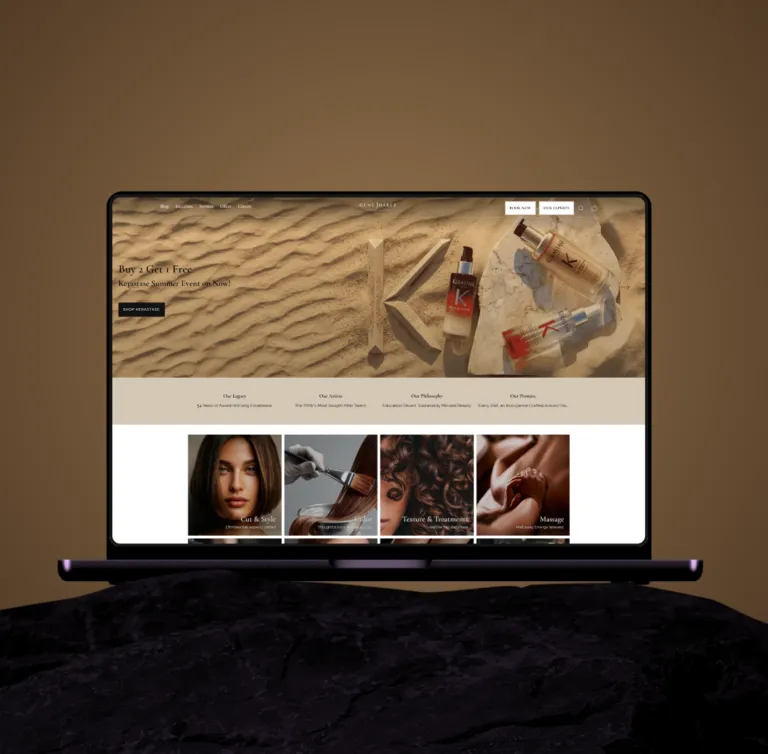
Figma to Shopify

Figma to Shopify development in the USA, shipped exactly as drawn.

Every layer, every spacing token, every breakpoint translated 1:1 from Figma to Liquid. No ‘close enough.’ No Dawn reskins. No page-builder bloat. Custom sections, custom schema, Core Web Vitals engineered into the foundation.

Shopify Plus PartnerShopify Select Partner5.0 on Shopify Partners · Premier Verified on Clutch

In detail

What we actually build

Figma-to-Shopify is the engagement most brands need but most agencies don’t actually do. We build from scratch — every section, every schema, every breakpoint.

  1. Pixel-perfect 1:1 translation from Figma to Liquid

  2. Custom theme architecture

    not a Dawn fork

  3. Custom sections with block-based schema for Theme Editor flexibility

  4. Core Web Vitals engineered into the build (target LCP under 2.0s)

  5. Zero third-party JS libraries unless absolutely required

  6. Mobile-first, desktop-up

    not the other way around

  7. Theme settings architecture so your team can edit anything

What we build

Process

A Figma file becomes a theme in a set order: tokens first, then components, then sections and templates. That order is what keeps the store consistent once your team starts editing.

  1. Tokens out of the file

    Colors, type scale, spacing and radii come from the file’s styles and variables into theme settings and CSS custom properties, so one change carries across the store.

  2. Components before pages

    Buttons, product cards, price blocks and form fields are built once as snippets and reused, instead of being restyled page by page.

  3. Frames into sections and blocks

    Each frame is split into sections and blocks with schema settings, so your team can reorder, hide or duplicate them in the Theme Editor.

  4. The breakpoints the file doesn’t show

    Files usually cover desktop and mobile. We agree the in-between widths before build, so tablets and wide screens aren’t left to guesswork.

  5. The states designs skip

    Empty cart, sold-out variants, long product titles, missing images and form errors are designed or agreed before they’re built.

  6. Built on your real content

    Templates are checked against your actual products, collections and copy, so line lengths and image ratios match what shoppers will see.

  7. Images and fonts tuned for speed

    Images are served at the right size for each screen through Shopify’s image CDN, and fonts load without hiding text while they download.

  8. Side-by-side sign-off

    Every template is compared with its Figma frame at each breakpoint, and any difference is fixed or agreed in writing before launch.

Process

How the work runs, step by step.

Step 01

Figma review

confirm design completeness, identify gaps before build

01
02
Step 02

Scope and SOW

fixed-price, fixed-timeline

Step 03

Section-by-section build

typically 4–8 weeks depending on page count

03
04
Step 04

Theme Editor configuration

set up so your team can edit without touching code

Step 05

Core Web Vitals optimization

Lighthouse review, image optimization, JS audit

05
06
Step 06

Cross-device QA

real devices, not just browser emulation

Step 07

Launch

30-day support

07

Start a project

Got a project in your mind?

Tell us what the store needs to do. A senior engineer replies with a scoped answer, not a sales deck.

In detail

Proof

KIF Smart Refill, full Figma-to-Shopify rebuild, LCP improved from 4.1s to 1.3s. Multiple other portfolio builds where Figma files were translated to Liquid at production grade.

FAQs

What if my Figma file isn't complete?

We'll review it before quoting and tell you what's missing. We can either finish the design ourselves (added scope) or send it back for completion before build starts. We never build from an incomplete Figma, that's how scope creep happens.

Can my team edit the theme after launch without coding?

Yes. We build every section with proper schema so your team can swap copy, images, colors, and layout from the Theme Editor. No code required for day-to-day content changes.

How does this compare to a Dawn reskin?

A Dawn reskin takes Shopify's free theme and changes the CSS. It looks custom but inherits all of Dawn's structural limitations — fixed section types, inherited page weight, restricted layout flexibility. A real custom theme has none of those constraints. The difference shows up in Core Web Vitals, editor flexibility, and what's possible when you want to add a non-standard section later.

Shopify Plus experts

Let's talk Shopify, Shopify Plus and the store you actually want.

An accredited Shopify Plus agency that designs, builds, migrates, supports and grows stores for brands that have outgrown templates. Ready when you are: talk to an engineer about the project.

Get in touch