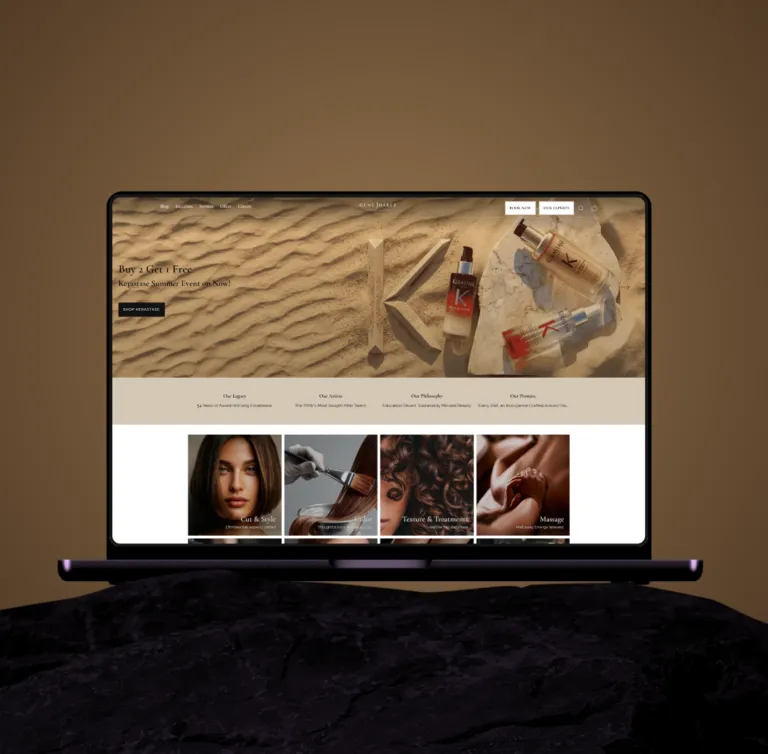
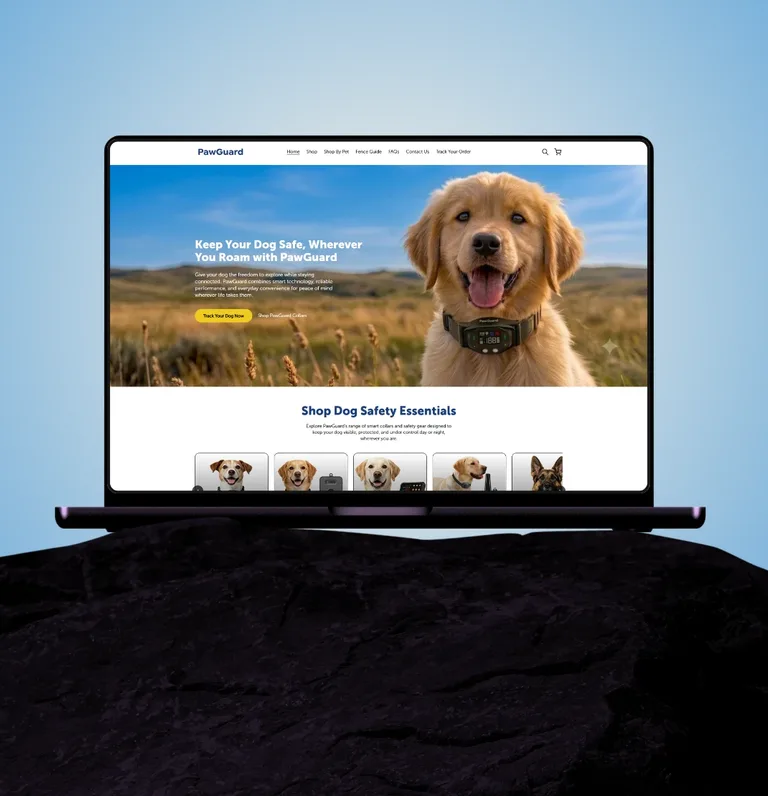
Shopify for retail stores · appliances, furniture, jewellery, salons

Shopify agency for retail stores in the USA: the retail modules are built, live in 4–6 weeks.

See Price in Cart, a product page that configures parts, protection plan and financing before the cart, delivery and installation priced by ZIP code, rebates, local inventory, the POS feed: the parts of retail that stall every Shopify quote are already built — our own plug-and-play theme modules and apps. We install and configure them against your data instead of developing them from scratch, so a retail store launches in four to six weeks at a fixed price.

Shopify Plus PartnerShopify Select Partner5.0 on Shopify Partners · Premier Verified on Clutch

Shopify agency for retail · by the numbers

Built once, installed for you.

The retail modules exist before your project starts; the schedule and the price follow from that.

4–6 wksKick-off to launchThe modules are installed and configured, not developed from scratch8Retail modules, ready to installOur own theme sections and apps — see the list below0Third-party subscriptions in the retail logicMAP, configuration, delivery, plans: all ours, all yours400+Shopify stores shippedDTC, B2B and retail, since 2018

Shopify for retail stores · the pain points

The six things every retail quote stalls on. We already have them.

Left: what a stock theme cannot do and an app stack fakes. Right: the module in our kit that does it.

Where retail quotes stall

The pain points every retailer names

A stock theme ignores them; an app stack fakes them.

See Price in Cart (MAP)
The manufacturer says you may not show the price; a stock theme has no idea. Most quotes send you to an app that breaks with the next theme update.
The multi-step product page
An appliance needs the hose, the plan, the financing choice and the add-ons before it can be sold — a standard Add to Cart lets people skip all of it.
Delivery and installation by ZIP
Delivery is priced by ZIP and category, installation by labour code — “calculated at checkout” is not an answer for a $2,000 washer.
Financing at checkout
Half of high-ticket retail is financed, and the standard checkout offers a card.
Protection plans and warranties
Warranty apps add a subscription, an external snippet and a taxable line where there should not be one.
Rebates, inventory, POS sync
Rebate maths shown wrongly, distributor stock shown as yours, and a catalog somebody has to key in twice.

Already in our retail kit

Built, tested, ready to install

Our own theme modules and apps, configured against your files.

See Price in Cart (MAP)
Our MAP module: the sell price stays in Shopify’s native price field and is what is charged; the MAP display price sits in a metafield; the theme masks the price on collection and product pages and reveals it in the cart. No app, works on the Grow plan.
The multi-step product page
Our configuration sidecar: required parts, protection plan, financing, optional add-ons, order review; Add to Cart stays locked until every required step is done; a mini-cart bypass sends the customer back.
Delivery and installation by ZIP
Our ZIP module: a lookup against your delivery file on the product page; store pickup, curbside at the ZIP rate, white-glove, or installation from your labour-code list, all driven by data loaded as metaobjects.
Financing at checkout
Synchrony, Wells Fargo and American First Finance configured as native Shopify payment apps, with the financing choice made on the product page.
Protection plans and warranties
Plans as native Shopify products with our selection card in the flow — decline, 36 or 72 months, priced from your tiers, added as a non-taxable line.
Rebates, inventory, POS sync
Rebate and promo messaging from your rebate file; local versus regional stock on every listing; the catalog on a nightly sync from Tailbase, ARS or your supplier feed, every field mapped once.

Built for appliance and electronics dealers, furniture and mattress showrooms, fine jewellery, salons and service retail, and multi-location retailers with local stock and a regional distributor.

Plug-and-play retail modules

Eight modules, already built. Installed and configured for your store.

Each one is driven by data from your POS or your price files, so a new SKU, ZIP rate or plan tier is a data change, not a ticket.

  1. POS & catalog sync

    Products, variants, specifications, badges, MAP fields and inventory by location come from your POS or ERP feed on a nightly sync with agreed overwrite rules — Tailbase, ARS and supplier feeds included. The field mapping is a template we have already done; one product with every field confirms it in week one.

    • Tailbase
    • ARS POS
    • Supplier feeds
    • Metaobjects
  2. See Price in Cart (MAP)

    A ready theme module: the actual sell price sits in Shopify’s native price field and is what is charged, the MAP display price sits in a metafield, and the theme suppresses the native price on collection and product pages until the item is in the cart. No third-party app, no subscription.

    • See price in cart
    • No app
    • Works on the Grow plan
  3. Multi-step product page

    Our configuration sidecar: required parts, protection plan, financing, optional add-ons, order review — a five-step flow the customer completes before Add to Cart is active. The cart stays locked until every required step is done, and a mini-cart bypass sends them back to the product page. Installed, then configured with your parts and plan files.

    • 5-step sidecar
    • Required accessories
    • Bundle carousel
  4. Delivery & installation by ZIP code

    A ZIP entry on the product page looks up your delivery file and shows the modes that apply to that category: store pickup, curbside at the ZIP rate, white-glove, or installation from your labour-code price list. The module takes your files as they are — one appliance scope came with 196 delivery categories and 32 installation codes, all loaded as data, none set up by hand.

    • Store pickup
    • Curbside
    • White-glove
    • Installation codes
  5. Financing at checkout

    Synchrony, Wells Fargo and American First Finance configured as native Shopify payment apps, with the financing choice made on the product page as part of the configuration — not discovered at the last step.

    • Synchrony
    • Wells Fargo
    • American First Finance
  6. Protection plans & warranties

    Protection plans built as native Shopify products with a custom selection card in the purchase flow — decline, 36 or 72 months, priced from your tiers — added to the cart as a non-taxable line item. No warranty app, no external snippet.

    • Native products
    • Non-taxable line
    • Priced from your tiers
  7. Rebates & promotions

    Rebate and promo messaging on product, cart and checkout from your rebate file: amount, description, dates, and the difference between a mail-in rebate and one deducted at checkout, stated where the customer decides.

    • Rebate file
    • Direct vs mail-in
    • Cart & checkout notices
  8. Local inventory, collections & comparison

    Local stock (your locations) and regional stock (your distributor) on every listing, with availability messaging driven by the sync. Collection pages carry your badges and filters, and a compare bar lets customers put up to four products side by side, spec by spec, from the same feed.

    • Local vs regional stock
    • Badges & filters
    • Compare up to 4

How it’s connected

Your POS stays the source of truth.

Nothing is keyed in twice. The feed drives the catalog, the catalog drives every rule on the storefront.

How we work

Four to six weeks, because the modules exist.

Install, then configure, then design approval per screen set; the vendor is in the room from week one.

Step 01

Week 1 · Discovery & data mapping

A call with your POS or catalog vendor, your files (delivery ZIPs, labour codes, plan tiers, rebates, accessories) collected, the field mapping confirmed on one product with every field. Scope and fixed price in writing.

01
02
Step 02

Week 2 · Install

Theme and the retail modules installed on your store; the catalog syncing nightly; delivery matrix, labour rates and protection tiers loaded as metaobjects; installation, survey and accessory products created.

Step 03

Weeks 3–4 · Configure & design

Your brand on the theme; badges, filters and MAP masking on collections; the configuration sidecar wired to your parts, plans and financing; the ZIP module on your rates. Screen designs approved per screen set, two revision rounds.

03
04
Step 04

Week 5 · Cart, checkout, QA

Full-page cart with every line and the tax split, financing apps on checkout, account rules; then cart logic, accessory enforcement, ZIP delivery, MAP compliance, rebate maths, plans and financing all tested on real phones. UAT with your team.

Step 05

Week 6 · Launch

Go-live with a launch checklist and hand-over documentation. Thirty days of defect support included; a retainer is available from day 31.

05

How it’s priced

Priced for configuration, not for building it twice.

You see what each phase costs. The retail modules are not developed again for you, so the number is smaller than a from-scratch quote and nothing is billed by the hour after it is agreed.

  1. What is priced

    Discovery and data mapping, the install, configuration and design, cart and checkout, QA and launch — each on its own line, so you can see what each part costs and drop what you do not need.

  2. What is not billed again

    See Price in Cart, the configuration sidecar, the ZIP delivery module, the protection-plan card and the comparison page already exist. You pay to install and configure them with your data, not to have them developed a second time — that is where the 4–6 weeks and the smaller number come from.

  3. How you pay

    A fixed all-in price after discovery. 20% at kick-off, 50% when the product page and cart are built and the designs approved, 30% at launch. Invoices due in 14 days.

  4. What is not in it

    Your Shopify plan, theme licence and POS vendor’s own development are billed to you directly by them — we say so up front. Copywriting and product descriptions stay with your team unless you ask us to take them on.

Book the retail scoping call

Bring your POS feed and your delivery file. Leave with a scope, a price and a launch week.

Thirty minutes with the engineer who runs the retail modules. Your brief is flagged as a priority the moment it lands; the calendar opens right after.

Retail scoping call

Priority reply within 12 hours

Retail briefs are flagged as priority and go straight to the engineer who runs the retail modules. Once the brief is in, you pick a 30-minute slot on the next screen; the call walks through your files, it does not qualify you.

  1. Your files, not a questionnaire

    Bring the store URL, the POS or catalog vendor’s name and, if you have them, the delivery ZIP file, the labour codes and the plan tiers. That is the whole discovery.

  2. Module fit, in writing

    Which of the eight modules cover your store as they are, what needs configuring, and the one thing — if any — that would have to be built.

  3. A fixed price and a launch week

    Scope, price and the week you go live, in writing within 12 hours of the call. If the store is not a fit, you hear that on the call.

Prefer email?contact@aqsashahzad.comOr call +1 (310) 430-1227 — calls in Eastern Time.

Straight answers.

What does a Shopify agency for retail stores actually deliver?

The parts of a store a theme does not have: the catalog synced from your POS or ERP, See Price in Cart, a product page that configures parts, protection plan and financing before the cart, delivery and installation priced by ZIP code, rebate messaging, local versus regional inventory, and a checkout with your financing providers as native payment apps. Ours are ready modules — installed and configured for your store, not developed from scratch.

How can you launch in four to six weeks when other quotes say three months or more?

Because the hard parts already exist. See Price in Cart, the multi-step product page, the ZIP delivery and installation module, the protection-plan card and the comparison page are our own theme modules and apps, built and tested on appliance retail. A retail build for us is discovery, install, configuration against your files, design approval, QA and launch — the schedule above — not fourteen weeks of development.

Are these really plug-and-play, or will you build them again for us?

Plug-and-play. The modules are installed as they are and configured with your data — your delivery file, labour codes, plan tiers, rebates and accessory mappings. What is built for you is the design layer and anything your store needs that no retailer has needed before, and we tell you which is which in the written scope.

Do you work with retail stores across the USA?

Yes. We are a remote-first studio registered in Sheridan, Wyoming, with engineering in Lahore. Calls are scheduled in Eastern Time, every enquiry gets a written reply within 12 hours, and the engineer who scopes the build is the one who builds it.

Can Shopify sync with our POS or ERP?

Yes. We map every field your vendor exposes — Tailbase, ARS and supplier feeds are ones we have worked with — into products, variants, metafields and metaobjects, agree the nightly sync and overwrite rules with the vendor, and insist on one sample product with every field before design starts. Extra fields your vendor has to expose are a conversation between you and them, and we sit in on it.

Can we hide the price until the item is in the cart?

Yes, and without an app. The actual sell price stays in Shopify’s native price field so it is what gets charged; the MAP display price sits in a metafield; the theme suppresses the native price on collection and product pages and reveals it in the cart. It works on the Grow plan.

Can customers finance at checkout?

Yes. Synchrony, Wells Fargo and American First Finance are installed as native Shopify payment apps, and the financing choice is made on the product page as part of the configuration flow rather than discovered at the last step.

How is delivery and installation priced?

By ZIP code and category. The customer enters a ZIP on the product page; the theme looks it up against your delivery file and shows only the modes that apply — store pickup, curbside at that ZIP’s rate, white-glove, or installation priced from your labour-code list. Everything is driven by the delivery matrix and price list loaded as metaobjects, so a new category or rate is a data change, not a development ticket.

Can we sell protection plans and warranties without an app?

Yes. Plans are created as native Shopify products, offered through a custom selection card in the purchase flow — decline, 36 or 72 months, priced from your tiers — and added to the cart as a non-taxable line item.

Do we need Shopify Plus for a retail build?

Usually not. Everything above runs on Shopify’s Grow plan. Plus becomes worth it for B2B price lists and net terms, checkout extensibility, or the API limits of a very large catalog — we tell you which applies on the first call, and we say so when it does not.

What happens with orders placed in store?

At launch, in-store and phone orders can follow the existing call-centre flow while the online store runs on the synced catalog; a POS order sync is scoped as a second phase once the storefront is stable, so the launch date does not depend on it.

How long does a retail build take?

Four to six weeks from kick-off: discovery and data mapping in week one, the install in week two, configuration and design in weeks three and four, cart, checkout and QA in week five, launch in week six — assuming the vendor call and your data files in week one and design approvals within five business days per screen set. Thirty days of defect support follow launch.

Shopify Plus experts

Let's talk Shopify, Shopify Plus and the store you actually want.

An accredited Shopify Plus agency that designs, builds, migrates, supports and grows stores for brands that have outgrown templates. Ready when you are: talk to an engineer about the project.

Get in touch