

Your Shopify store looks fine. Products are up, payments work, orders come in. But something still feels off. Maybe your checkout looks like every other store using the same theme. Maybe you tried adding a subscription option and hit a wall the app store can’t solve. Maybe your site takes three seconds too long to load, and it’s costing you sales.
This is when most store owners start searching for Shopify development services, often without knowing what that phrase actually covers. Theme design? Coding? Bug fixes? All of it?
This guide breaks down what Shopify development services include, what they cost, how long projects take, and how to pick the right partner without overpaying.
Key Takeaways
- Shopify development services cover everything from basic store setup to custom theme coding, app integrations, migrations, and Shopify Plus builds, not just design.
- Most businesses need custom development once traffic grows, product logic gets complex, or the default theme and apps can’t support what the store needs anymore.
- Project costs depend mainly on complexity and the number of custom integrations, not the theme itself.
- Simple builds take 2 to 4 weeks, custom websites take 4 to 8 weeks, and complex or Shopify Plus projects can run 3 to 6 months.
- Shopify Plus is worth it mainly for checkout customization, high order volume, or running multiple stores, not just as a “bigger” version of Shopify.
- Choosing the right developer or agency matters more than the price tag, always check real portfolio work, client results, and post-launch support before signing.
What Are Shopify Development Services? A Quick Definition
Shopify development services are the technical and design work involved in building, customizing, integrating, and maintaining a Shopify store beyond what the platform’s built-in tools can do on their own.
This covers a wide range of work: custom theme coding, building or connecting apps, migrating a store from another platform, optimizing site speed and SEO, and handling Shopify Plus level enterprise builds. In short, it’s the difference between “setting up a Shopify store” using drag-and-drop tools and having someone build the store around your specific business needs.
Why Do Businesses Need Shopify Development Services?
Not every store needs custom development. A small shop selling twenty products with a clean premium theme can run for years without touching a line of code. But businesses tend to reach a point where the default tools stop being enough, and that’s when development work becomes necessary rather than optional.
Growing Beyond a DIY Shopify Store
Shopify’s theme editor and app store are genuinely good for getting started. The problem shows up as a business grows, when traffic increases and customers start expecting features a template theme wasn’t built to handle, like advanced filtering, bundled products, or a checkout that doesn’t feel identical to every other store using the same theme.
At that stage, store owners usually notice one of two things: either the built-in options don’t support what they need, or stacking apps to fake the functionality has made the site slow and hard to manage.
Custom Functionality Your Business Needs
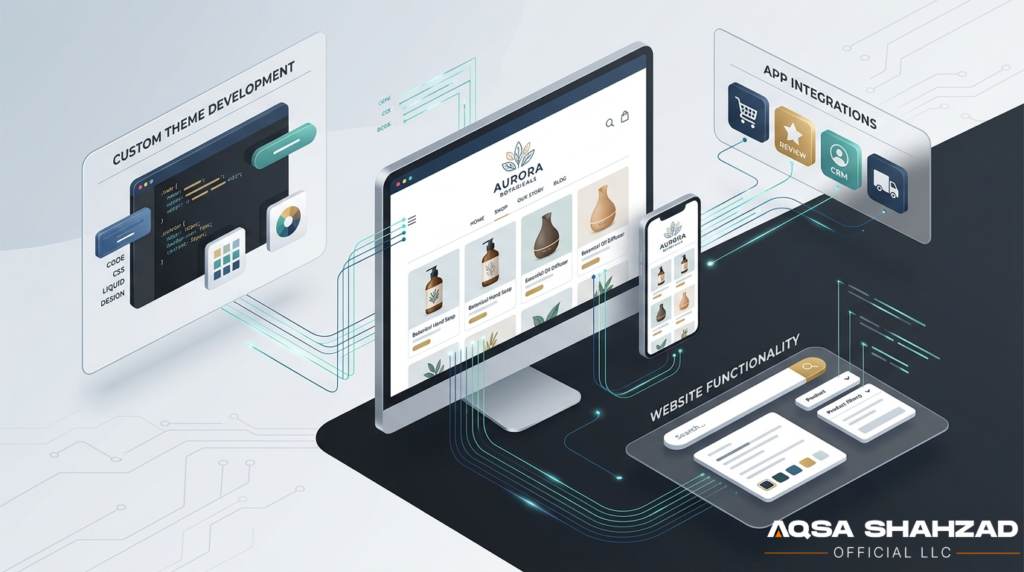
Some business models don’t fit inside Shopify’s default structure. A B2B brand offering wholesale pricing, a subscription company, or a loyalty program often needs logic that standard apps can’t fully deliver on their own.
For example, a store selling both retail and wholesale might need different pricing and checkout rules per customer type. That’s not a theme setting, that’s custom development, usually built using Shopify’s Liquid, metafields, or Shopify Functions on Plus stores.
Improving Store Performance and User Experience
Page speed and user experience directly affect whether visitors buy. A slow-loading product page or a confusing mobile layout increases the chance someone leaves before checking out. Development work here usually means cleaning up bloated app code, optimizing images and scripts, and rebuilding theme sections for faster load times.
This is also where development and SEO overlap. A technically well-built store loads faster, gets crawled more efficiently, and tends to rank better, which is why the two often go hand in hand.
What Types of Shopify Development Services Are Available?
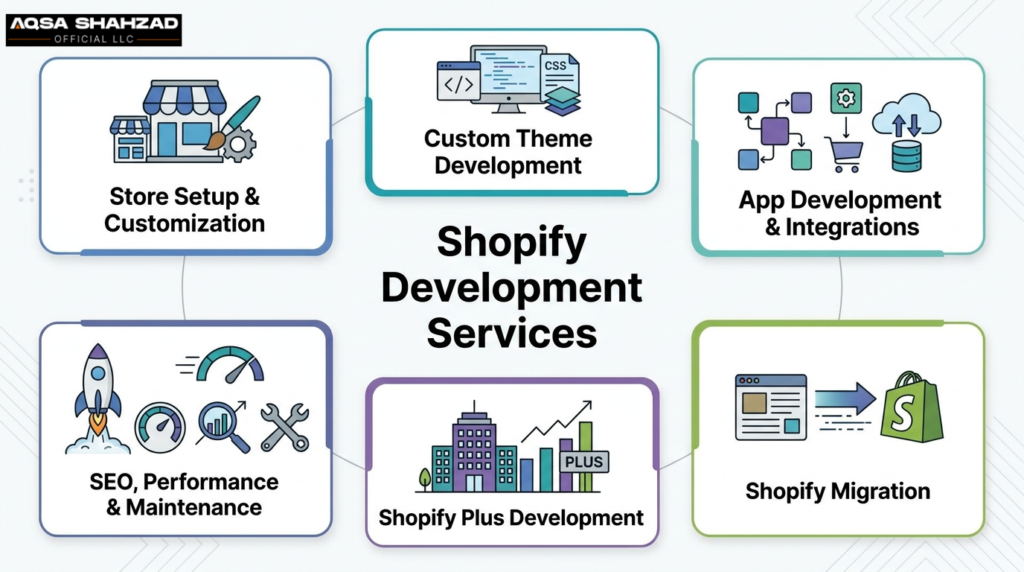
Shopify Store Setup and Customization
This is the entry point for most new stores. It covers configuring the platform itself: setting up payment gateways, shipping rules, tax settings, product catalogs, and basic branding using an existing theme. It’s the least technical form of Shopify development and often doesn’t require custom coding at all.
Custom Shopify Theme Development
This is where most custom Shopify development services requests start. There’s a real difference between customizing a premium theme and building one from scratch. Customization means adjusting colors, layouts, and sections within an existing theme’s framework. Custom theme development means coding a theme using Shopify’s Online Store 2.0 architecture and Liquid, built specifically around your brand rather than adapted from a template.
A business generally needs full custom theme work when their product presentation or brand identity can’t be achieved within any existing theme’s flexibility, not just because a theme “looks generic.”
Shopify Website Development and Customization
This is broader than theme work alone. It includes overall site architecture, custom landing pages, embedding apps directly into the storefront experience, and in some cases headless setups, where the frontend is built separately from Shopify’s backend for maximum design flexibility. Most small and mid-sized stores don’t need headless, but it’s worth knowing it exists for larger, content-heavy brands.
Shopify App Development and Integrations
Shopify’s app store covers most use cases, but not every business finds a ready-made fit, and apps don’t always talk to each other well. This service covers building custom apps and connecting Shopify to outside systems like an ERP, CRM, or inventory tool through APIs.
For example, a retailer using a separate inventory system may need it synced in real time with Shopify so stock updates automatically. That’s an integration project, not a theme change.
Shopify Migration Services
Migrating a store from WooCommerce, Magento, BigCommerce, or a custom-built platform to Shopify is its own specialized service. It’s not just moving product listings. It involves transferring order history, customer accounts, setting up URL redirects to protect existing SEO rankings, and mapping product data correctly so nothing breaks during the switch.
Migrations carry more risk than new builds because there’s existing traffic and revenue on the line, which is why they’re usually handled carefully with staging environments before going live.
Shopify Plus Development
Shopify Plus is Shopify’s enterprise tier, and development at this level looks different from a standard store. It includes access to Shopify Functions and Script Editor for custom checkout logic, Shopify Flow for automating backend workflows, Launchpad for scheduling major sales events, and support for running multiple stores from one back end. In practical terms, Plus development lets a business customize parts of the store, especially checkout, that standard Shopify plans don’t allow you to touch at all.
Shopify SEO and Performance Optimization
This covers the technical side of SEO: improving site speed, fixing crawl errors, structuring data with schema markup, and cleaning up code that slows pages down. It’s development work with an SEO outcome, distinct from content or keyword strategy, though the two should work together.
Ongoing Maintenance and Support
Once a store is live, it still needs attention. Theme and app updates, security patches, seasonal traffic scaling, and fixing bugs that show up after launch all fall under maintenance. This is usually billed differently from a one-time build, often as a monthly retainer, and it’s easy to underestimate how much a store needs this until something breaks during a high-traffic sale.
Shopify vs. Shopify Plus Development: What’s the Difference?
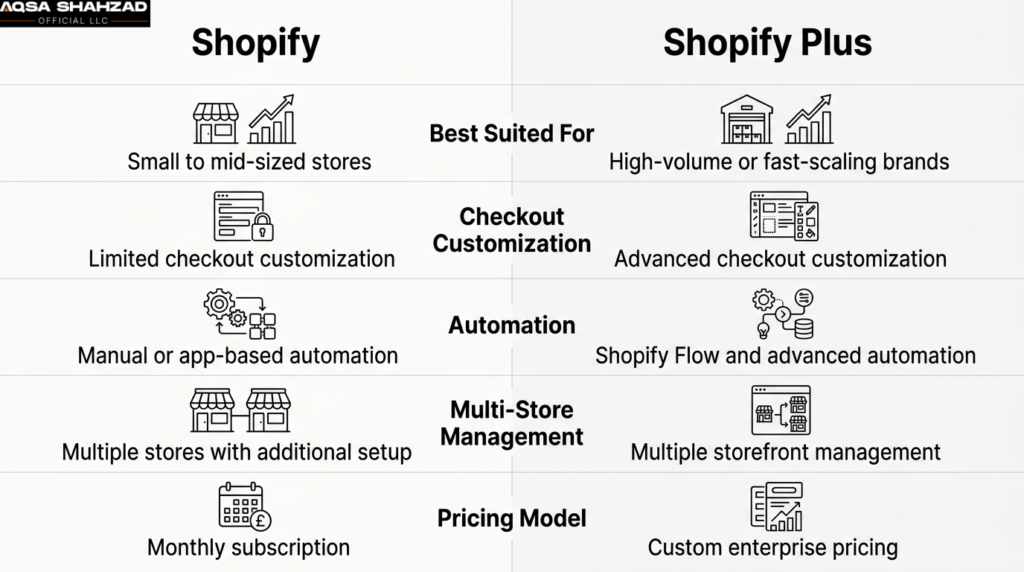
| Factor | Standard Shopify | Shopify Plus |
| Best suited for | Small to mid-sized stores | High-volume or fast-scaling brands |
| Checkout customization | Very limited | Full checkout customization via Functions and Script Editor |
| API access | Standard limits | Higher API call limits, deeper access |
| Automation | Manual or app-based | Built-in with Shopify Flow |
| Multi-store management | Not supported natively | Supported for multiple storefronts |
| Pricing model | Monthly subscription | Custom enterprise pricing |
If your store processes a moderate volume of orders and your main need is a better design or a handful of custom features, standard Shopify with custom development is usually enough. Plus becomes worth it when checkout customization, high order volume, or running multiple storefronts under one business becomes a real operational need, not just a nice-to-have.
How Much Do Shopify Development Services Cost?
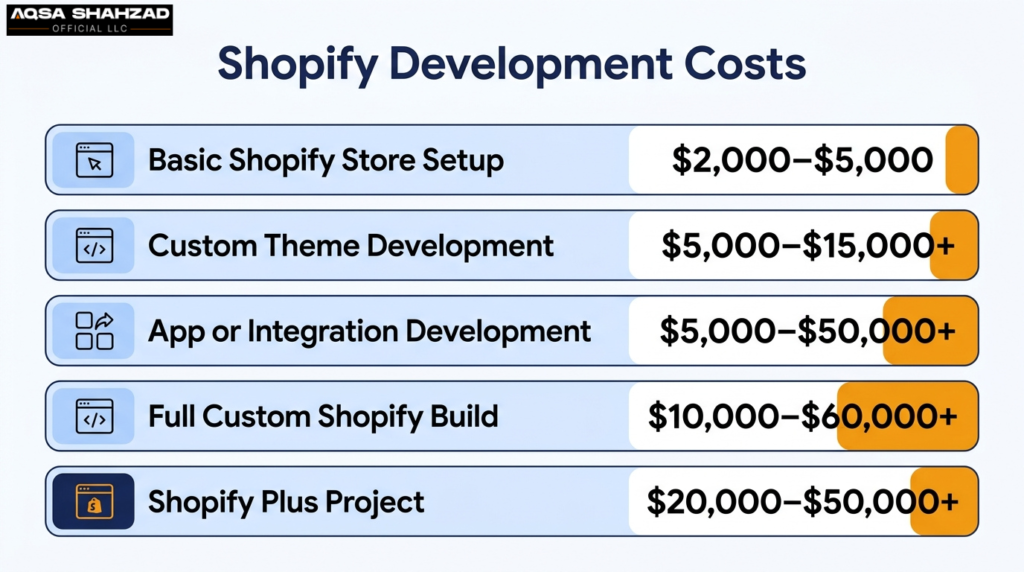
Cost by Project Type
| Project Type | Typical cost(USD) |
| Basic store setup | $2,000 – $5,000 |
| Custom theme development | $5,000 – $15,000 |
| App or integration development | $5,000 to $50,000+ |
| Full custom build | $10,000 and $60,000+ |
| Shopify Plus project | $20,000 – $50,000+ |
Costs climb with each level of complexity, and Shopify Plus projects sit well above standard builds because of the added engineering work checkout customization and multi-store setups require.
Factors That Affect Shopify Development Costs
A few things consistently move the price up or down. Agency reputation plays a role, since established teams charge more than newer freelancers. Project complexity matters too: more integrations mean higher cost, and custom design costs more than starting from a premium theme.
In practice, the biggest cost driver isn’t the theme, it’s usually the number of integrations and how much backend logic the store needs to support.
How Long Does Shopify Development Take?
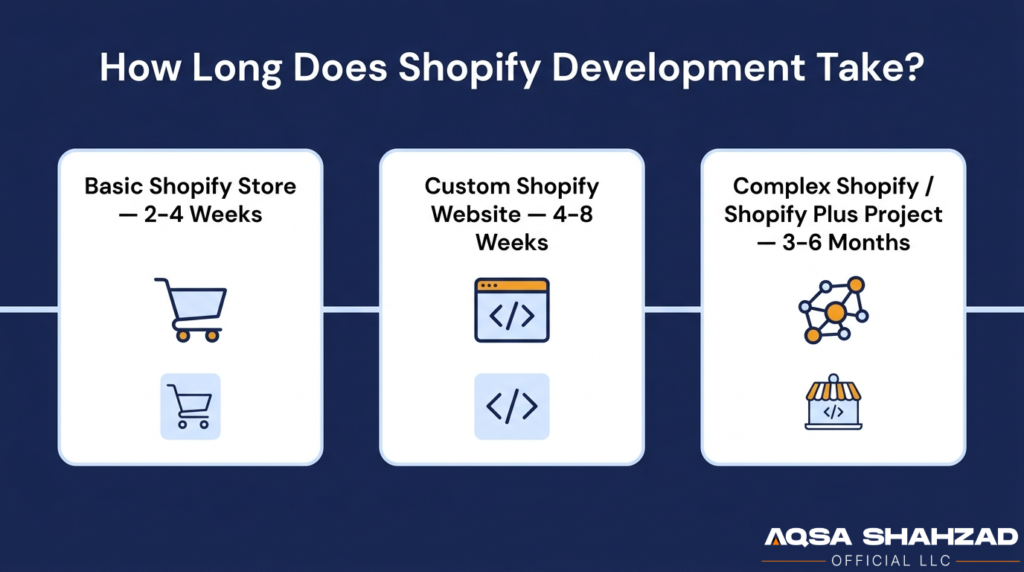
Timelines depend heavily on scope, but here’s a general range based on the type of project.
Basic Shopify Stores
A simple setup using an existing theme with standard configuration usually takes around two to four weeks, depending on how much product content and branding work is involved.
Custom Shopify Websites
Projects involving custom theme development or meaningful design work typically run four to eight weeks. This is the most common timeline for businesses moving beyond a template but not yet needing enterprise-level complexity.
Complex Shopify and Shopify Plus Projects
Builds involving multiple integrations, Shopify Plus migrations, or advanced automation can take three to six months. Testing and post-launch adjustments often extend this further, especially for stores that can’t afford downtime during launch.
Ask any agency for a timeline broken into phases (design, development, testing, launch) rather than a single end date. It’s easier to spot delays early than to find out two weeks before launch that testing hasn’t even started.
How to Choose the Right Shopify Development Company?
Picking a Shopify development company is where most of the risk in a project actually lives. A good technical fit can save months of frustration; a bad one can mean rebuilding the store within a year.
Check Shopify Experience and Portfolio
Look specifically for Shopify work, not general web development experience. Building on Shopify has its own constraints (Liquid, the app ecosystem, checkout limitations on standard plans) that a general web agency may not be familiar with.
Review Client Results and Case Studies
Don’t just look at how a store looks in a portfolio. Ask what changed for the client: did conversion rates improve, did page speed get better, did a migration go through without losing SEO rankings? Checking third-party review platforms like Clutch or G2, alongside asking for direct references, gives a more honest picture than a polished case study page alone.
Compare Services, Pricing, and Timelines
Get itemized quotes from more than one company. A vague “all-in-one” price without a breakdown of what’s included makes it hard to know what you’re actually paying for, and harder to catch scope creep later.
Ask About Post-Launch Support
A store isn’t done the day it launches. Ask directly what happens if something breaks a week after go-live, whether bug fixes are included, and what a support retainer costs if you need one.
Red Flags to Avoid
A few warning signs are worth taking seriously: no live examples of past Shopify work, vague answers about communication or project management process, pressure to sign long-term contracts before scoping the project, no mention of post-launch support, and unclear ownership over your theme code or design files once the project ends.
In-House Team vs. Shopify Development Agency vs. Freelancer
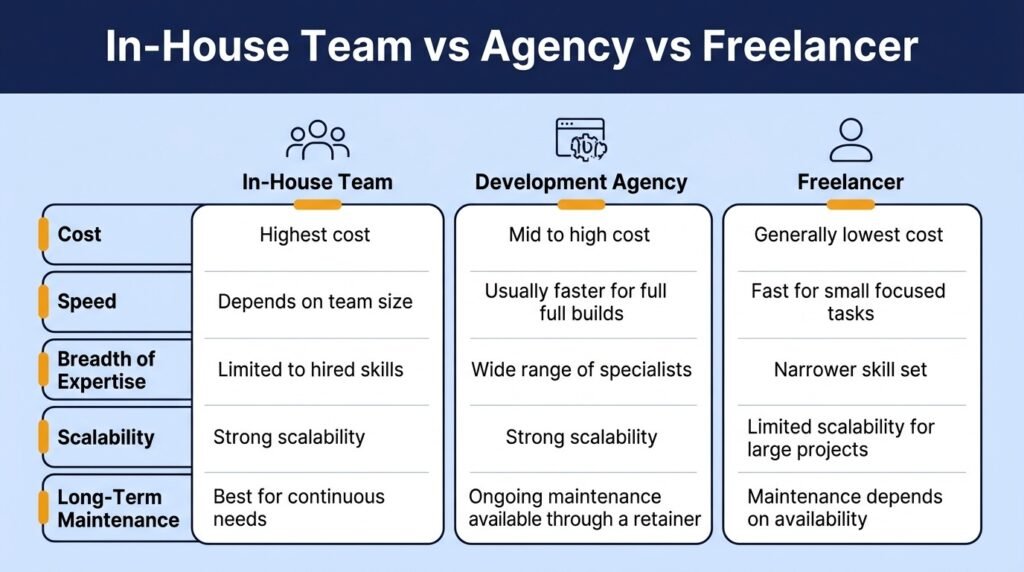
Which option makes sense depends on how much ongoing development work your business actually needs, not just the size of your current project.
| Factor | In-House Team | Development Agency | Freelancer |
| Cost | Highest (salaries, benefits) | Mid to high, project-based | Generally lowest |
| Speed | Depends on team size | Usually faster for full builds | Fast for small, focused tasks |
| Breadth of expertise | Limited to hired skills | Wide, multiple specialists | Narrow, individual skill set |
| Scalability | Strong for continuous needs | Strong for one-off or recurring projects | Limited for large projects |
| Long-term maintenance | Best suited for this | Available via retainer | Depends on availability |
A freelancer usually makes sense for small, well-defined tasks like a single integration or a design tweak. An agency fits better for a full store build, a migration, or a project needing several types of expertise at once. An in-house team only tends to make financial sense for larger businesses with continuous, ongoing development needs rather than a single project.
FAQs
What Does a Shopify Developer Actually Do?
A Shopify developer builds and customizes stores, working on themes, Liquid code, custom features, APIs, integrations, bug fixes, and performance improvements.
Do I Need a Developer to Use Shopify?
No. You can set up a basic Shopify store without coding, but a developer is useful when you need custom features, integrations, or design changes beyond Shopify’s built-in tools.
Can Shopify Developers Help With SEO?
Yes. Developers can handle technical SEO tasks such as improving site speed, fixing indexing issues, and implementing structured data, while content and keyword strategy are usually handled separately.
Is Shopify Good for Large or Enterprise Businesses?
Yes. Shopify Plus is designed for high-volume and growing businesses that need advanced customization, automation, multiple stores, and greater control over their ecommerce operations.
How Do I Migrate My Store to Shopify Safely?
A safe migration involves backing up data, mapping URLs and setting up 301 redirects, testing the new store, and verifying apps, integrations, products, and checkout before launch.
Conclusion
Shopify development services cover a wide range of work, from simple store setup to full custom builds and enterprise-level Plus projects. The right choice isn’t about picking the most advanced option, it’s about matching the service to the specific gap in your current store, whether that’s design, speed, a missing feature, or the need to scale.
If you’re not sure where to start, audit your store first. Identify the one thing actually holding it back, then look for a developer or agency with proven experience in that exact area rather than a general “we do everything” pitch.
Need help with your Shopify store?





